LCD SCREEN ICON DEFINITIONS
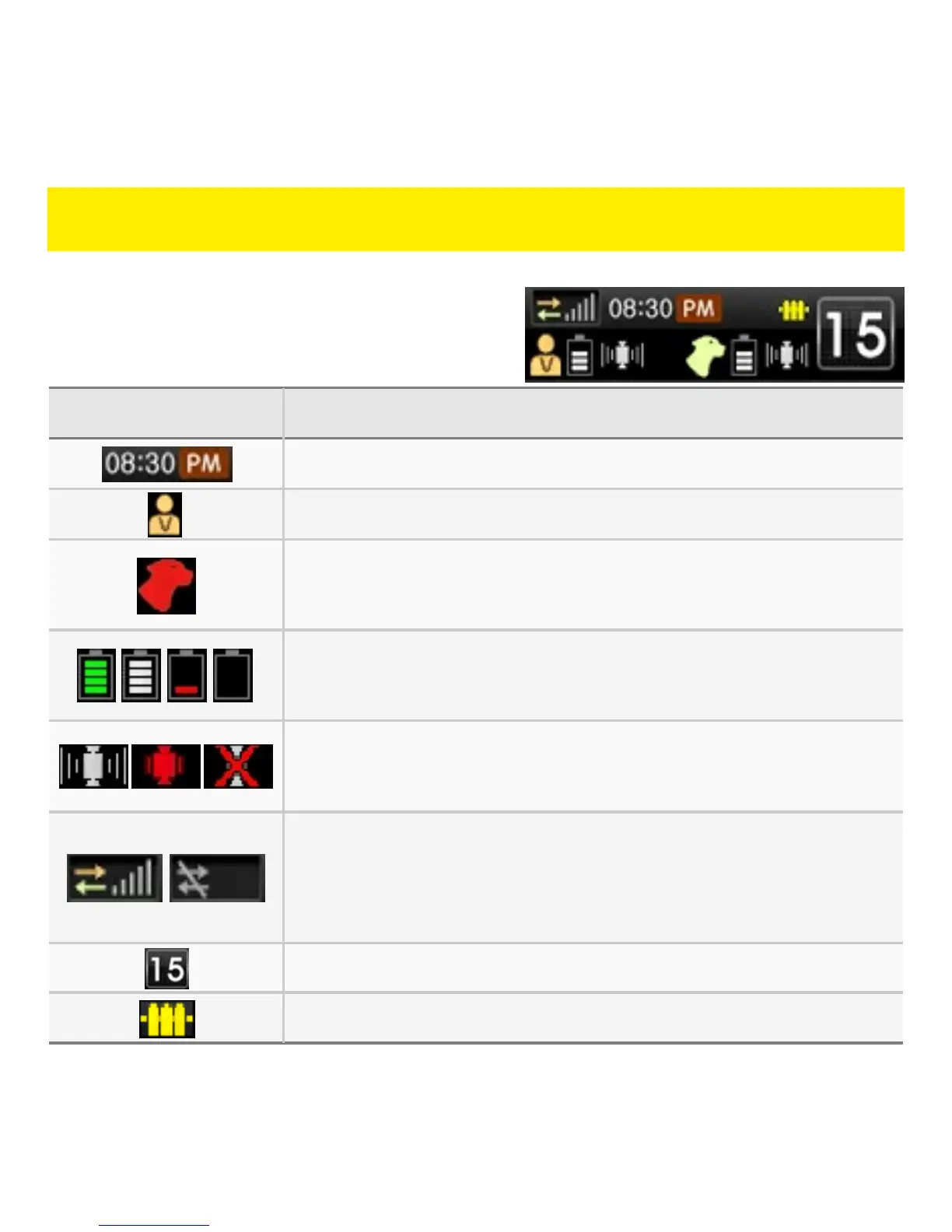
System Information BarThe System Information Bar is located
at the top of the LCD screen and
provides information and status of the
handheld unit and collar unit.
ICON DEFINITION
Current time (must establish GPS signal).
Indicates that the handheld unit is active.
Indicates that the collar unit is active. Color of
collar unit currently being controlled is shown.
Battery status of handheld unit and collar unit. (see
pg. 26 for more information on Battery status).
GPS signal status of handheld unit and collar unit
(see pg. 29 for more information on GPS signals).
RF signal strength between handheld unit and
collar unit. Zero bars and gray icon indicates lost
RF signal.
Intensity level of selected collar unit.
Fence status. Yellow icon indicates active Fence.



 To Next Page