COLLAR STATUS
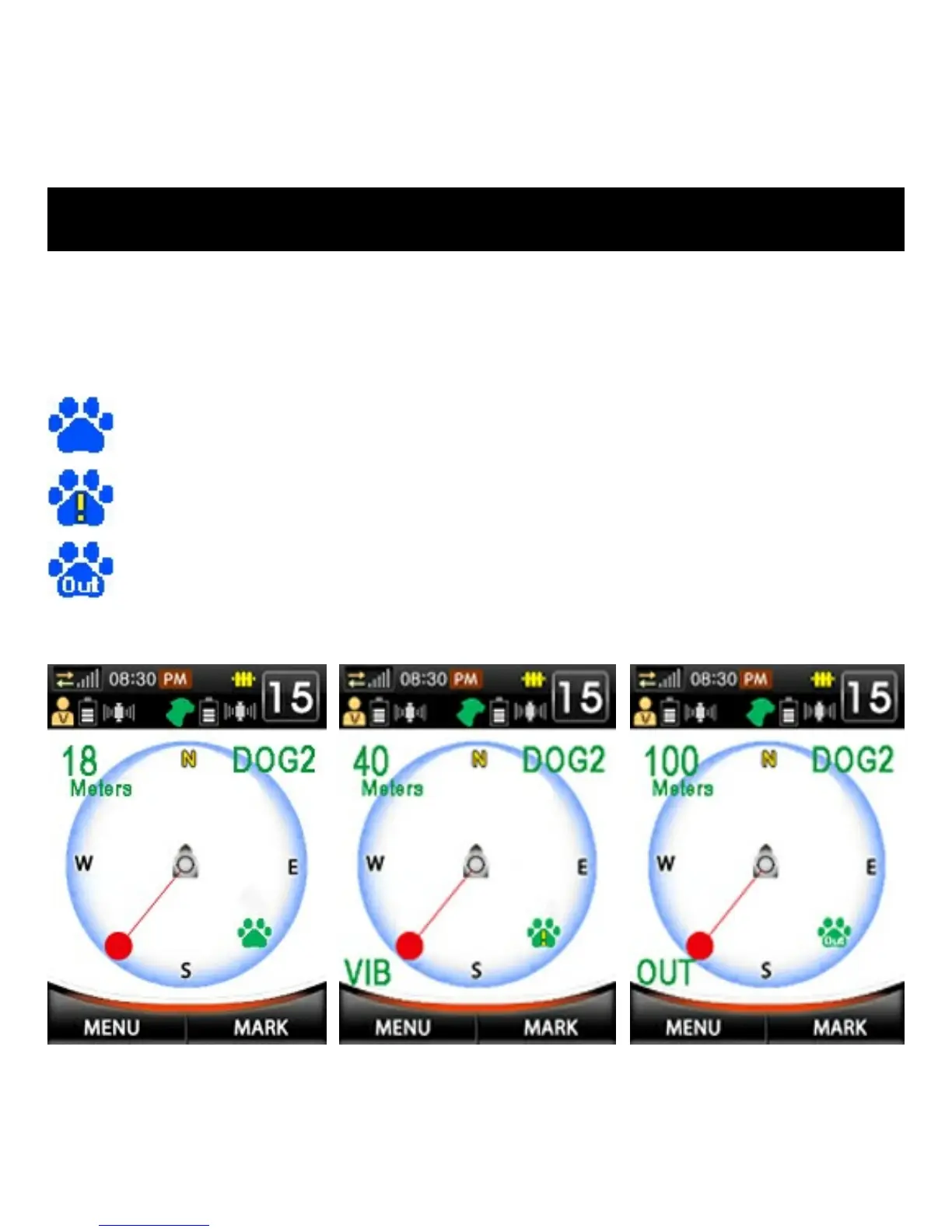
Collar information and status is displayed on the Fence screen. The top
left corner shows distance from Fence Center. The top right corner
shows which collar’s information is being displayed. The bottom left
corner shows the collar’s status (an “X” loss of collar unit GPS Signal).
Fig. 1
Fig. 2
Fig. 3
Collar is in Safe Zone (see fig. 1 below). No warnings or
stimulation are being applied.
Collar is in Warning or Stim Zone (see fig. 2 below). Bottom left
corner shows type of warning or stimulation being received.
Collar is outside Fence area (see fig. 3 below). Bottom left corner
shows “OUT”. No warnings or stimulation are applied.



 To Next Page