WARNING - Do not put the collar on your dog until Fence
boundaries have been physically tested. Boundary distances may
vary according to GPS coordinate accuracy, which can be
inaccurate +/- 10 yards. Both Fence Center and Zones can have
inaccuracies. It is important to physically test boundaries (see pg.
47) to accurately mark boundary points.
NOTE - You will need to establish a clear GPS Signal for the Fence
mode (see pg. 29).
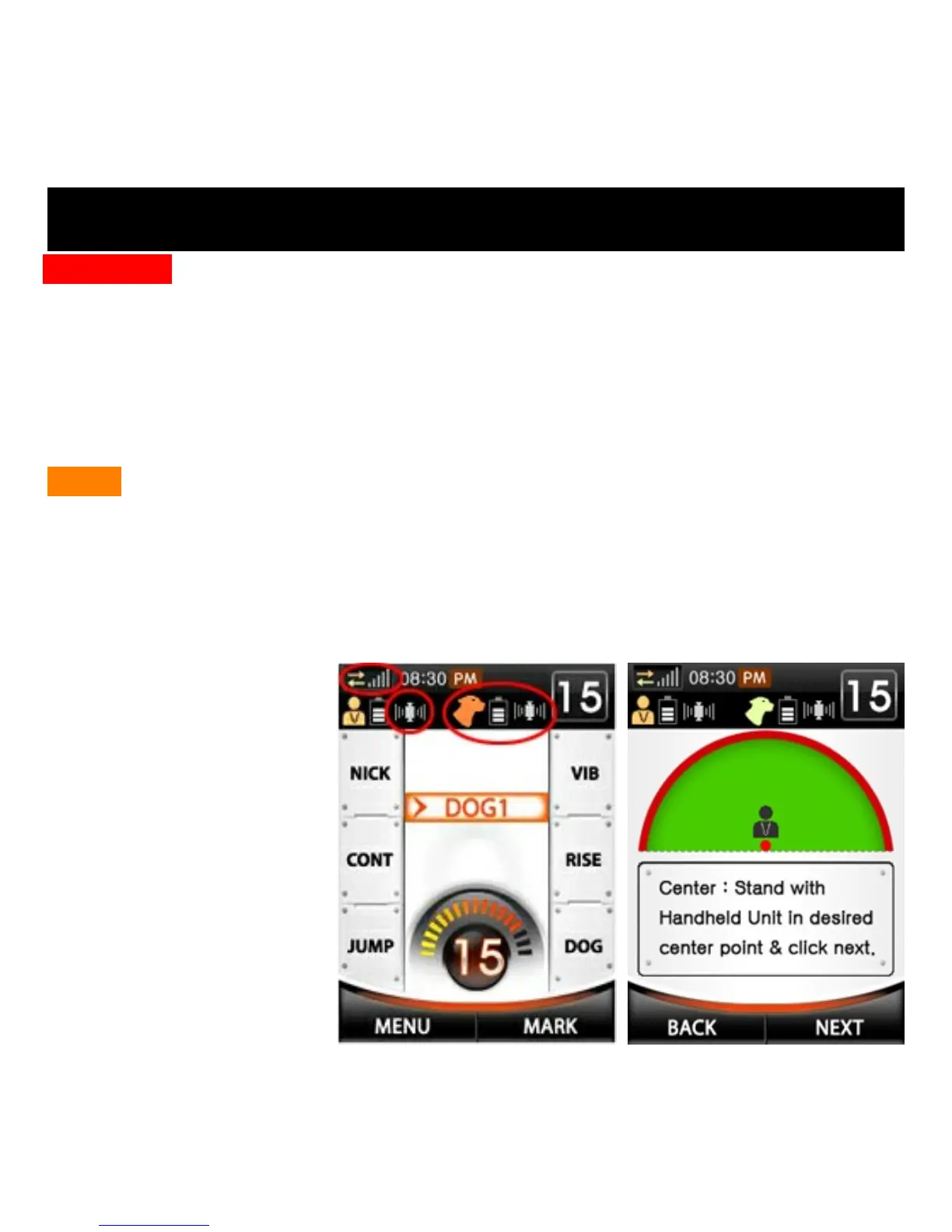
1. Make sure both handheld transmitter and collar units are powered on
and have good GPS signals and RF Signals (see fig. 1 below).
2. To set up
boundaries,
navigate to MENU
→Fence→New
Settings→Enter
3. Stand with the
handheld
transmitter unit in
the location of the
desired Center
Point of the fence
and click NEXT
(see fig. 2 to right).
SETTING UP FENCE BOUNDARIES
Fig. 1
Fig. 2



 To Next Page