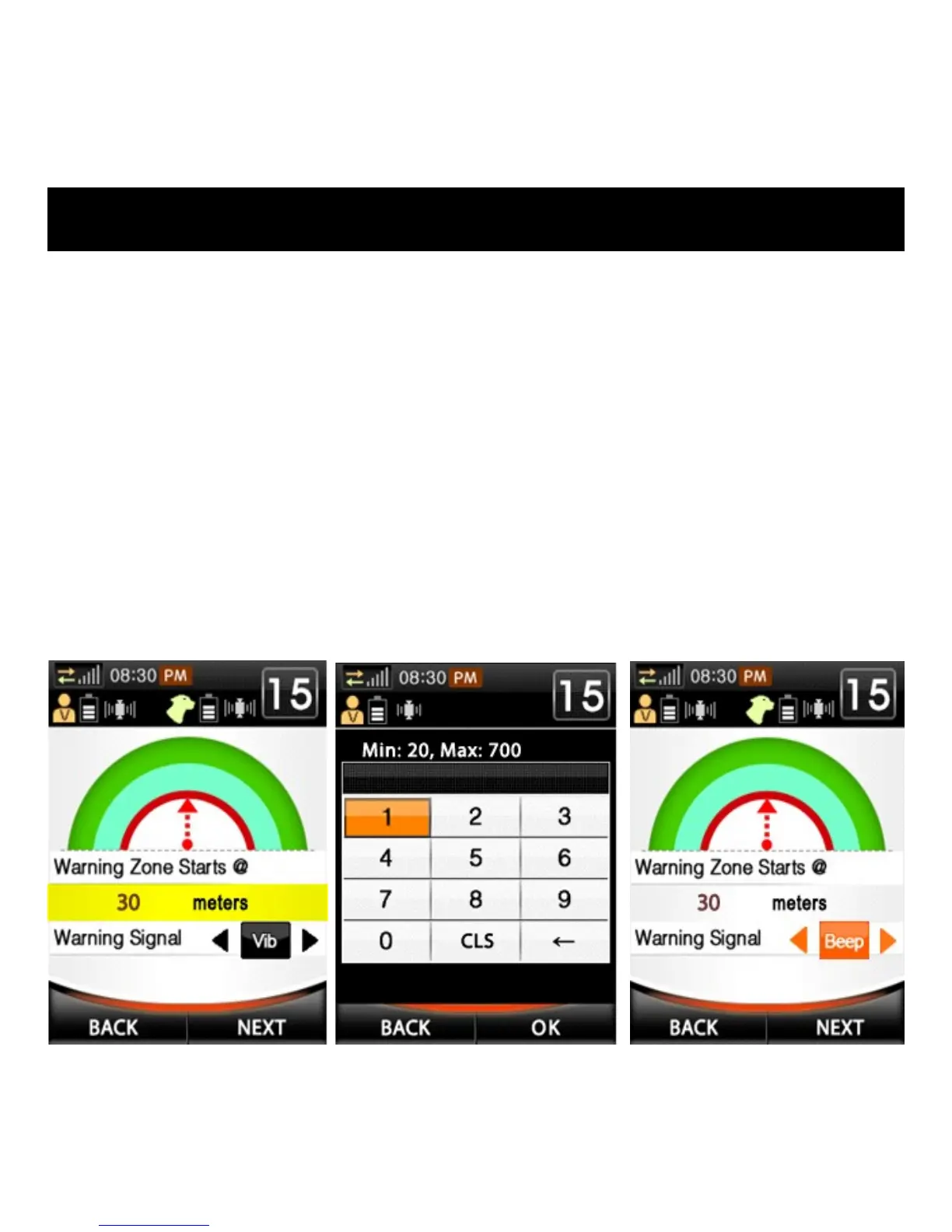
4. Choose the distance from the Center Point to the beginning of the
Warning Zone. This will be be the Safe Zone.
a) Press ENTER in the highlighted box to change the distance (see
fig. 1 below).
b) Using the navigation keys, enter the desired number and press
OK when finished (see fig. 2 below).
5. Choose the Warning Signal for the Warning Zone.
a) Highlight the Warning Signal Box and use the left or right
Directional Key to select Vibration, Beep, Vib with delayed
Stim, Beep with delayed Stim, or None. (see fig. 3 below).
SETTING UP FENCE BOUNDARIES
Fig. 1
Fig. 2
Fig. 3



 To Next Page