MENU→Setup→GPS/RF→
Geo-Mag. Compensation: Allows the user to adjust the compass
readings for magnetism according to location for more accurate tracking.
GPS technology utilizes compasses in order to track direction. However,
Actual North is a constant, calculated direction while Magnetic north
varies according to different variables such as location, magnetism, etc.
Adjusting for these geo-magnetic variables gives a more accurate
representation of the direction when tracking.
1. Stand in an open area where you can travel at least 40 yards north.
2. Highlight Geo-Mag. Compensation and press ENTER.
3. Set your position as the Center Point and press ENTER.
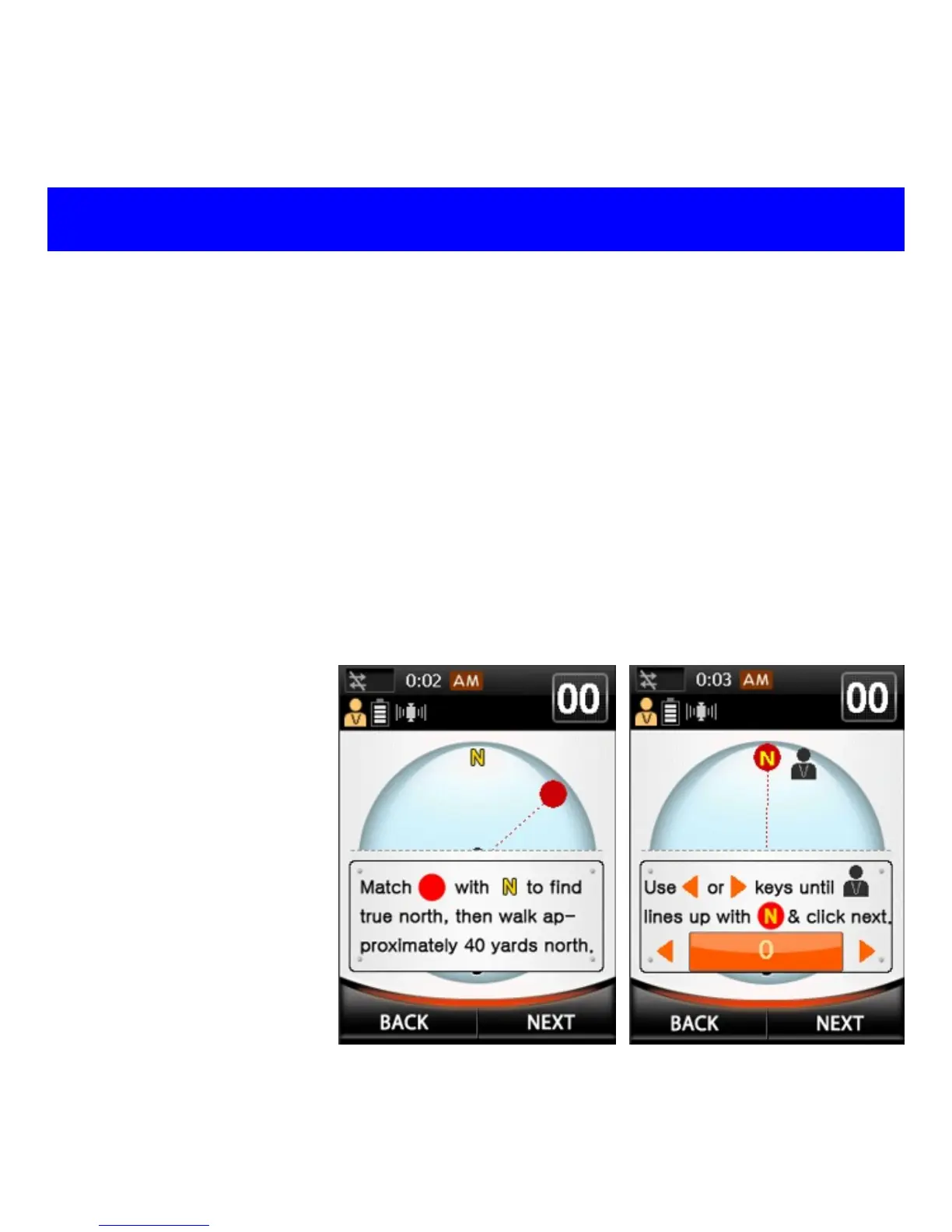
4. Turn until the Red
Circle (Actual
North) lines with ‘N’
on the compass
and walk 40 yards
north (see fig. 1 to
right). Press NEXT.
5. Use Left and Right
keys to line up the
“Man” icon with the
Actual North line
(see fig. 2 to right).
Press NEXT.
6. Press OK to save.
Fig. 2
GPS / RF
Fig. 1



 To Next Page