Need help?
Do you have a question about the D-Link DAP-1325 and is the answer not in the manual?
Describes the manual's purpose and intended users.
Explains formatting and notation used in the manual.
Outlines the organization and content of each chapter.
Provides a general description of the DAP-1325 device and its capabilities.
Details the hardware and software specifications of the device.
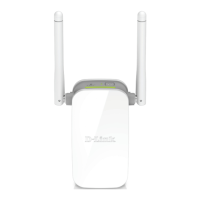
Describes the physical appearance of the device, including panels and LEDs.
Lists the items included in the product packaging.
Advises users to read the manual and ensure they have necessary information and equipment.
Details the steps for connecting the extender to a PC via Ethernet or Wi-Fi.
Explains how to connect the extender to a PC using a Wi-Fi adapter.
Guides users on accessing the extender's web-based interface for configuration.
Guides the initial setup of the extender using a wizard.
Explains how to choose and configure the extender's operation mode (Access Point, Repeater, Client).
Details how to configure the extender's LAN IPv4 address to avoid conflicts.
Describes how to configure the extender to connect to a wireless network as a client.
Explains how to set up the wireless network name (SSID) and password for the extender.
Guides on changing the administrator password for the web-based interface for security.
Displays current system status, network statistics, DHCP leases, and connected devices.
Allows configuration of basic LAN parameters including IP addressing and DHCP.
Enables configuration of wireless network settings, security, and client management.
Facilitates adding DNS name servers to the system.
Provides options for configuring MAC address-based filtering for network access.
Offers functions for managing device settings, firmware, logs, and time.
Outlines essential safety precautions and operating conditions for the device.
Provides guidance on optimal placement and environmental factors for wireless range.


 To Next Page


 General