DAP-1325 N300 Wi-Fi Range Extender
User Manual
Configuring via Web-based Interface
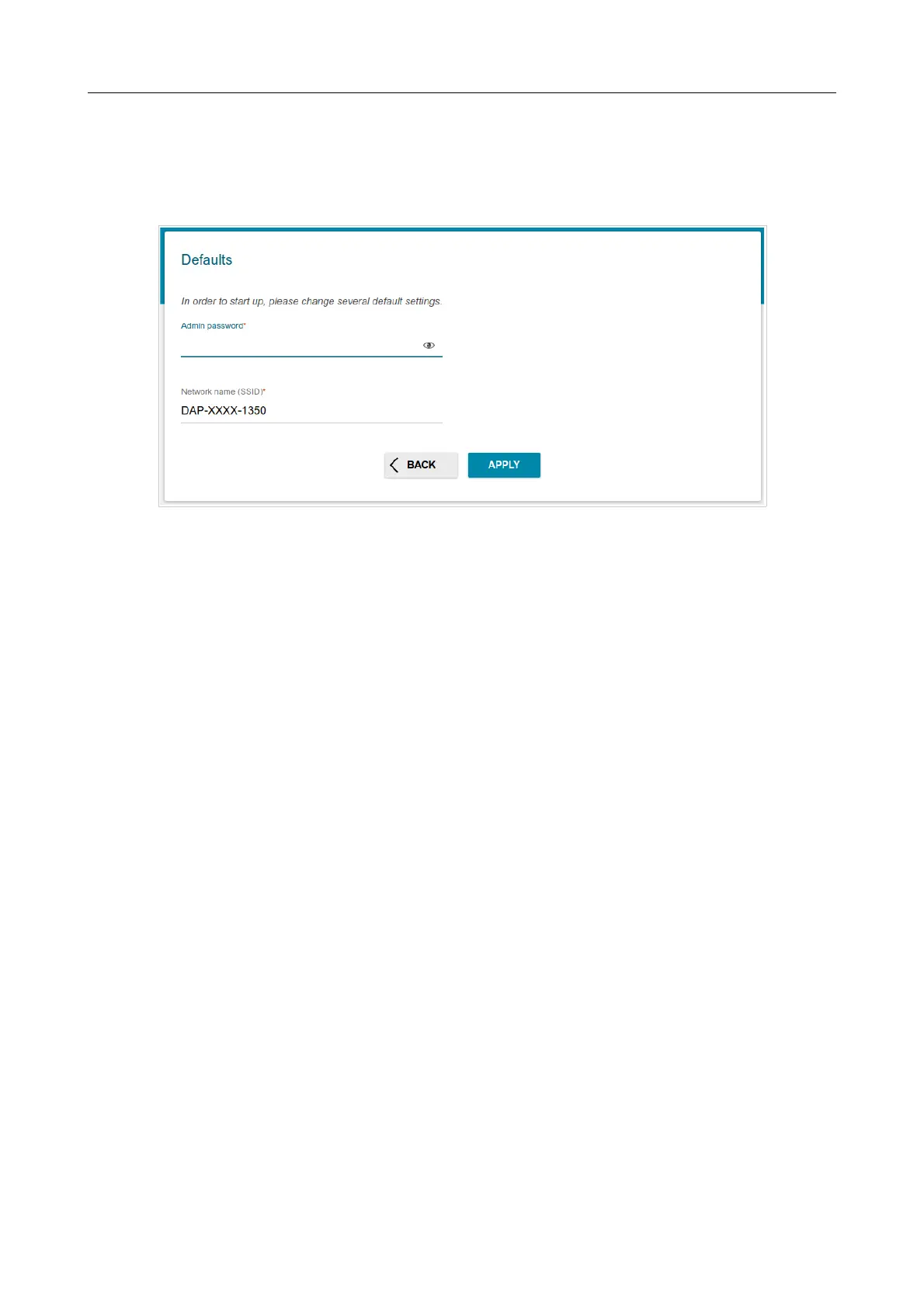
You can finish the wizard earlier and go to the menu of the web-based interface. To do this, click the
ADVANCED SETTINGS button. On the opened page, change the default settings: specify the
administrator password in the Admin password field and the name of the wireless network in the
Network name (SSID) field. Then click the APPLY button.
Figure 25. Changing the default settings.
To continue the configuration of the extender via the Wizard, click the CONTINUE button.
Page 33 of 92



 To Next Page