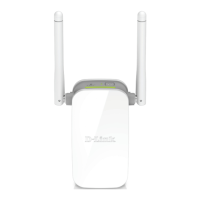
DAP-1325 N300 Wi-Fi Range Extender
User Manual
Configuring via Web-based Interface
Parameter Description
Enable encryption WEP
For Open authentication type only.
To activate WEP encryption, move the switch to the right. Upon that
the WEP type and Default key ID drop-down lists, the
Encryption key WEP as HEX switch, and four Encryption key
fields are displayed on the page.
WEP type
For Open authentication type only.
WEP encryption type with a 64-bit or 128-bit key.
Select the WEP-64 value to specify keys containing 5 ASCII
symbols or 10 HEX symbols.
Select the WEP-128 value to specify keys containing 13 ASCII
symbols or 26 HEX symbols.
Default key ID
The number of the key (from first to fourth) which will be used for
WEP encryption.
Encryption key WEP as
HEX
Move the switch to the right to set a hexadecimal number as a key
for encryption.
Encryption key
(1-4)
Keys for WEP encryption. The extender uses the key selected from
the Default key ID drop-down list. It is required to specify all the
fields.
Page 54 of 92



 To Next Page