6D-Link DWR-933 User Manual
Section 1 - Product Overview
Hardware Overview
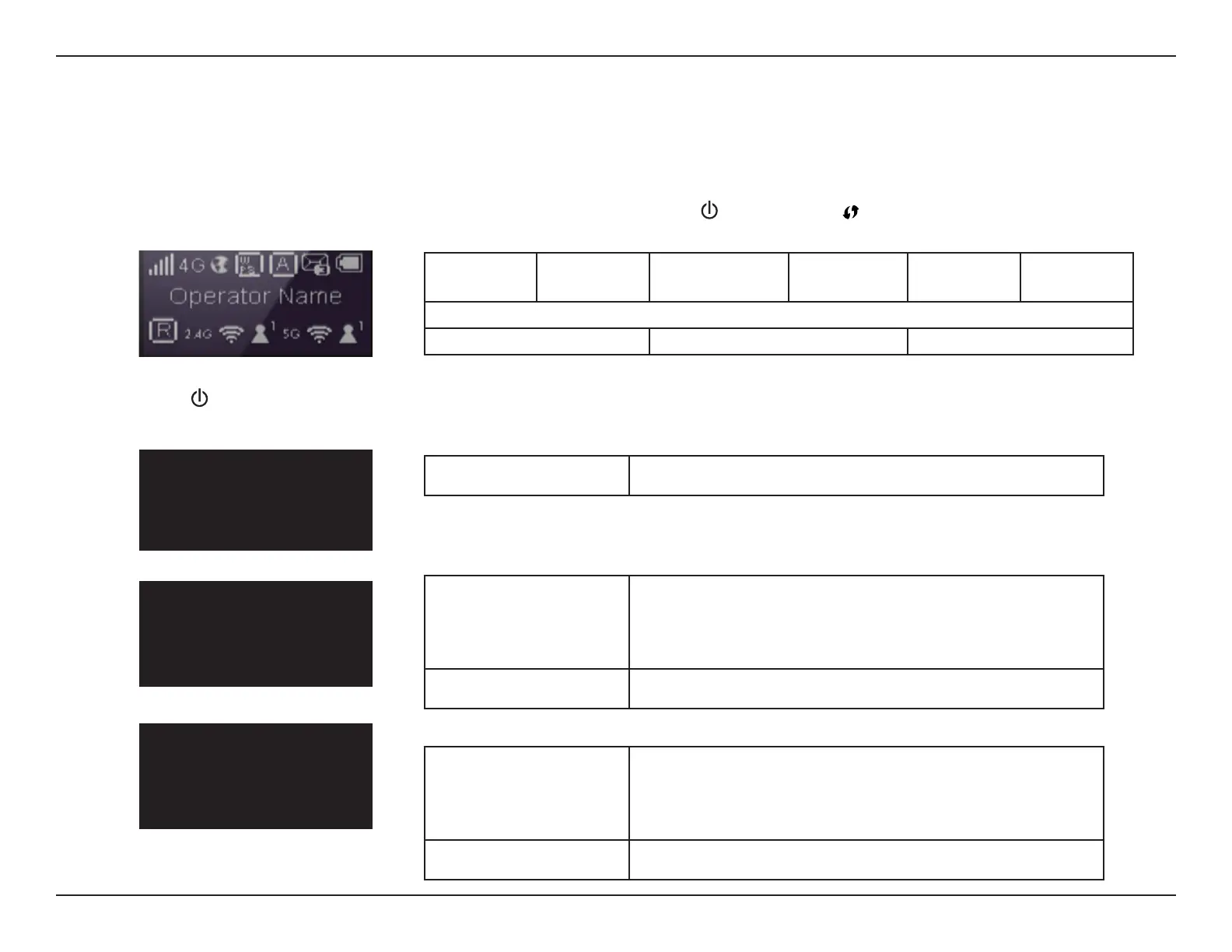
LCD Display
When you turn on the DWR-933, the D-Link logo will appear while the device is booting, then the home screen will appear. After a few seconds of
inactivity the screen will power o. To wake up the display, press the Power Button ( ) or WPS Button .
Signal/
Network
Internet
Status
WPS Pairing
Status
Auto/Manual
Connection
SIM Card
Status/SMS
Battery
Status
Mobile Network Provider
Roaming # Connected Clients 2.4 GHz # Connected Clients 5 GHz
WiFi 2.4G
Name:
By default, the network name (SSID) of the DWR-933 will
be in the format dlink_DWR-933_xxxxxx, where “xxxxxx”
represents the last four characters of the DWR-933’s MAC
address.
Key: The password required to join the above network.
WiFi 5G
Wireless Network SSID 2:
By default, the network name (SSID) of the DWR-933 will
be in the format dlink_DWR-933_xxxxxx, where “xxxxxx”
represents the last four characters of the DWR-933’s MAC
address.
Key: The password required to join the above network.
Firmware Version
FW Version: Indicates your device’s current FW version.
Press the Power (
) Button to cycle through the WiFi 2.4G, WiFi 5G, and Firmware information screens.
FW Version:
01.00.EU
WiFi 2.4G
Name: DWR-933_xxxxxx
KEY: xxxxxxxxxxx
WiFi 5G
Name: DWR-933_xxxxxx
KEY: xxxxxxxxxxx



 To Next Page