401
D-Link ShareCenter™ DNS-320L User Manual
Section 4 - Conguration
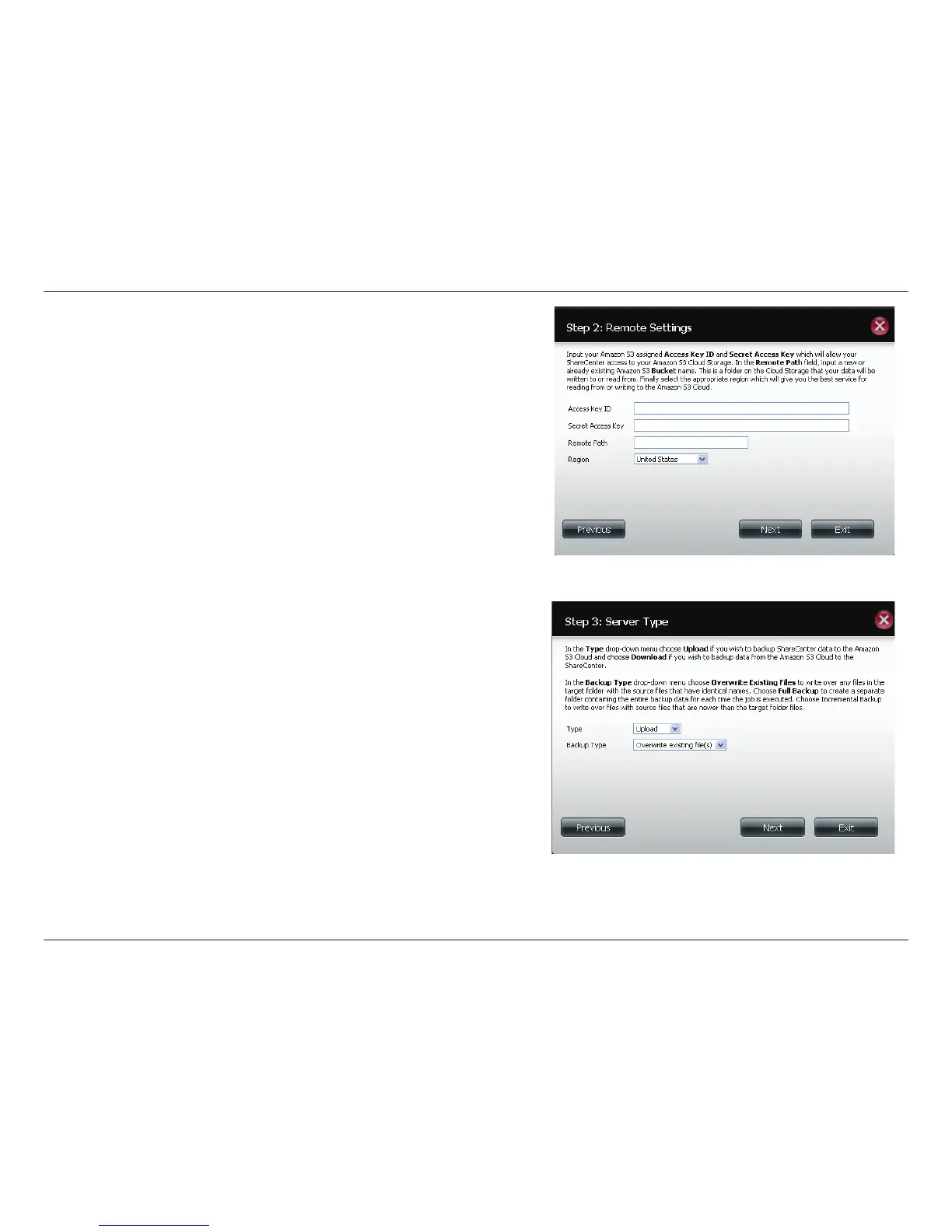
Step 2: Remote Settings
Access Key ID: Enter your Amazon S3 assigned Access Key ID which
allows your ShareCenter™ to access your Amazon S3 Cloud Storage.
Secret Access Key: Enter your Secret Access Key to access your Amazon
S3 Cloud Storage.
Remote Path: Input a new or already existing Amazon bucket name.
Region: Select your Region from the drop-down menu.
Step 3: Server Type
Type: Select Upload or Download from the drop-down menu.
Backup Type: Use the drop-down menu and select Overwrite Existing
Files, Full Backup or Incremental Backup.



 To Next Page
 Loading...












