xStack
®
DGS-3426G Layer 2 Gigabit Ethernet Managed Switch
121
Trunking
Understanding Port Trunk Groups
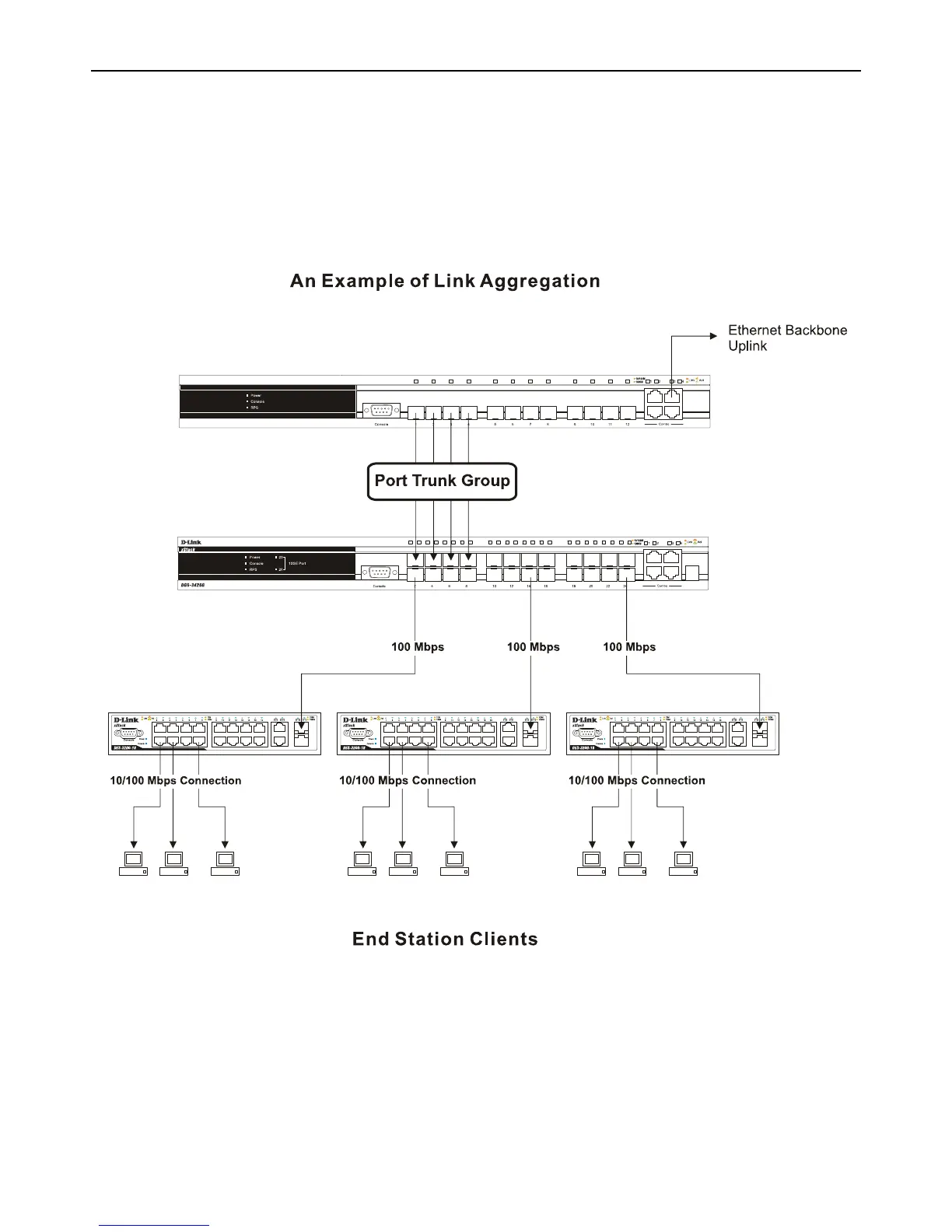
Port trunk groups are used to combine a number of ports together to make a single high-bandwidth data pipeline. DGS-3426G
supports up to 32 port trunk groups with 2 to 8 ports in each group. A potential bit rate of 8000 Mbps can be achieved.
Figure 3 - 20 Example of Port Trunk Group
The Switch treats all ports in a trunk group as a single port. Data transmitted to a specific host (destination address) will always be
transmitted over the same port in a trunk group. This allows packets in a data stream to arrive in the same order they were sent.














 To Next Page