xStack
®
DGS-3426G Layer 2 Gigabit Ethernet Managed Switch
313
Note: To configure 802.1X features for the xStack
®
switch, go to the
Administration folder and select Port Access Entity.
MAC Address Table
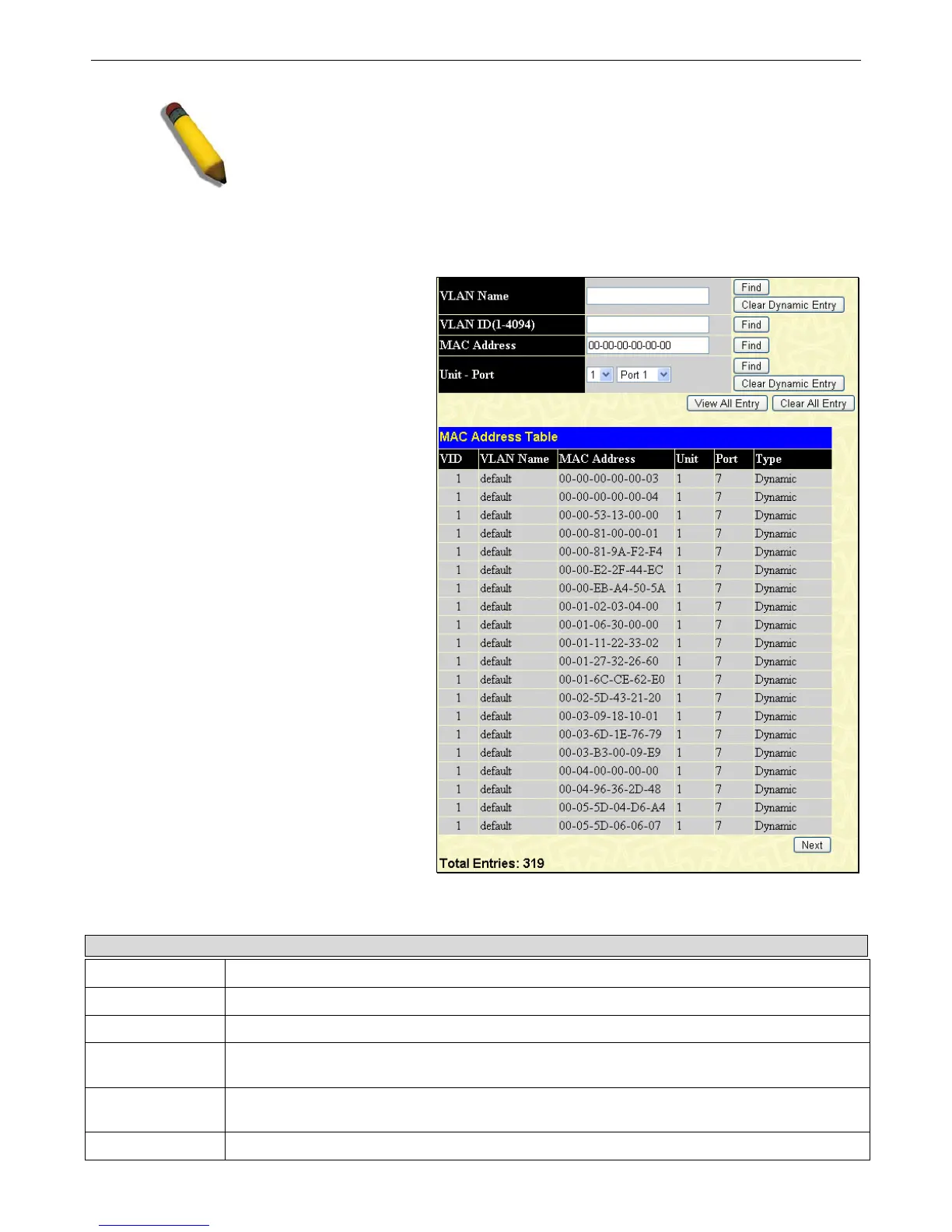
This allows the Switch's dynamic MAC address
forwarding table to be viewed. When the Switch learns
an association between a MAC address and a port
number, it makes an entry into its forwarding table.
These entries are then used to forward packets through
the Switch.
To view this window, click Monitoring > MAC
Address Table, as shown on the right:
Figure 7 - 29 MAC Address Table window
The functions are used in the MAC address table:
Parameter Description
VLAN Name
Enter a VLAN Name for the forwarding table to be browsed by.
VLAN ID (1-4094)
Enter a VLAN ID for the forwarding table to be browsed by.
MAC Address
Enter a MAC address for the forwarding table to be browsed by.
Unit – Port
Select the unit of the Switch in the switch stack, and a port on that switch, where to find the MAC
address.
Find
Allows the user to move to a sector of the database corresponding to a user defined port, VLAN,
or MAC address.
VID
The VLAN ID of the VLAN of which the port is a member.














 To Next Page