DESCRIPTION OF OPERATIONGENERATORS SECTION
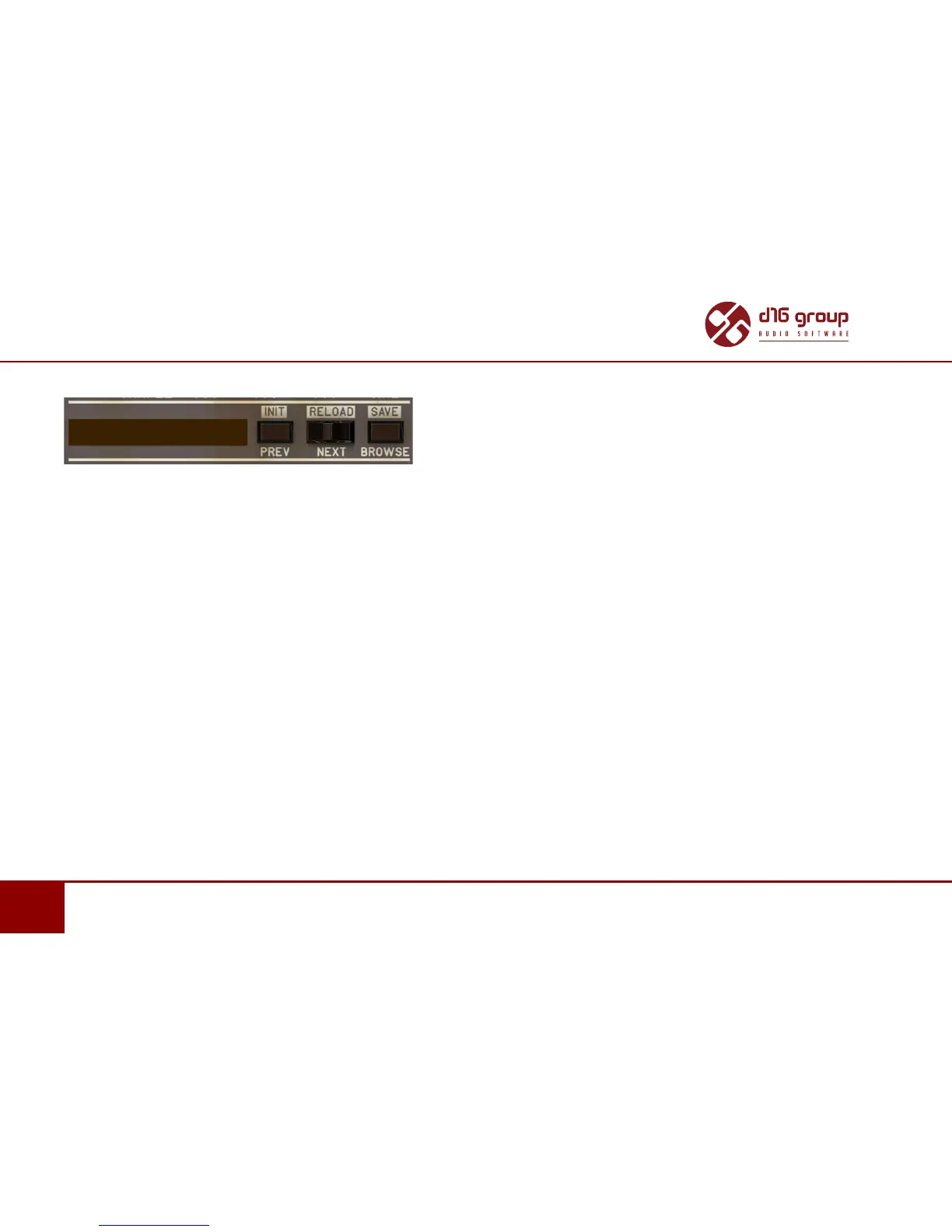
Below Mode you can nd the Preset/Sample Management secon
Preset / Sample Management secon of the Kick generator
Used to browse the Factory / User content (samples or presets) for the currently selected generator engine. This secon contains
the following controls:
• Prev / Next – Used to navigate through the sample or preset bank (depending on the selected generator engine) by moving
to the next or previous item.
• Browse – Opens the Sample/Preset browser – for more informaon on the Browser operaon please refer
to the Preset Management chapter.
• Init (Prev + CTRL) – Restoring the inial generator sengs and deleng a sample from the memory if the Sampler is used
as a generator engine.
• Reload (Next + CTRL) – Restoring the most recently loaded master sengs (Master Preset) for the acve generator engine
and loading the sample used in the master preset if the Sampler is used as the generator engine .
• Save (Browse + CTRL) – A funcon available only when the generator engine is one of the synthesizers and used to save the
current engine sengs as a user’s preset.


 To Next Page