SQLC-214-097
43
(11) Harmonic measurement setting
Each parenthesized number shows a setting number and this number is displayed on the setting screen.
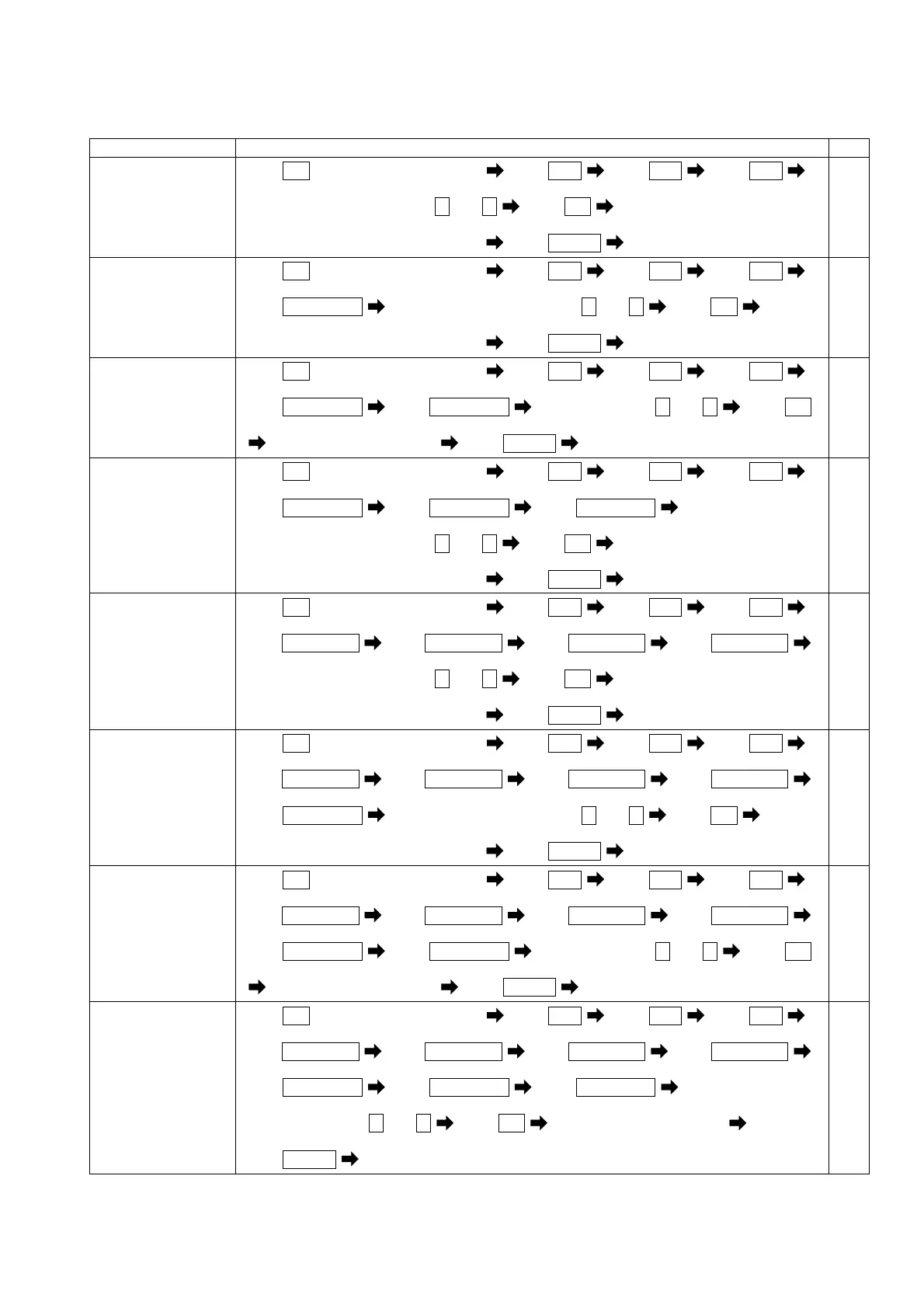
Items Setting and operation procedures Page
Set the high-alarm
value of current
distortion factor.
(141H)
Press
SET
for longer than 3 seconds Press
MODE
Press
MODE
Press
MODE
(111) (121AL) (131H) (141H)
Select a high-alarm value by + and -
Press
SET
Selected high-alarm value is entered
Press
DISPLAY
Returns to display mode.
54,55
Set the high-alarm
value of 5th current
conversion content.
(142H)
Press
SET
for longer than 3 seconds Press
MODE
Press
MODE
Press
MODE
(111) (121AL) (131H) (141H)
Press
RESET/SHIFT
Select a high-alarm value by + and - Press
SET
(142H)
Selected high-alarm value is entered
Press
DISPLAY
Returns to display mode.
54,55
Set the order of
n-th current
content.
(143)
Press
SET
for longer than 3 seconds Press
MODE
Press
MODE
Press
MODE
(111) (121AL) (131H) (141H)
Press
RESET/SHIFT
Press
RESET/SHIFT
Select a order by + and - Press
SET
(142H) (143)
Selected order is entered Press
DISPLAY
Returns to display mode.
54,55
Set the high-alarm
value of n-th
current content.
(144H)
Press
SET
for longer than 3 seconds Press
MODE
Press
MODE
Press
MODE
(111) (121AL) (131H) (141H)
Press
RESET/SHIFT
Press
RESET/SHIFT
Press
RESET/SHIFT
(142H) (143) (144H)
Select a high-alarm value by + and -
Press
SET
Selected high-alarm value is entered
Press
DISPLAY
Returns to display mode.
54,55
Set the high-alarm
value of voltage
distortion factor.
(145H)
Press
SET
for longer than 3 seconds Press
MODE
Press
MODE
Press
MODE
(111) (121AL) (131H) (141H)
Press
RESET/SHIFT
Press
RESET/SHIFT
Press
RESET/SHIFT
Press
RESET/SHIFT
(142H) (143) (144H) (145H)
Select a high-alarm value by + and -
Press
SET
Selected high-alarm value is entered
Press
DISPLAY
Returns to display mode.
54,55
Set the high-alarm
value of voltage 5th
conversion content.
(146H)
Press
SET
for longer than 3 seconds Press
MODE
Press
MODE
Press
MODE
(111) (121AL) (131H) (141H)
Press
RESET/SHIFT
Press
RESET/SHIFT
Press
RESET/SHIFT
Press
RESET/SHIFT
(142H) (143) (144H) (145H)
Press
RESET/SHIFT
Select a high-alarm value by + and - Press
SET
(146H)
Selected high-alarm value is entered
Press
DISPLAY
Returns to display mode.
54,55
Set the order of
n-th voltage
content.
(147)
Press
SET
for longer than 3 seconds Press
MODE
Press
MODE
Press
MODE
(111) (121AL) (131H) (141H)
Press
RESET/SHIFT
Press
RESET/SHIFT
Press
RESET/SHIFT
Press
RESET/SHIFT
(142H) (143) (144H) (145H)
Press
RESET/SHIFT
Press
RESET/SHIFT
Select a order by + and - Press
SET
(146H) (147)
Selected order is entered Press
DISPLAY
Returns to display mode.
54,55
Set the high-alarm
value of n-th
voltage content.
(148H)
Press
SET
for longer than 3 seconds Press
MODE
Press
MODE
Press
MODE
(111) (121AL) (131H) (141H)
Press
RESET/SHIFT
Press
RESET/SHIFT
Press
RESET/SHIFT
Press
RESET/SHIFT
(142H) (143) (144H) (145H)
Press
RESET/SHIFT
Press
RESET/SHIFT
Press
RESET/SHIFT
(146H) (147) (148H)
Select a factor by + and -
Press
SET
Selected factor is entered
Press
DISPLAY
Returns to display mode.
54,55


 To Next Page