2 Components
Service manual
34
ATXP20~35L2V1B + FTXP20~71L2V1B + ARXP20~35L2V1B +
RXP20~71L2V1B
Split Comfora R32
ESIE18-01 – 2019.02
2 Check that all connectors are fully plugged‑in. All colour codes
MUST correspond.
3 Check that no connectors are damaged.
Is the problem solved? Action
Yes No further actions required.
No Return to "2.8.1Checking
procedures"on page32 of the
PCB and continue with the next
procedure.
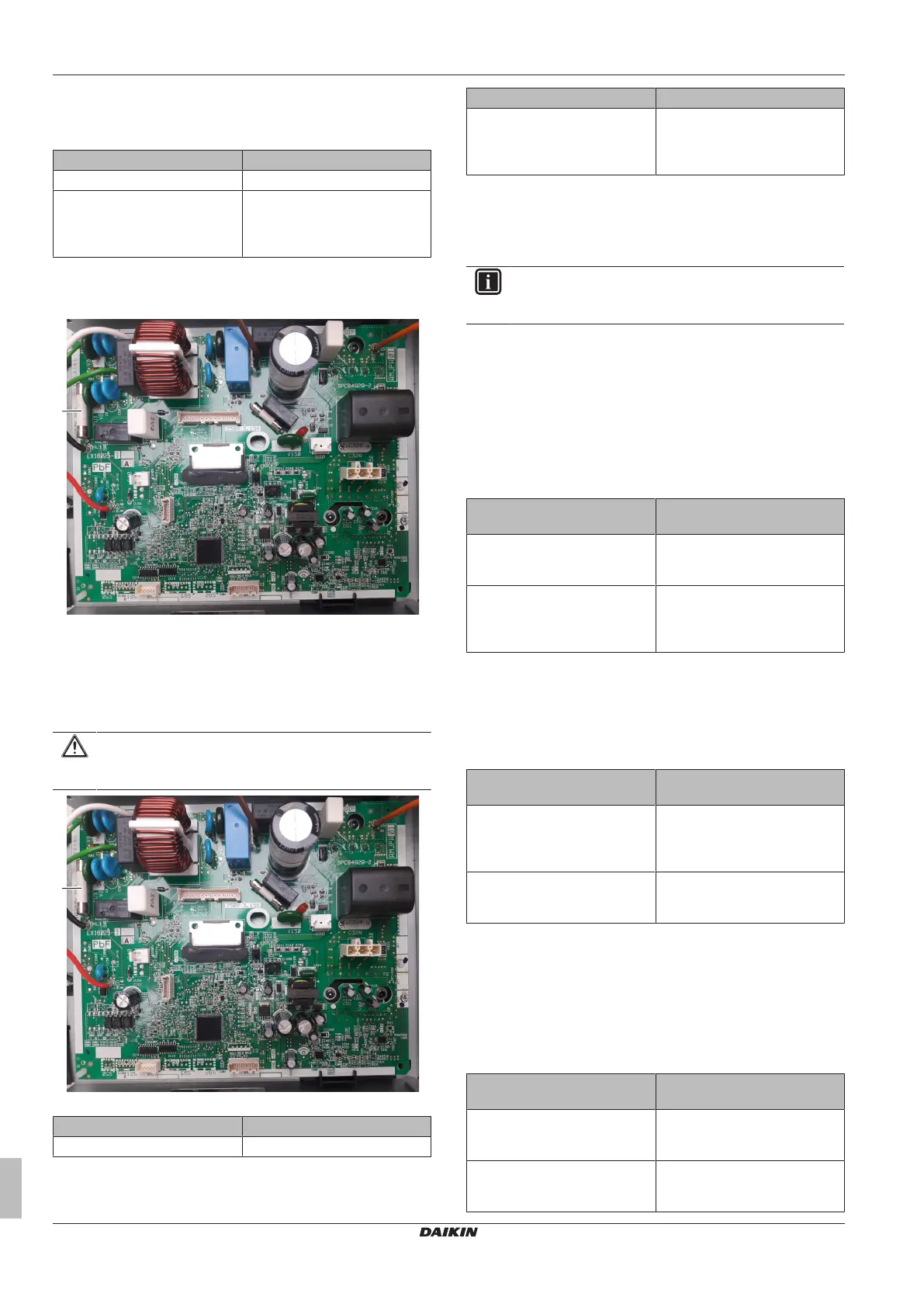
To remove a fuse of the main PCB
1 Remove the fuse from the PCB.
a Fuse
2 To install a fuse on the main PCB, see "2.8.2 Repair
procedures"on page33.
To install a fuse on the main PCB
1 Install the fuse on the correct location on the PCB.
CAUTION
Make sure the fuse is plugged‑in correctly (contact with the
fuse holder).
a Fuse
Is the problem solved? Action
Yes No further actions required.
Is the problem solved? Action
No Return to "2.8.1Checking
procedures"on page32 of the
PCB and continue with the next
procedure.
2.9 Outdoor unit fan motor
2.9.1 Checking procedures
INFORMATION
It is recommended to perform the checks in the listed
order.
To perform a mechanical check of the propeller
fan blade assembly
Prerequisite: Turn OFF the unit via the user interface.
Prerequisite: Turn OFF the respective circuit breaker.
Prerequisite: Remove the required plate work, see "2.10 Plate
work"on page35.
1 Check the state of the propeller fan blade assembly for
damage, deformations and cracks.
Is the propeller fan blade
assembly damaged?
Action
Yes Replace the propeller fan blade
assembly, see "2.9.2Repair
procedures"on page35.
No Perform a mechanical check of
the DC fan motor assembly, see
"2.9.1Checking procedures"on
page34.
To perform a mechanical check of the DC fan
motor assembly
Prerequisite: First perform a mechanical check of the propeller fan
blade assembly, see "2.9.1Checking procedures"on page34.
1 Check the friction of the DC fan motor shaft bearing.
Is the DC fan motor shaft
friction normal?
Action
Yes Perform an electrical check of the
DC fan motor assembly, see
"2.9.1Checking procedures"on
page34.
No Replace the DC fan motor
assembly, see "2.9.2Repair
procedures"on page35.
To perform an electrical check of the DC fan motor
assembly
1 First perform a mechanical check of the DC fan motor
assembly, see "2.9.1Checking procedures"on page34.
2 Measure the resistance between the pins 1-2, 1-3, and 2-3 of
the DC fan motor connector. All measurements MUST be
15~20 Ω.
DC fan motor resistance
measurements are correct?
Action
Yes Return to the troubleshooting of
the specific error and continue
with the next procedure.
No Replace the DC fan motor, see
"2.9.2Repair procedures"on
page35.




 To Next Page