AP25 Installation and Operating Guide Page 18
AP25 Installation & Operating Guide Document # 9301H79500 Ver. 1.00
Manual Automation Control
Setup Menu
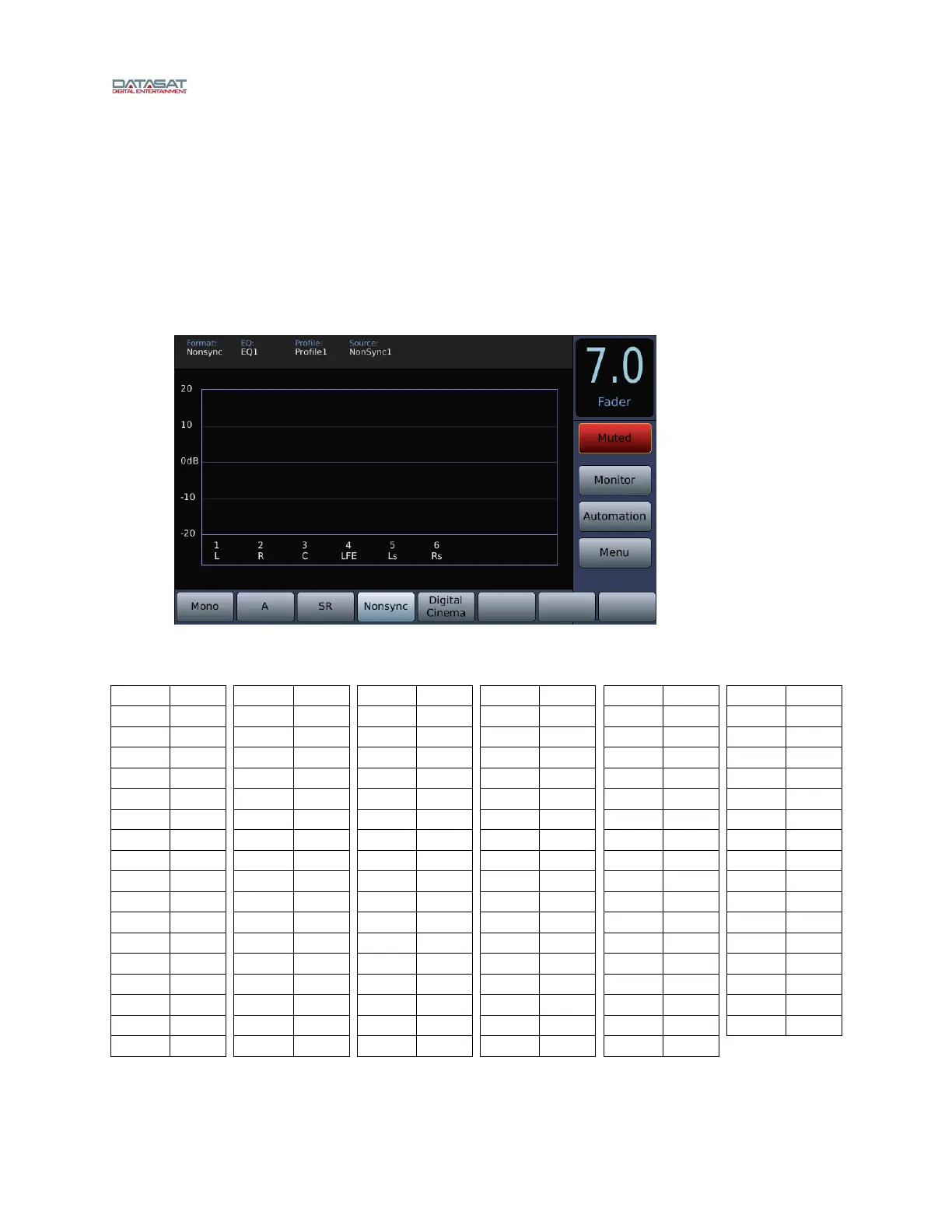
VU bars for all output channels associated with the current audio format.
1.4.1 Adjusting the Fader
Adjust the fader volume by using the control knob on the front panel. To mute the fader, touch the Mute
button. The button label will turn red and change to “Muted”.
Unmute the AP25 by touching the mute button again, or changing formats. If in the Home Screen,
increasing the fader volume using the control knob will also unmute.
Figure 6. Fader Muted
Fader reference level is 7.0. Table 2 below shows dB relative to the AP25 fader settings.
Fader dB
10.0 15.0
9.9 14.5
9.8 14.0
9.7 13.5
9.6 13.0
9.5 12.5
9.4 12.0
9.3 11.5
9.2 11.0
9.1 10.5
9.0 10.0
8.9 9.5
8.8 9.0
8.7 8.5
8.6 8.0
8.5 7.5
8.4 7.0
Fader dB
8.3 6.5
8.2 6.0
8.1 5.5
8.0 5.0
7.9 4.5
7.8 4.0
7.7 3.5
7.6 3.0
7.5 2.5
7.4 2.0
7.3 1.5
7.2 1.0
7.1 0.5
7.0 0.0
6.9 -0.5
6.8 -1.0
6.7 -1.5
Fader dB
6.6 -2.0
6.5 -2.5
6.4 -3.0
6.3 -3.5
6.2 -4.0
6.1 -4.5
6.0 -5.0
5.9 -5.5
5.8 -6.0
5.7 -6.5
5.6 -7.0
5.5 -7.5
5.4 -8.0
5.3 -8.5
5.2 -9.0
5.1 -9.5
5.0 -10.0
Fader dB
4.9 -10.5
4.8 -11.0
4.7 -11.5
4.6 -12.0
4.5 -12.5
4.4 -13.0
4.3 -13.5
4.2 -14.0
4.1 -14.5
4.0 -15.0
3.9 -15.5
3.8 -16.0
3.7 -16.5
3.6 -17.0
3.5 -17.5
3.4 -18.0
3.3 -18.5
Fader dB
3.2 -20.0
3.1 -22.0
3.0 -24.0
2.9 -26.0
2.8 -28.0
2.7 -30.0
2.6 -32.0
2.5 -34.0
2.4 -36.0
2.3 -38.0
2.2 -40.0
2.1 -42.0
2.0 -44.0
1.9 -46.0
1.8 -48.0
1.7 -50.0
1.6 -52.0
Fader dB
1.5 -54.0
1.4 -56.0
1.3 -58.0
1.2 -60.0
1.1 -62.0
1.0 -64.0
0.9 -66.0
0.8 -68.0
0.7 -70.0
0.6 -72.0
0.5 -74.0
0.4 -76.0
0.3 -78.0
0.2 -80.0
0.1 -82.0
0.0 -84.0
Table 2: Fader setting referenced to dB



 To Next Page