AP25 Installation and Operating Guide Version 1.00
Appendix F. H338 Optical Film Card Option F-4 Document #: 9301H79500 Ver. 1.00
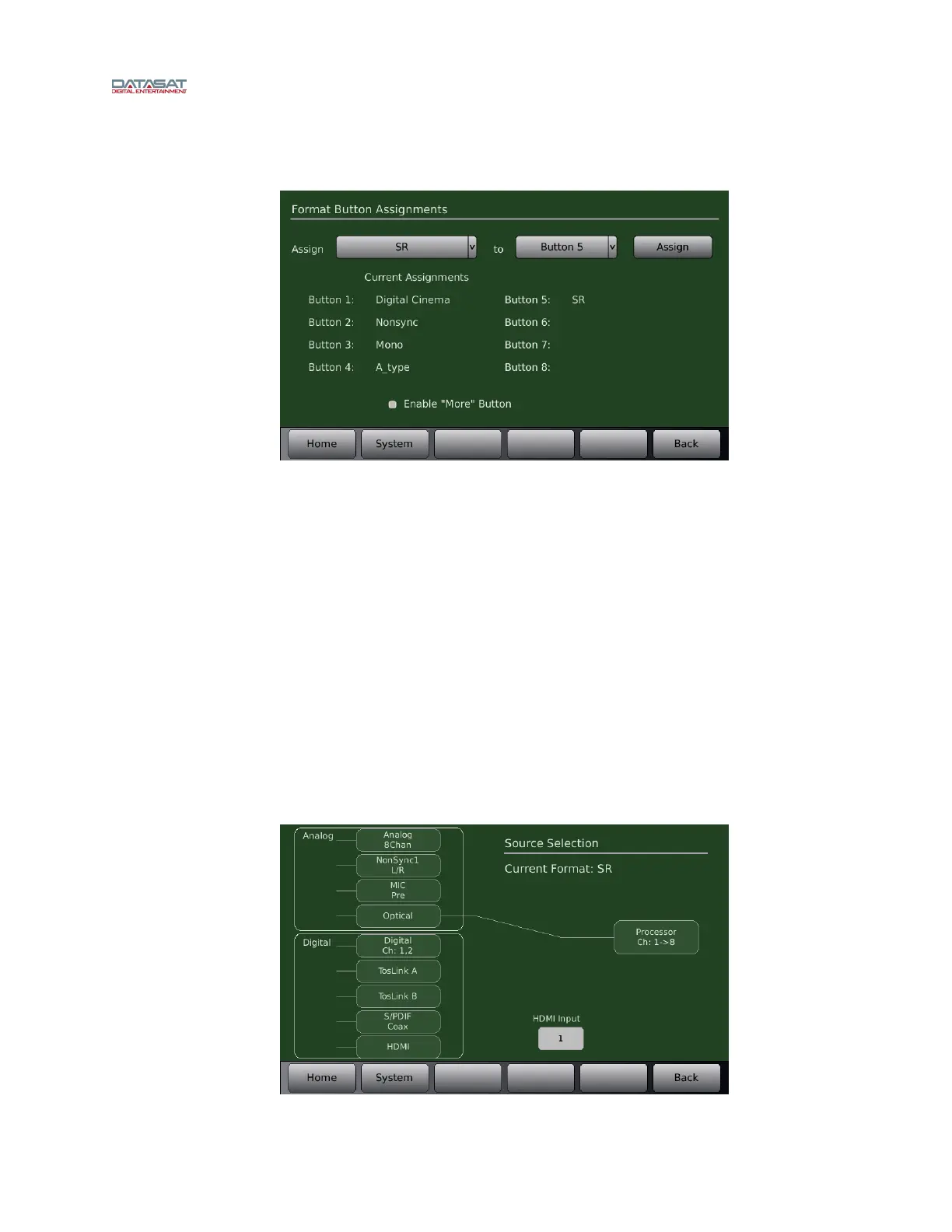
To assign a format button, go to:
Menu (System) → Formats → Assign Buttons
Figure 5 – Format Button Assignment
Select a Format to assign from the Assign drop down menu. Select a button to assign the format
to from the drop down menu. Press the Assign button. In Figure 5 above, SR
has been assigned
to Button 5. The current format assignments will be listed next to the button numbers. The
newly selected format should now appear on the list.
F3.3. Input Source Selection
Select the Input Source button. This will open the Input Select screen. Each of the optical formats
must be set to have Optical selected as their input source. In the example in Figure 6 below, SR will
have its input
source set to Optical. The right side of the screen should display “Current Format:
SR”. If it is not displayed, return to the Audio Format Setup screen and select SR in the Current
Audio Format drop down menu. Return to the Input Select screen by pressing the Input Source
button. Select Optical as the Analog Input Source. A line should appear from the selected source to
the output
Menu (System) → Formats → Input Source
Figure 6 – Select Input Source



 To Next Page