AP25 Installation and Operating Guide Page 77
AP25 Installation & Operating Guide Document # 9301H79500 Ver. 1.00
If an un-encoded digital signal is received (i.e. 2-channel PCM), the signal is routed to the first two
channels in the AP25 (Left and Right) and the others remain muted. The HDMI also supports 6 or 8
channel un-encoded PCM signal. The AP25 will switch between stream types as the signal type changes.
This occurs automatically within the AP25.
Table 14: Decoder Channel Assignments
CHANNEL NUMBER CHANNEL NAME
1 Left
2 Right
3 Center
4 LFE
5 Left Surround
6 Right Surround
7
8
Back Surround (only with 6.1 playback)
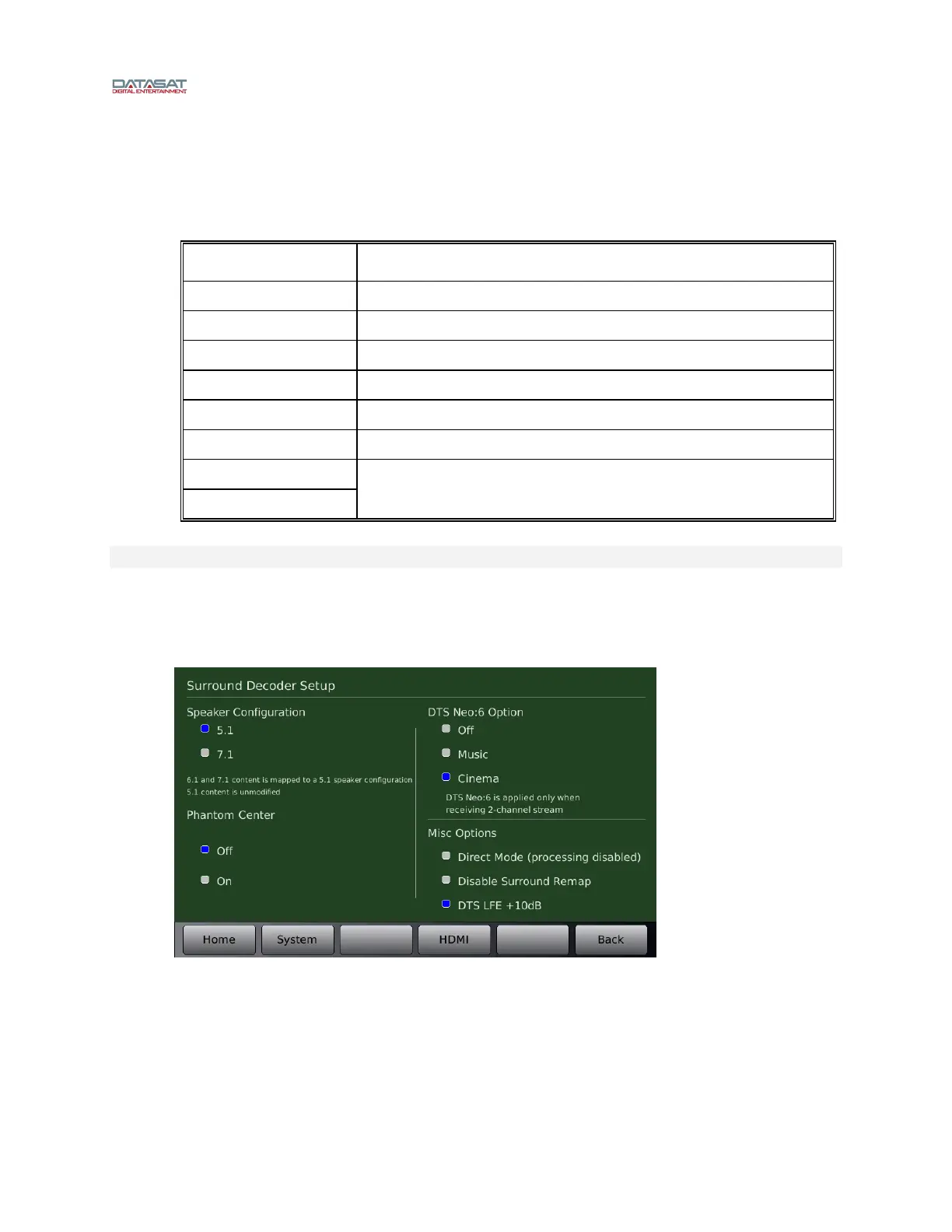
Decoder Setup Options
Additional Decoder options are available to set the speaker configuration and phantom center option.
These options are accessed through the Decoder Setup screen. (Note: You must first select a format
with HDMI, TosLink or S/PDIF as the source).
Menu (System) > Formats > Format Options > Decoder Setup
Figure 53. Decoder Setup Screen



 To Next Page