AP25 Installation and Operating Guide Page 21
AP25 Installation & Operating Guide Document # 9301H79500 Ver. 1.00
Volume is too low or high in the
auditorium
Turn the fader knob to achieve proper volume.
Volume is too low or high in the booth Touch the Monitor button to open the Monitor window, then touch the
+ or – to adjust the monitor volume.
No sound in booth Verify the Monitor is not muted (red). To unmute, touch the Monitor
button, then touch the red Muted button.
Verify a powered speaker is connected to the AP25 rear panel.
Verify the speaker’s power is ON.
Adjust the monitor volume (see previous entry).
Check monitor mix menu (see section 1.4.2)
Wrong sound in auditorium Verify the AP25 is in correct format. (The current format is highlighted
in the bottom row of the display.) Touch a different format to select. If
the format you want is not listed, it has not been set up – contact your
theater technician.
Front panel fader not functioning Use touch screen work around until fader can be repaired (see
section 5.2) and contact your theater technician.
1.5.1 Over Temperature Alert
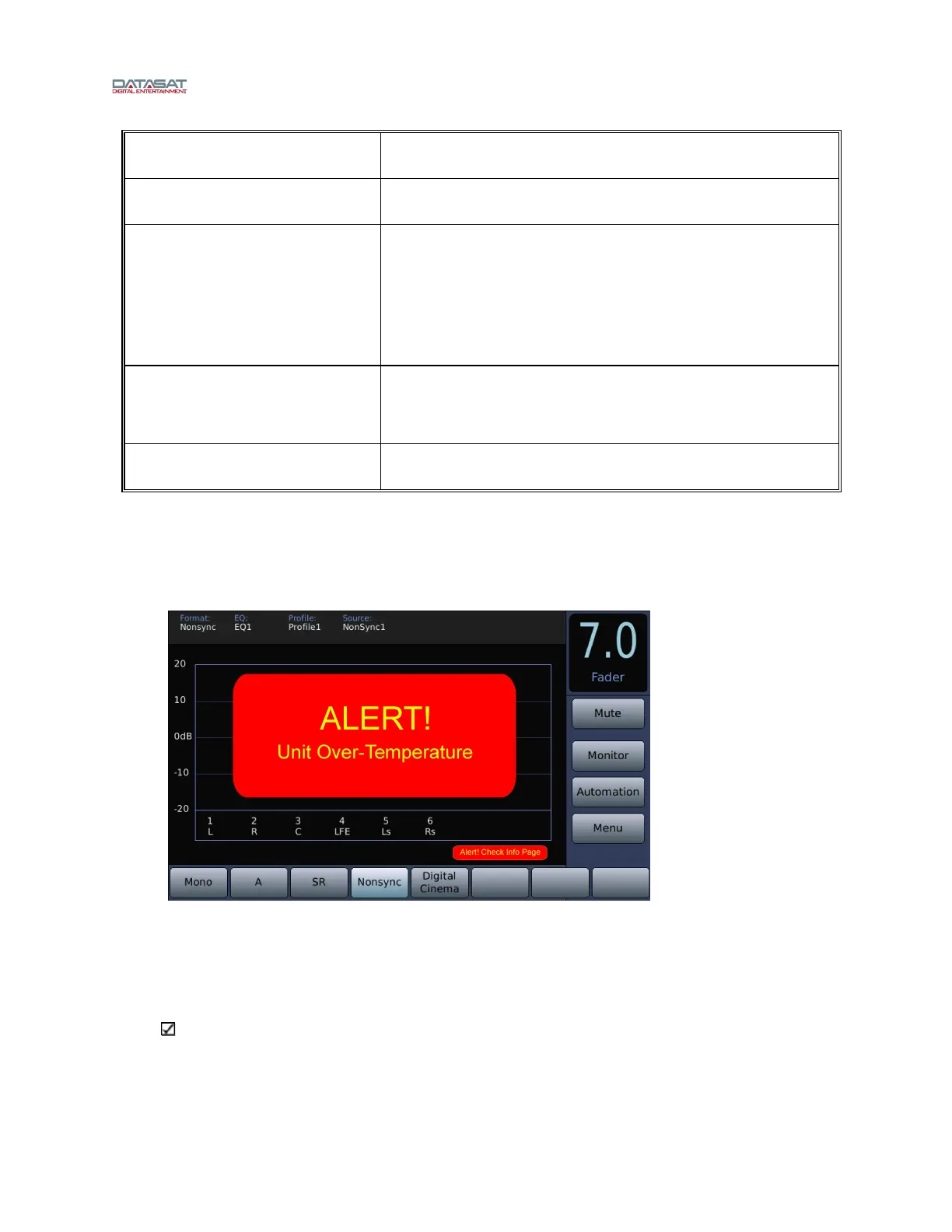
If the internal temperature of the AP25 reaches a critical level of 50°C or greater, a red flashing alert
indicator will appear.
Figure 10. Over Temperature Alert message
The alert message appears only on the Home screen. The AP25 will remain operational and the menus
can be accessed as usual. The actual circuit board temperatures appear on the System Info page (Menu >
System Info). The alert condition overrides, or temporarily disables the screensaver mode if it is set.
The alert will stop if the temperature cools below 50°C.
Note: This alert message often indicates that there is a problem with proper airflow through
the vent holes on both sides of the AP25 chassis. Check that there is nothing obstructing these
air vents. Be sure that the fan is spinning (you will feel air blowing out of the AP25 from the
fan). If the vents are clear and the fan is spinning, yet the temperature alert does not stop, call
Datasat Technical Service or your technician.



 To Next Page