AP25 Installation and Operating Guide Page 67
AP25 Installation & Operating Guide Document # 9301H79500 Ver. 1.00
4.3.5 Input Source
Menu (System) > Formats > Input Source
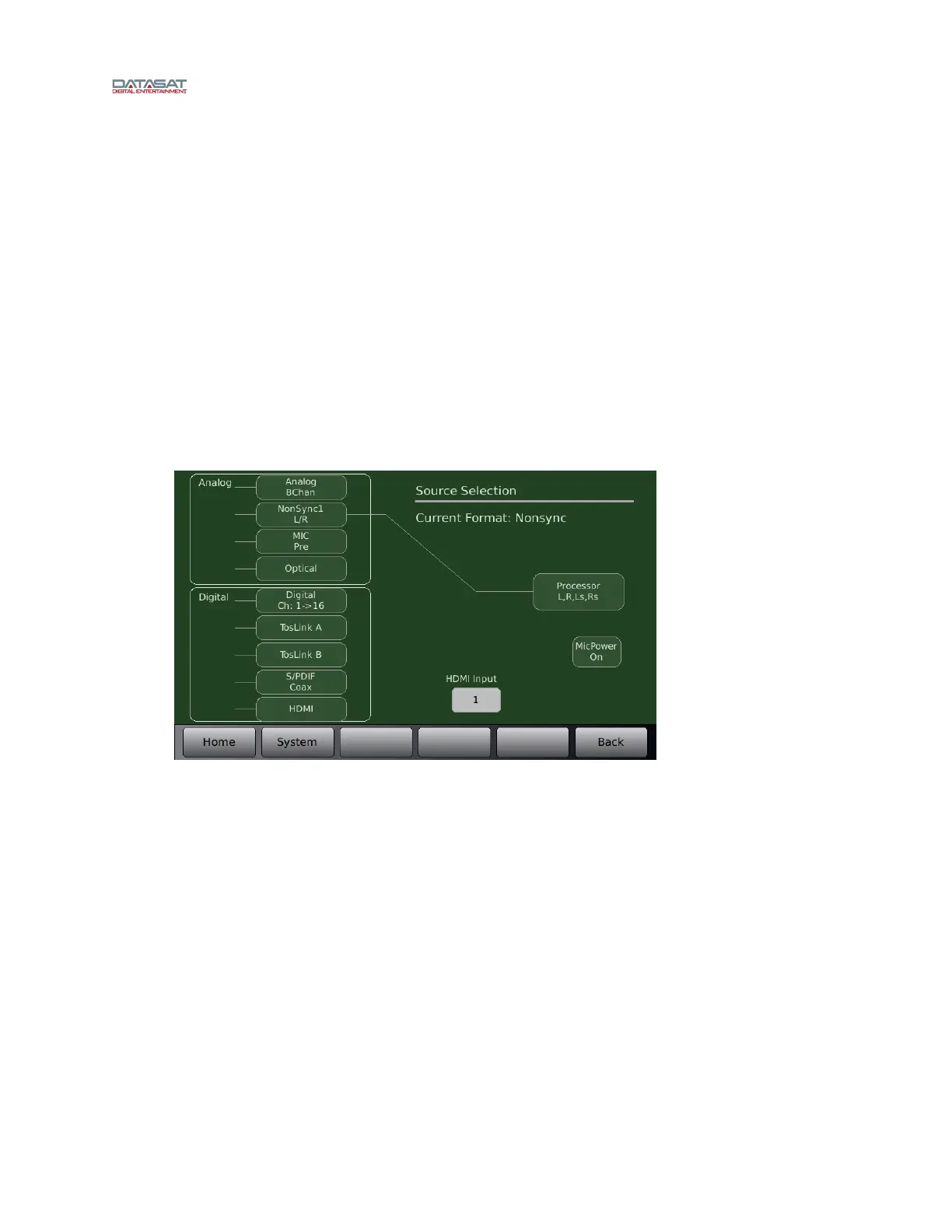
Touch any of the button options below to change the Input source of the current audio format.
If Nonsync is selected, touching the button again toggles the selection between Nonsync1
and Nonsync2.
If Digital is selected, touching the button again toggles the selection between
Digital Ch: 1 > 16; Digital 1 > 8; Digital Ch 9 > 16; Digital Ch: 1,2; and Digital 9,10.
If HDMI is selected, touching the HDMI Input button cycles the selection from HDMI-1
through HDMI-4 or Off.
A Mic Power button appears for input selections Nonsync 1, 2 and MicPre (as seen in
figure below). Touch the button to select Mic Power on or off.
Decoder appears for input selections Digital 1,2; Digital 9,10; TosLink A & B; S/PDIF;
and HDMI 1-4.
See Table 13 (below) for a description of where input channels will be routed wit
hin the AP25.
Figure 43. Input Source Screen



 To Next Page