AP25 Installation and Operating Guide Version 1.00
Appendix F. H338 Optical Film Card Option F-3 Document #: 9301H79500 Ver. 1.00
Create Optical Formats
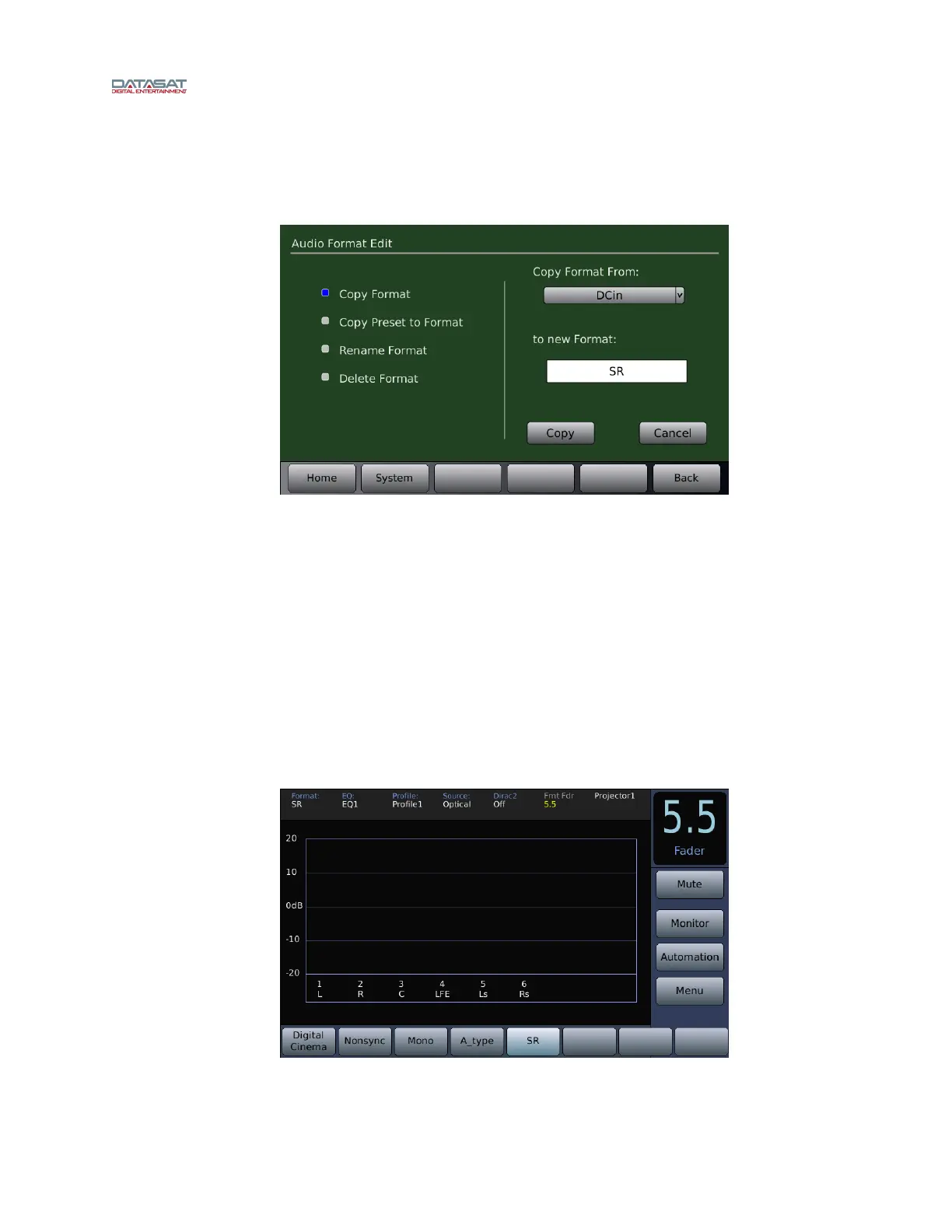
To create an optical format, copy an existing format. Go to:
Menu (System) → Formats → Edit Formats
Figure 3– Copy Audio Format
Press the Copy Format button.
Select a format from the drop down menu of Copy Format From (in Figure 3, above, “DCin” is
select
ed to copy)
Press the to Format box and type in a new format name: Mono, A-Type, or SR (in Figure 3,
above, “SR” has been entered).
Press the Co
py button. Repeat for other desired optical format(s).
F3.2. Assign Optical Formats to Format Buttons
After creating the optical formats, they may be assigned to “Format Buttons”. The format buttons
will then appear on the Home screen and be available for selection. In Figure 4 below, SR is
select
ed.
Figure 4 – Home Screen – SR format



 To Next Page