AP25 Installation and Operating Guide Version 1.00
Appendix F. H338 Optical Film Card Option F-2 Document #: 9301H79500 Ver. 1.00
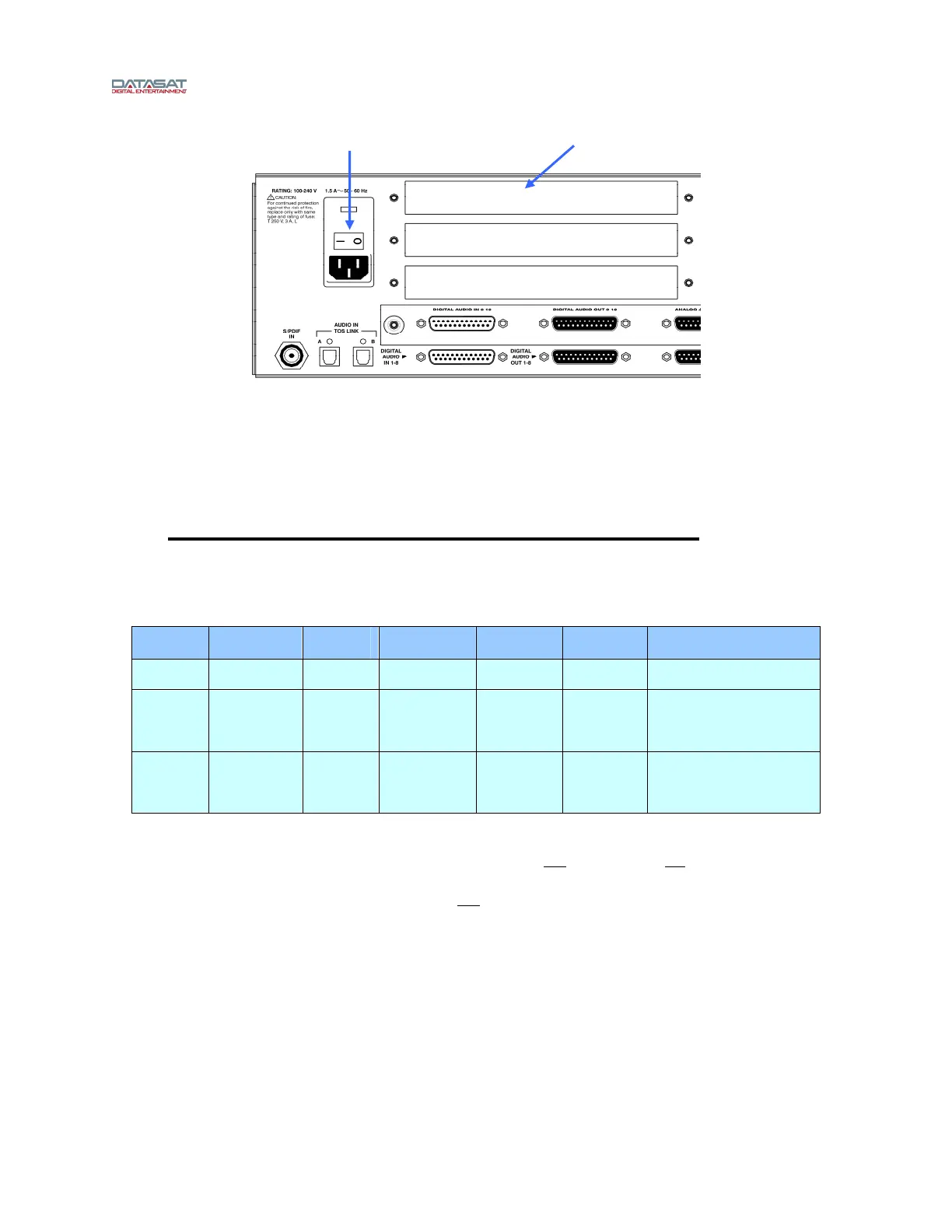
Figure 2 – AP25 Rear Panel
• Turn off the AP25’s rear panel power switch and unplug the power cord.
• Remove one of the three cover plates from the AP25 option slots. All slots are identical.
• Slide the H338 card into the card guides of the option slot and gently push the card into its
mating connector. Tighten the attached thumbscrews.
F3. AP25 Optical Format and Analog Input Setup
When the H338 Optical Film Card is installed in the factory, the following factory presets are already
included.
Table 1. AP25 Optical Film Card Factory Presets
Format
Name
Assigned
Button
Input
Source
Signal
Source
EQ Set Channel
Profile
Comments
Mono 1 Optical
Projector 1
EQ1 Profile1
A 2 Optical
Projector 1
EQ1 Profile1
Default is Matrix
Decoder and Optical
Bass Extension “on”
SR 3 Optical
Projector 1
EQ1 Profile 1
Default is Matrix
Decoder and Optical
Bass Extension “on”
The factory default film audio format selected is A-Type.
The default EQ set is named EQ1 and includes all EQ settings flat
and all filters off. This EQ set may be
used and altered during the theater setup process. The default channel profile is Profile1 which includes
the default 6 channel assignments and trim values flat
.
If the H338 card is not factory installed, Optical formats must be created in the AP25 before the H338 can
be used. The optical format must have the analog input source selected as Optical. The H338 card
supports standard optical film soundtrack formats: Mono, A-type and SR-type.
F3.1.
Power switch Option slot



 To Next Page