AP25 Installation and Operating Guide Page 59
AP25 Installation & Operating Guide Document # 9301H79500 Ver. 1.00
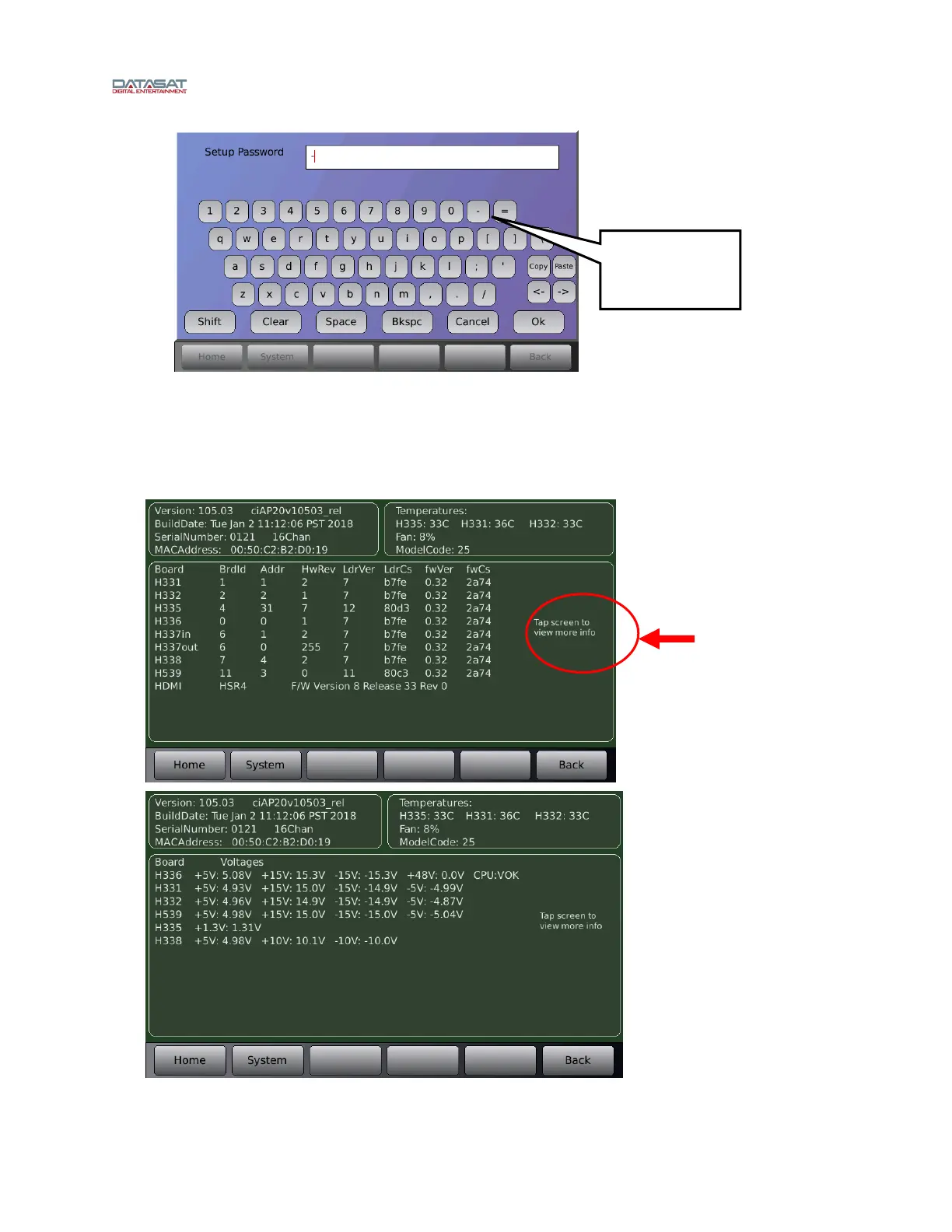
Figure 31. Net Command Virtual Keyboard
4.2.5 System Info
From the system Setup screen, touch the System Info button. The System Info screens are shown below.
Menu (System) > System Info
Figure 32. System Info Screens
Use the hyphen -
key to remove
password
protection.
Tap touch
screen to see
more
information such
as board voltage
Board voltage
screen.
Toggle through
both screens
by tapping
touch screen



 To Next Page