DV-332 Analog/Digital User Guide
99
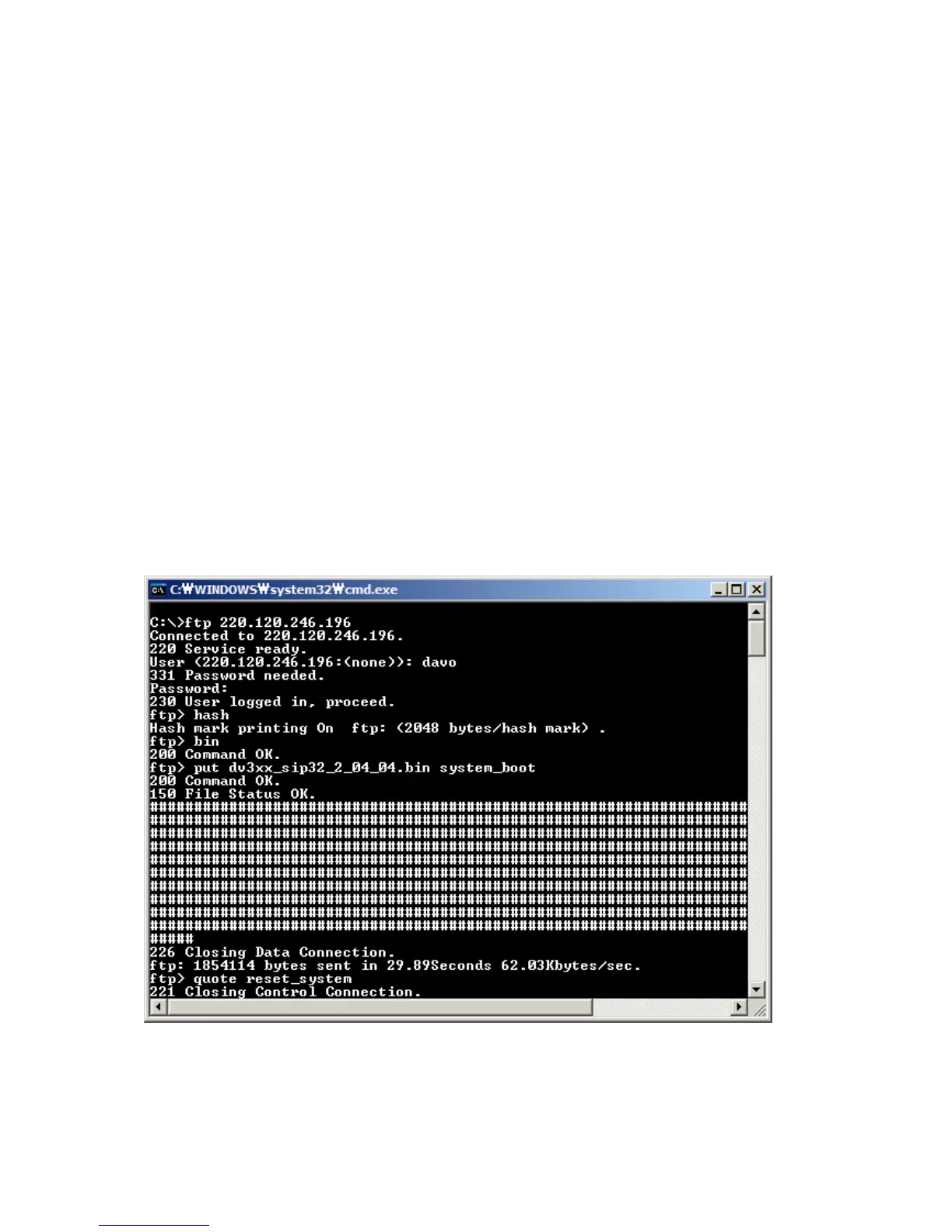
z Click the start button in taskbar, and select "Run", and type "cmd". And change the directory
to where firmware file is located and verify them.
z At the command prompt, type "ftp <GW IP address>" to connect GW via FTP connection.
z When you connect to FTP server, choose same accounts (such as root, davo, admin) and
passwords used in telnet or web browser.
z The "hash" command prints out "#" charaacters to monitor the progress of a file transfer.
z The "bin" command changes data transmission mode as binary one.
z The "put" command sends the file from PC to GW. The firmware name that you'll send
should be “system_boot" because it's the one used in GW.
z The "bye" command ends the current FTP connection.



 To Next Page