41
Issued: 24.02.2005
STRIDER MD
NOTE
If you drive with the headlights on, the
Strider driving range will be considerably
reduced.
Indicators
LEFT OFF RIGHT
8.10 Switching on the headlights
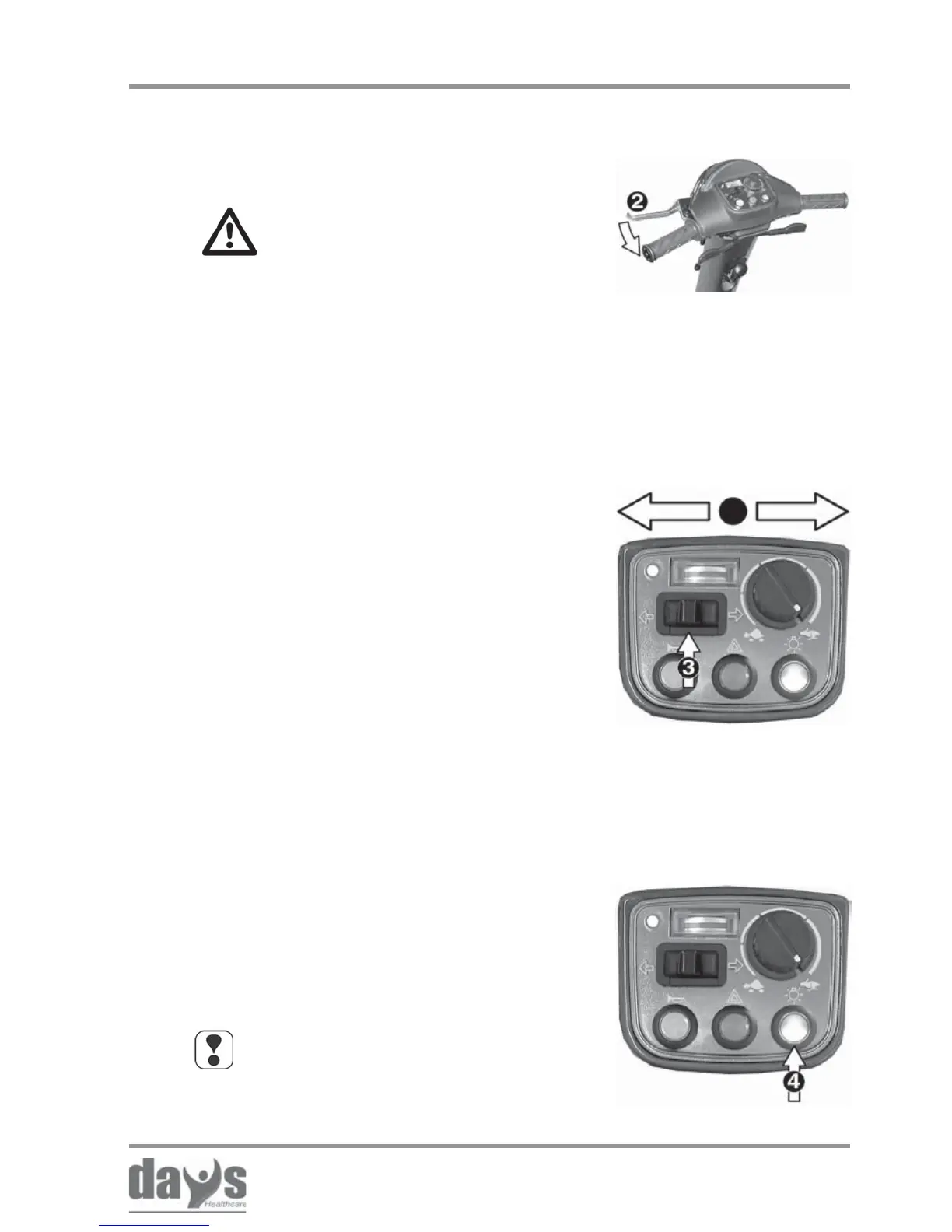
Toggle switch (3):
indicate right = toggle switch to the right
indicate left = toggle switch to the left
When turning is completed, press the
switch (3) to switch the indicators off.
➨
➨
➨
Pressure switch (4):
switch on = press switch once
switch off = press switch again
The switch indicator lamps shows whether
the headlight is switched on or not.
➨
➨
Switching on the
headlights
Tipping hazard!
Pulling the brake lever too violently
can cause the Strider to tip over.
• Pull the brake lever slowly in
order to brake the Strider.
To use the handbrake, pull the brake
lever (2) slowly towards the handlebar.
➨
8.9 Indicating
8.8.2 Using the handbrake (4-wheel version only)
Handbrake
Driving the Strider



 To Next Page