68
Issued: 24.02.2005
STRIDER MD
Troubleshooting
17.3.1 Blink speed
17.3.2 Error message blink sequences
Discharged battery
Weak power supply from
the battery
Charge the batteries
(Chapt.11.0)
Check battery plug
connection
(Chapt. 14.4.3)
Check battery terminals
for tight fit
(Chapt. 18.7.2)
1 x blink
17.3 Operation indicator blink codes
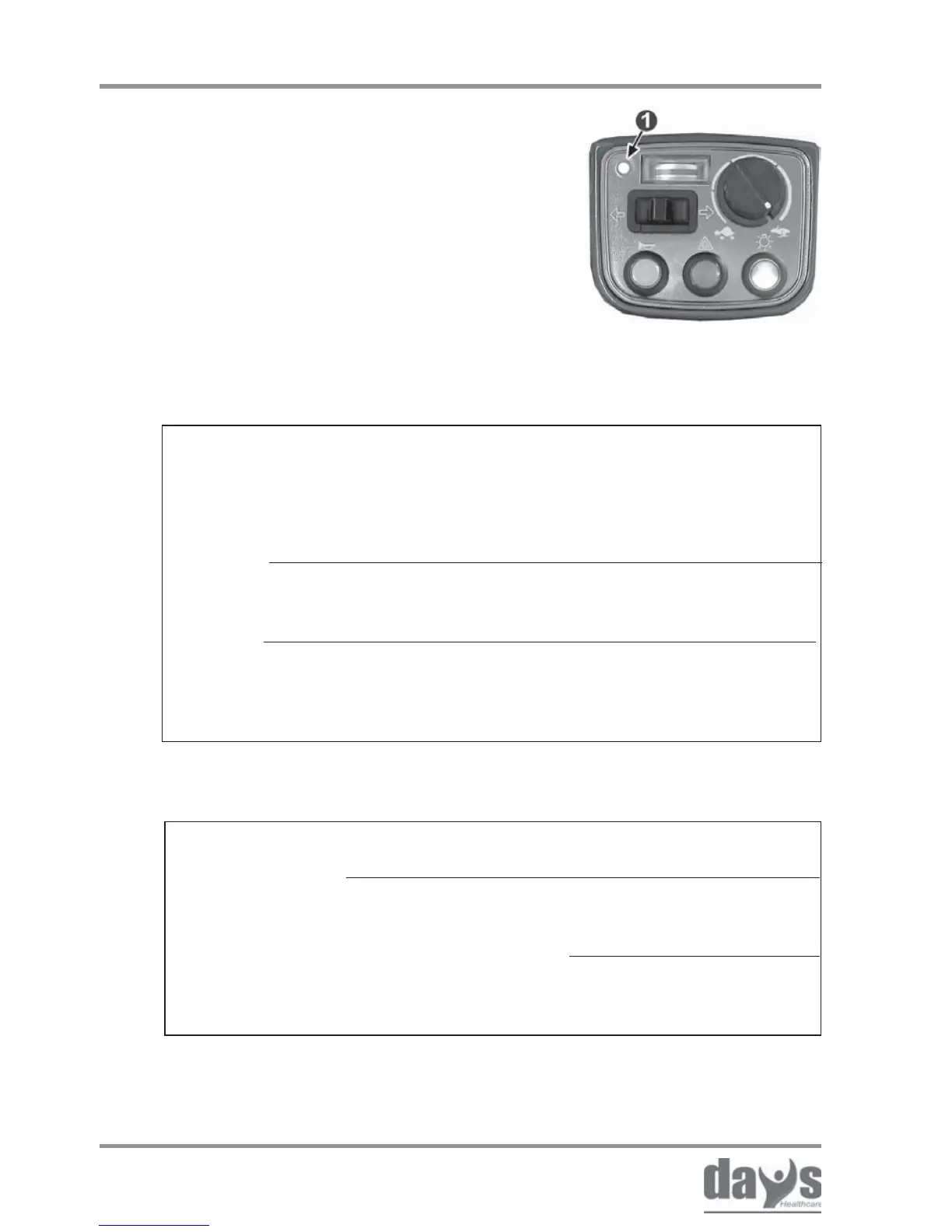
The operation indicator (1) on the dashboard
is also designed as a display for error
messages.
Various faults in the drive electronics are
displayed using blink sequence is as listed
in Chapter 17.3.2.
... blinking slowly
... blinking every
5 seconds
... blinking quickly
Battery voltage
too low
Auto switch-off
active
(Chapter 13.3)
Finish your journey
as soon as possible
and charge the
batteries
Switch the Strider
off and then on
again
Ascertain fault
using blink
sequence
(Chapter 17.2)
Operation indicator (fault display) ...



 To Next Page