56
Issued: 24.02.2005
STRIDER MD
Accident hazard if clamping
bolts are not locked!
• Before repositioning the rear
panelling, ensure that the
clamping bolts are correctly
fixed.
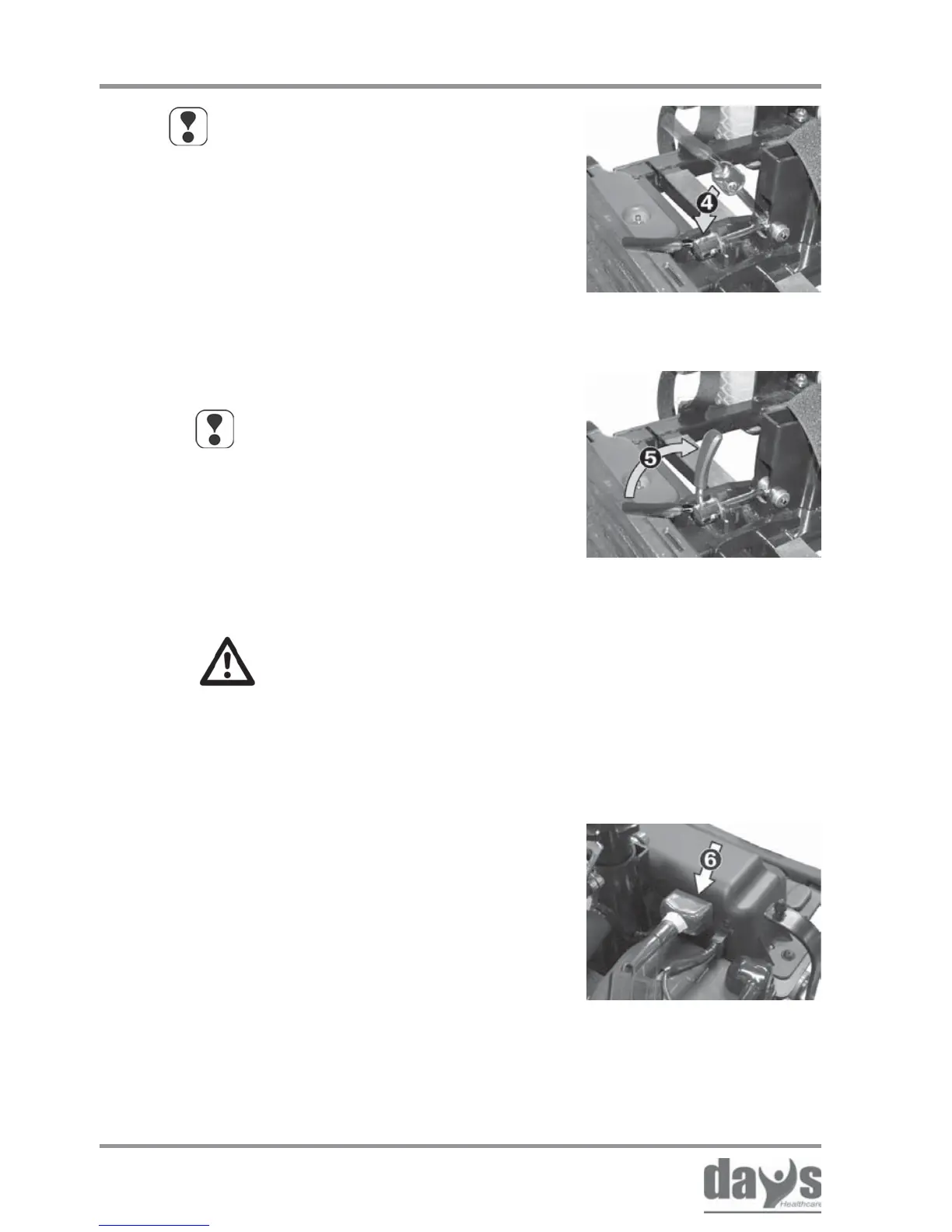
Close the clamping lever (5) on the
clamping bolt down.
➨
Locking the drive unit
Reconnect the front unit connecting
plug (6).
➨
Connecting the motor
plug
NOTE
The clamping tightness should be
set so that the clamping lever can
be closed by hand without requiring
too much force.
You can find information about
adjusting the clamping tightness in
the chapter entitled “Repairs”.
Transporting the Strider
NOTE
The clamping bolts fit automatically
into the chassis receptacle (4).
If this is not the case, the clamping
bolts will have to be adjusted.
You can find information about
adjustment in the chapter entitled
“Repairs”.



 To Next Page