Genesis II Select
™
User’s & Installation Manual
16/September/2015
20
2.5.2 Connecting to the On-Board Diagnostic Port
Connect the VIP™ to the motor vehicle’s On Board Diagnostics
port. (Refer to your owner’s manual for the location of your motor
vehicle's OBD-II port.)
In some motor vehicles the clearance between where the
diagnostics port is located and the bottom of the dash is very close
and can cause the port and VIP™ to be bumped by the ocer’s
leg when getting into the motor vehicle. In those cases Decatur
oers a two-foot right angle extension cable (S769-15) to allow the
VIP™ to be relocated away from the port so as not to be damaged.
Contact Decatur Electronic’s Customer Service Department at
800.428.4315 for ordering information or contact your authorized
dealer.
2.5.3 Connecting to the Video Camera
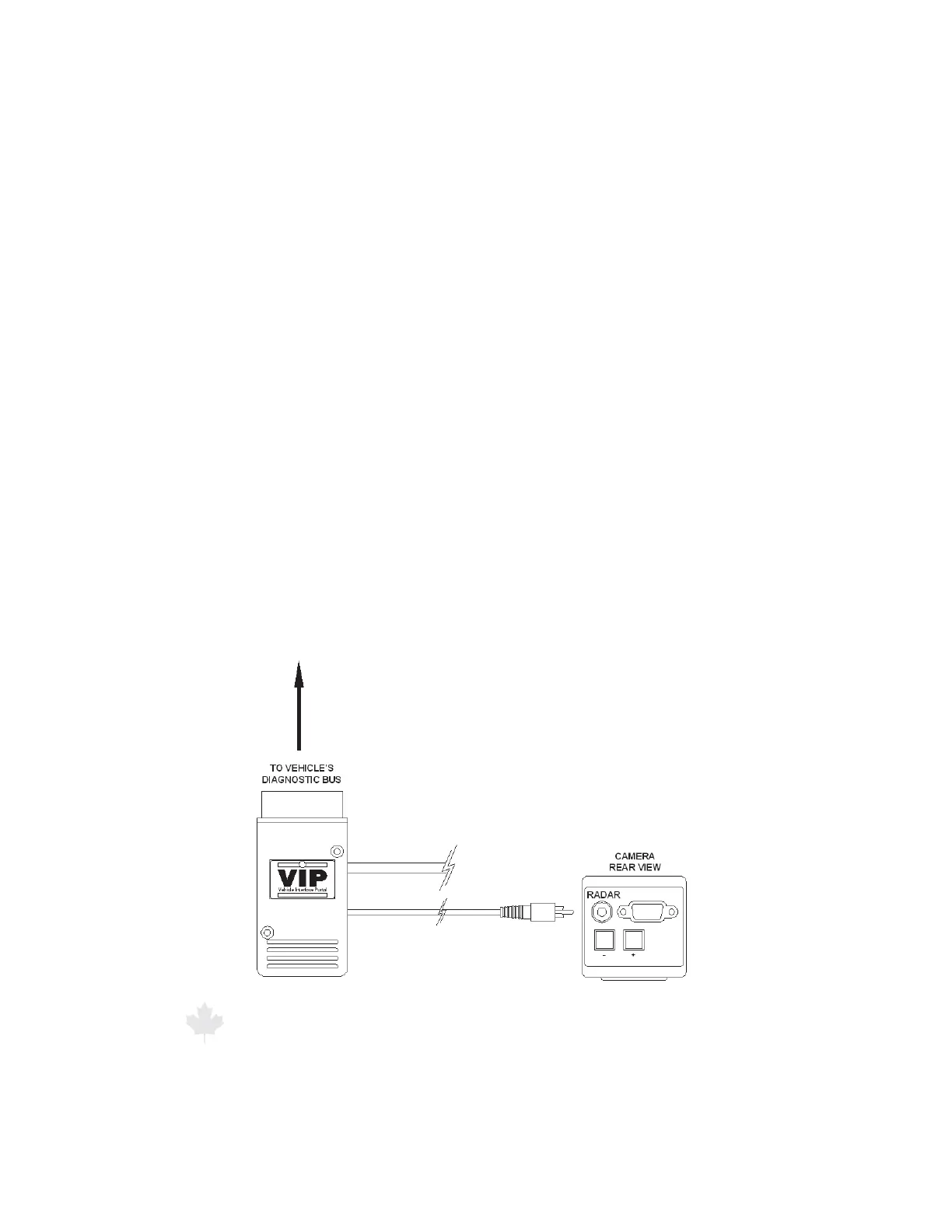
The VIP™ has an additional cable that supports the video overlay
feature. Plug the VIP's™ overlay cable into the video camera port
labeled “RADAR” on your Gemini™ , Shadow™, or Responder 1000™
video camera. Refer to Figure 2.5.3.
Figure 2.5.3
VIP connection to Video Camera



 To Next Page