Genesis II Select
™
User’s & Installation Manual
16/September/2015
23
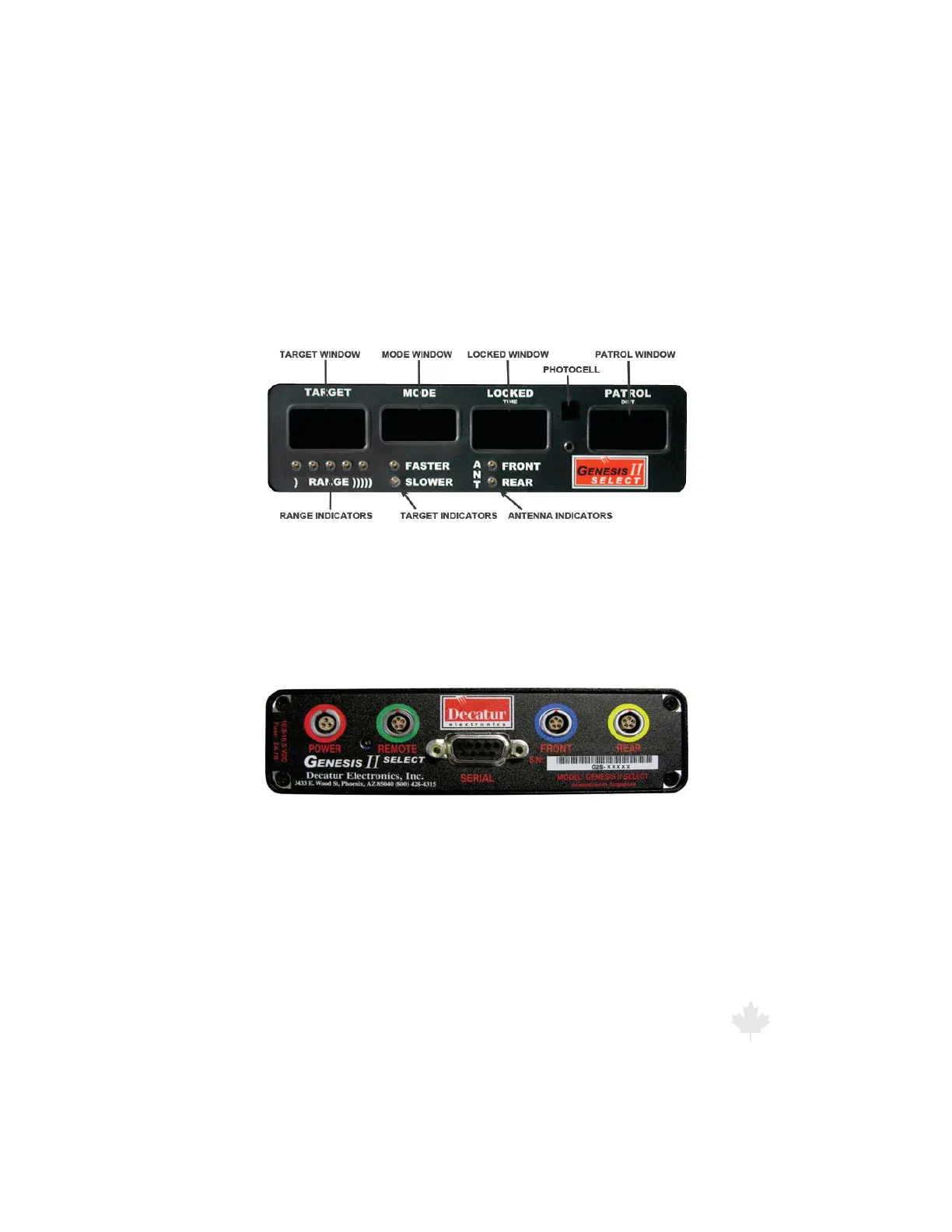
3. Computer/Display Unit
The Genesis II Select™ faceplate contains four windows for displaying
the patrol, target, locked target speeds and mode. In addition, the
faceplate also has indicators used to show the range setting, faster
or slower setting and whether the front or rear antenna has been
selected.
Figure 3a
The Genesis II Select™ front display.
The faceplate also contains a photocell that automatically dims
the display at night for less glare and makes the display brighter in
daylight conditions, so you can easily read the display windows.
Figure 3b
The Genesis II Select™ rear interface
3.1 Display Windows
TARGET: Displays target speeds and is blank when no target is
present.
MODE: Displays the mode of operation (Stationary, Moving Mode
Opposite Direction, or Moving Mode Same Direction) except during
power up, self-test or when an error occurs. When an error occurs,
one of the following appears in the MODE window:



 To Next Page