Genesis II Select
™
User’s & Installation Manual
16/September/2015
16
2.3 Mounting and Connecting the Antenna
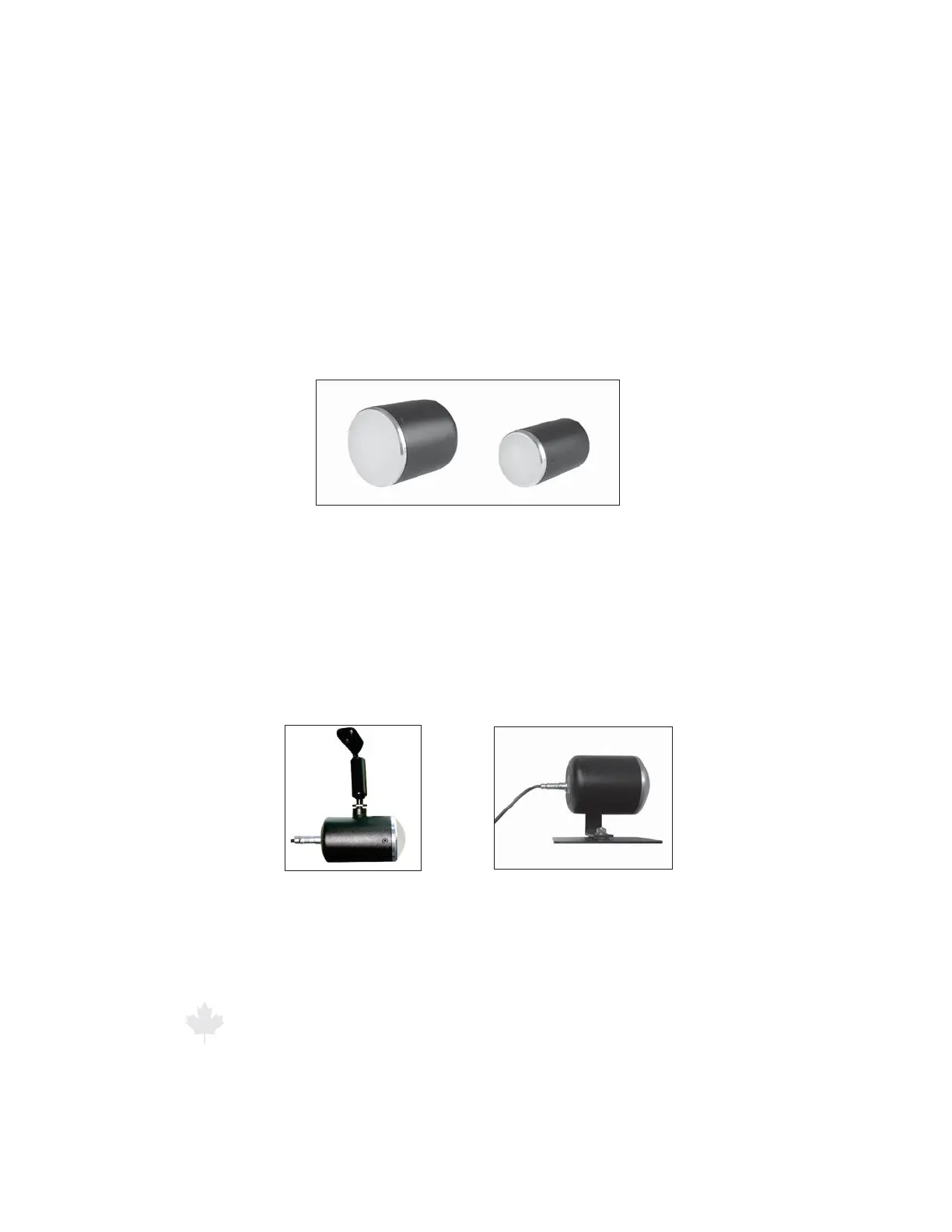
Three dierent antenna types are available for the Genesis II Select™
: K-band, K-band Directional, and Ka-band silver ring. These antennas
are incredibly strong, yet compact and lightweight. The antennas
are interchangeable, so you can congure your radar unit with a
second antenna of the same or dierent band without changing the
hardware, software, and controls.
Figure 2.3a
Antennas for the Genesis II Select™ include
K-band/K-band Directional (left) and Ka-band silver ring (right).
A variety of brackets are available to mount the antennas. To attach
the antennas to the standard brackets, align the threaded mounting
hole on the antenna with the threaded post of the front antenna
bracket and on the rear antenna bracket the threaded knob with the
slot on the L-brace. Then screw the post or knob into the threaded
mounting hole. Examples are shown in Figures 2.3b and 2.3c.
Figure 2.3c
A rear mount antenna (K-band)
using the S758-34-0 bracket
Figure 2.3b
A front mount antenna (Ka-band)
using the S773-235A-0 bracket



 To Next Page