DEKA DURATION DD5300
80
3.6.4 Single HV Box Connection to an Inverter
Step 1: Turn the HV Box off by switching off the MAIN BREAKER located on the right side.
Step 2: Turn the Solar Inverter OFF.
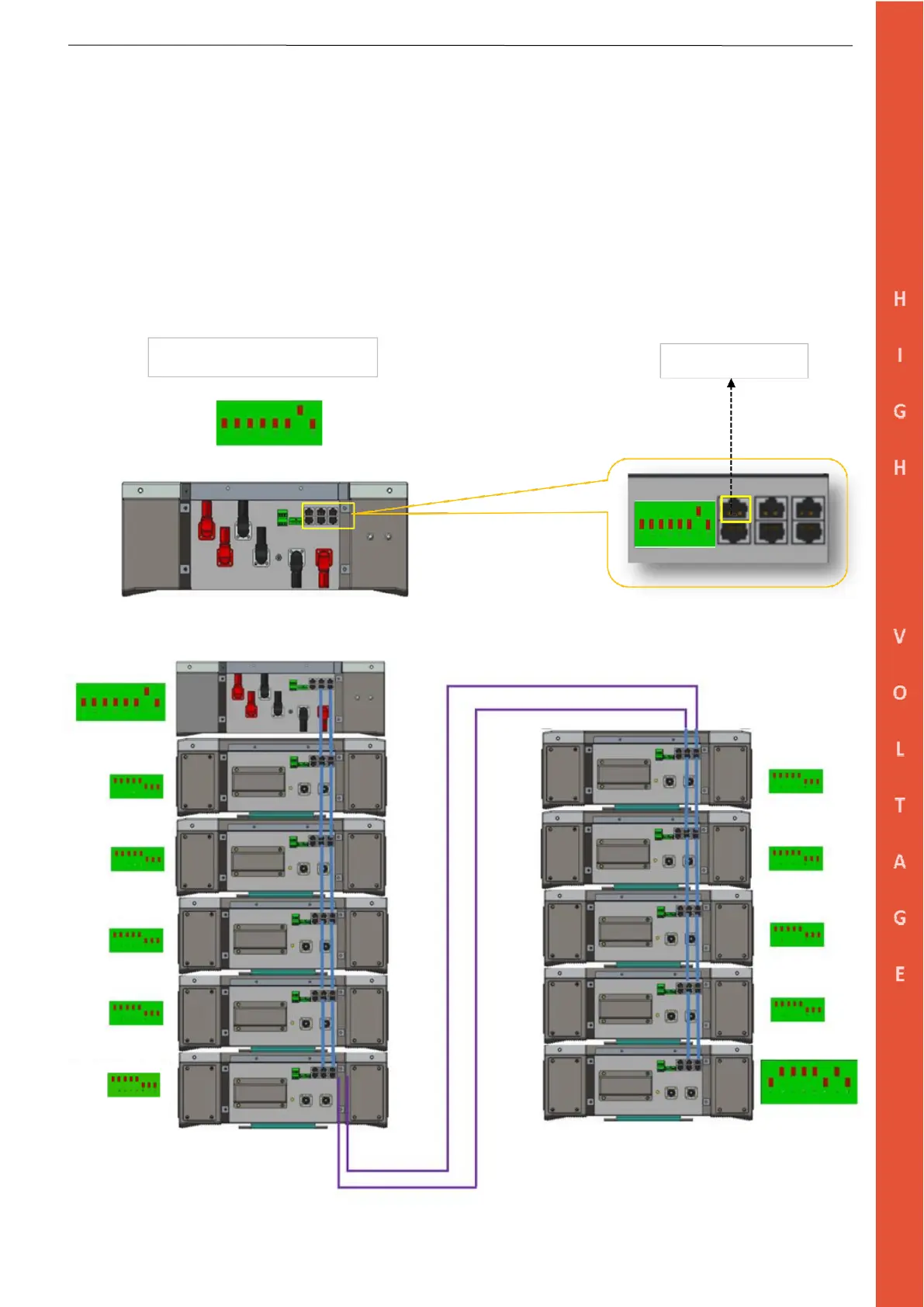
Step 3: Connect the RJ45 cable into the CAN PORT 2A and perform the connection as per the Inverter Manual by
following the PIN layout provided below. Make sure the CAN L and CAN H are matching the Inverter Terminal.
Step 4: Connect the Power Inputs from the inverter into the H+ and H- terminals.
Step 5: Turn on the HV Box main breaker.
Step 6: Wait for the startup completion of the power box (GREEN LED) and then turn on the Inverter.
Connection and Settings for HV Box


 To Next Page