DEKA DURATION DD5300
92
3.10 WECO BMS - HIGH VOLTAGE PC SOFTWARE for DD5300
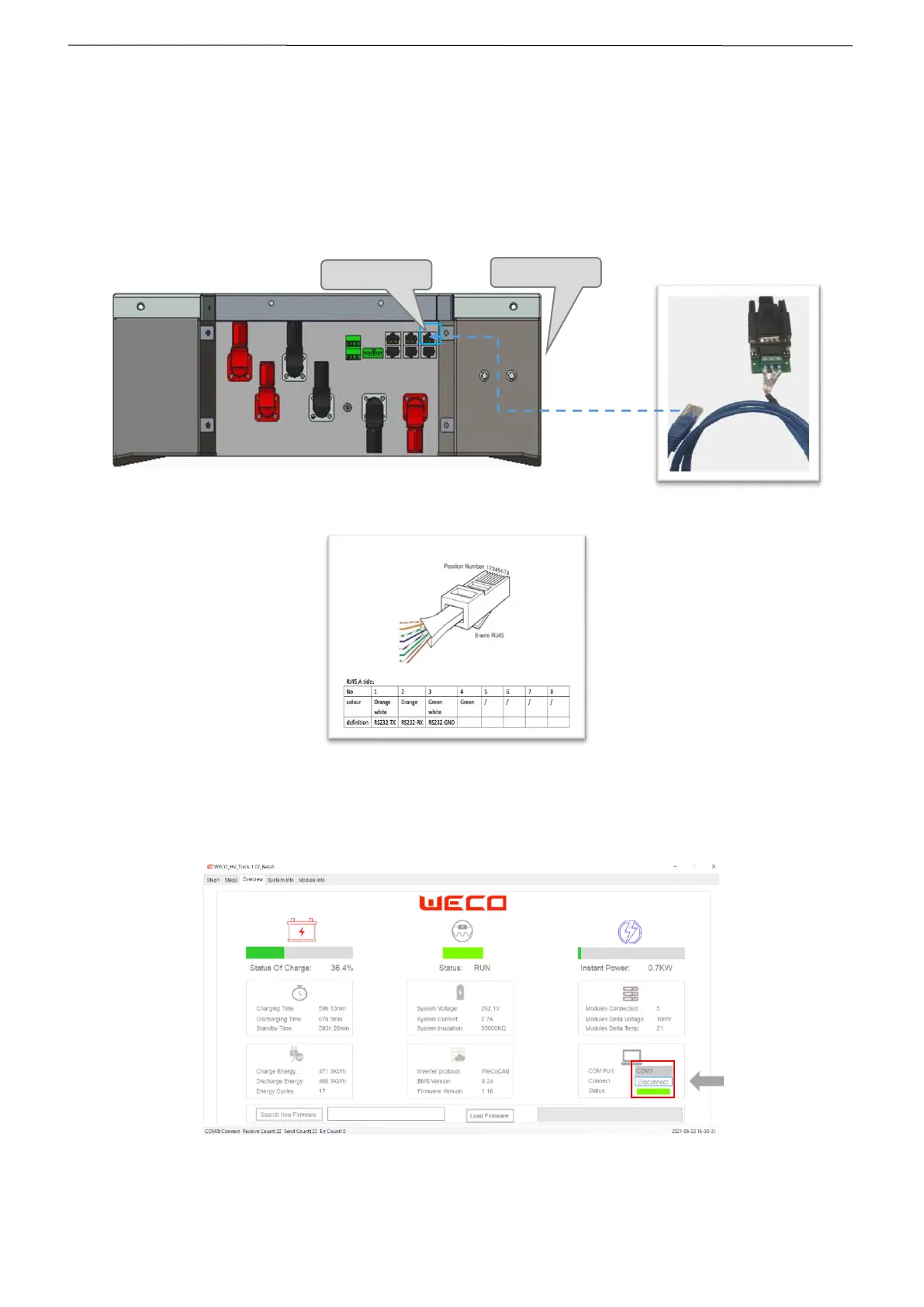
Use an Opto-Isolated RS232-USB Converter for the connection between PC and HV BOX.
STEP 1 Connect the RJ45 Port with the Operator Port located in the front of the HV BOX.
TURN ON THE MAIN BREAKER
STEP 2 Select the COM PORT and press CONNECT.
After the communication is established correctly, the PC software will display the system general information as
shown below:


 To Next Page