DEKA DURATION DD5300
91
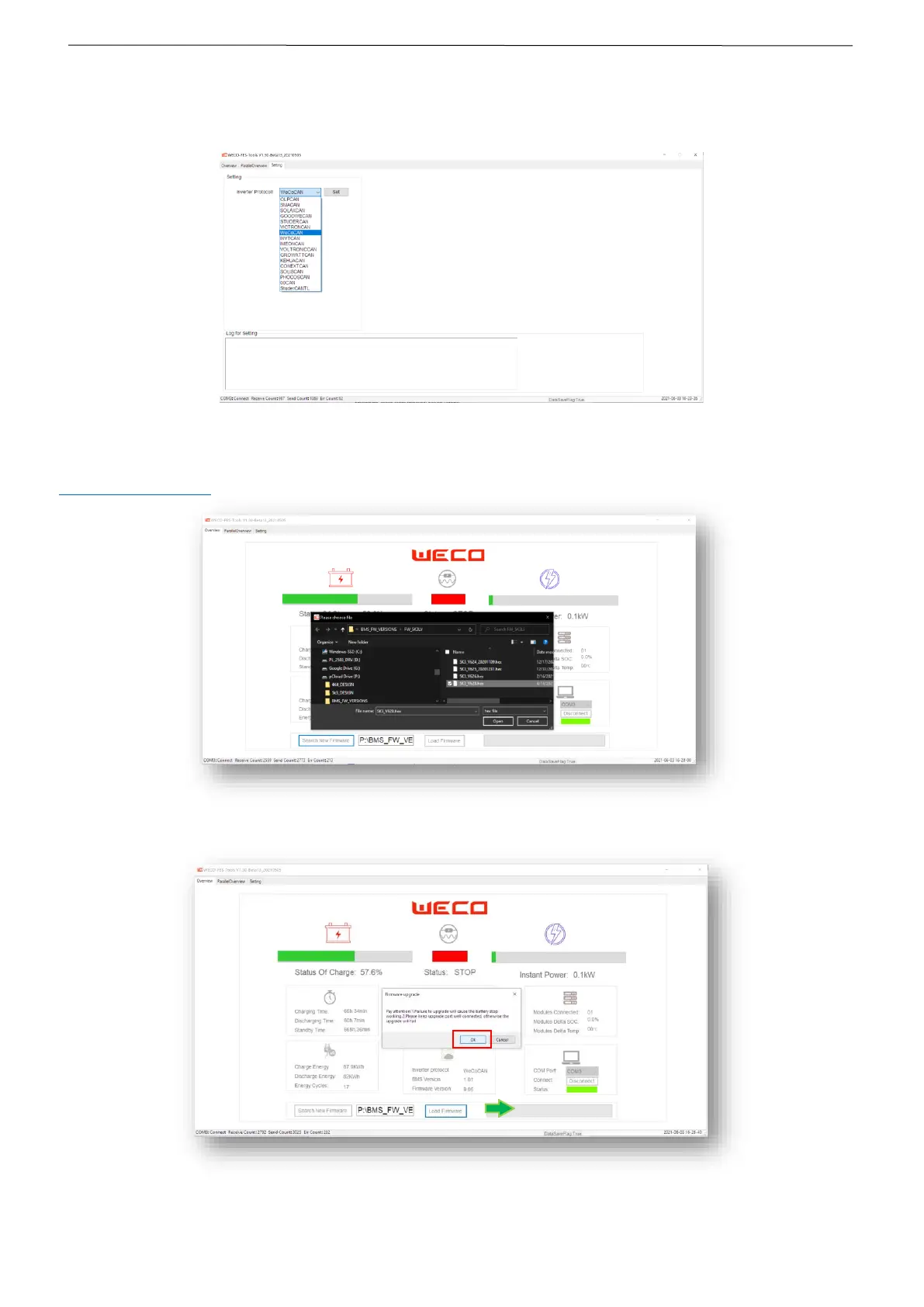
STEP 6 LOW VOLTAGE PROTOCOL MODIFICATION
In order to connect the battery with an inverter other than the default one, it is necessary to access the SETTING page and select the CAN
protocol needed to communicate with the inverter.
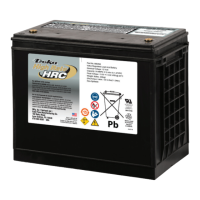
STEP 7 FIRMWARE UPGRADE
To update the firmware to a more recent version, it is necessary to download the latest version of the WeCo BMS software at
www.DD5300-BMS.com and install it from the software as indicated.
Make sure that the connection between the battery converter and the PC is stable for the duration of the update process. Do not
disconnect the connection before the software has confirmed the upgrade.


 To Next Page