DEKA DURATION DD5300
89
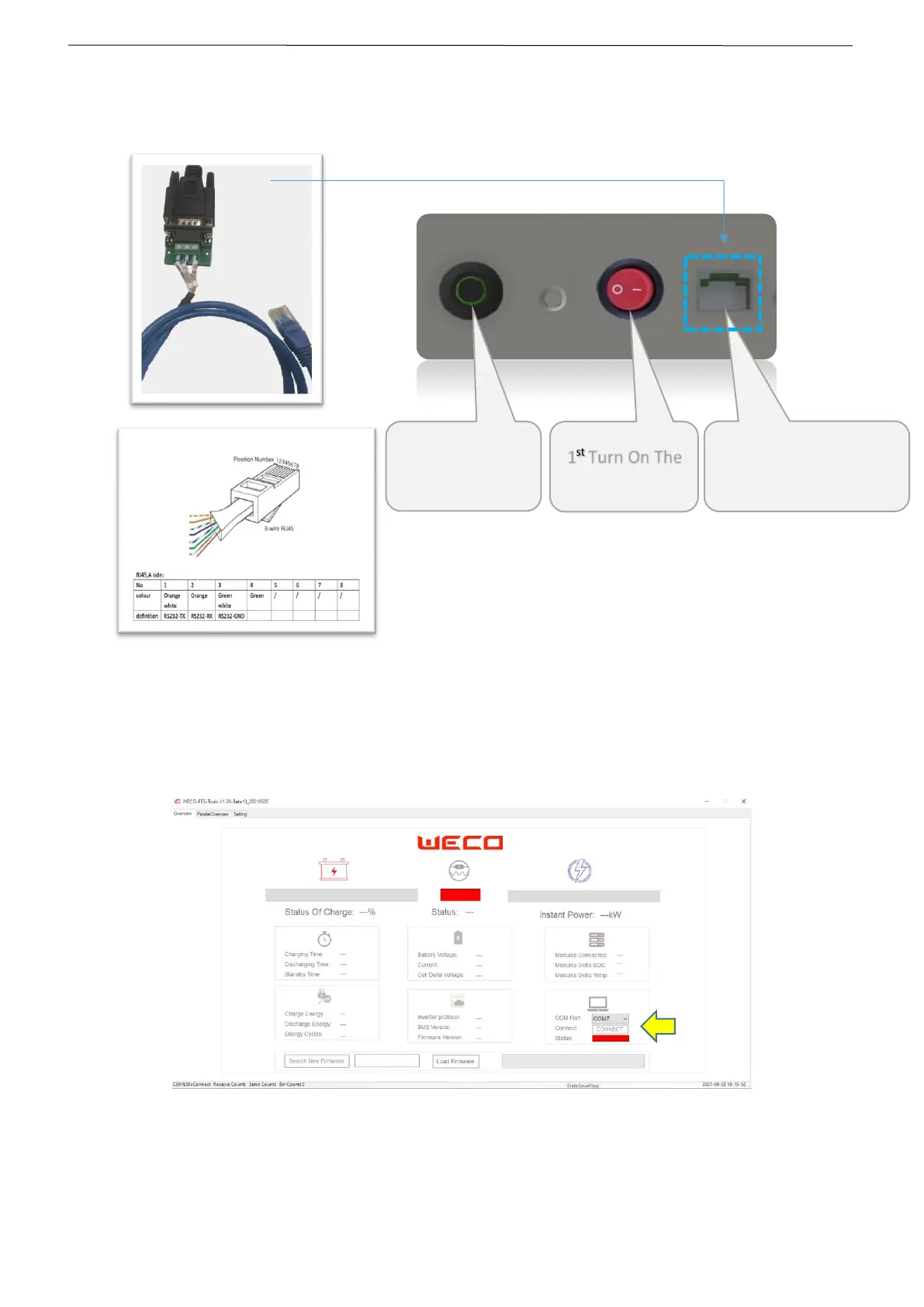
STEP 3 Connect the RJ45 plug from the RS232-USB Converter to the Operator Port of the Battery Module.
Operator Port is located on the battery side, near the RUN button.
STEP 4 Select the COM PORT from the PC Software.
(Check the USB Port Number from the Microsoft Windows – Device Manager Page)
Turn ON the Battery Module and press the CONNECT BUTTON


 To Next Page