Delem
V0208, 2.7
All measured axis positions and their corresponding corrections can be entered in a table on
the control.
To access the correction table, proceed as follows:
• enter the machine parameters menu as described in chapter 1,
• enter the parameters for the backgauge,
• scroll to parameter 29, ‘Spindle correction table’,
•press ENTER.
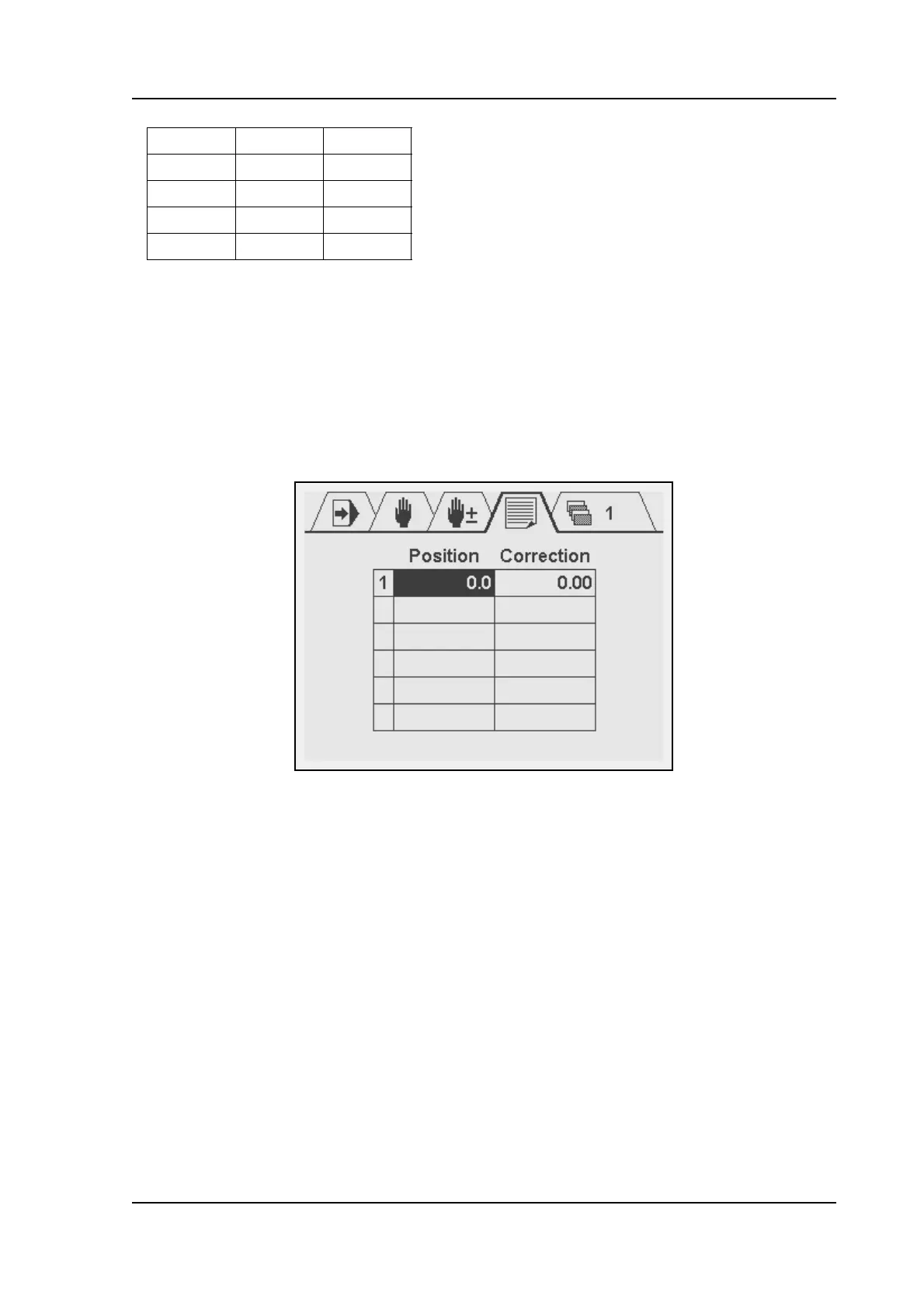
The following screen appears:
Each line consists of the line number, the axis position (Pos) and the necessary correction
(Cor).
The table can be edited as follows:
• Use the arrow keys to move up, down, left and right.
• To add a row, go to the first column and press the ENTER key.
• To delete a row, go to the first column of the previous row and press the Clear key. All
rows after the current row will be deleted!
• To enter a value, move to the required cell, type the value and press ENTER.
A maximum of 20 corrections can be programmed in the table.
For positions between the programmed positions, a correction computed through linear
interpolation.
Xm P Cor
X1 P1 Cor1
X2 P2 Cor2
... ... ...
Xn Pn Cor n



 To Next Page