page 64
06_Uso_en.fm
Use
Bisky
6.9 Description of the procedures.
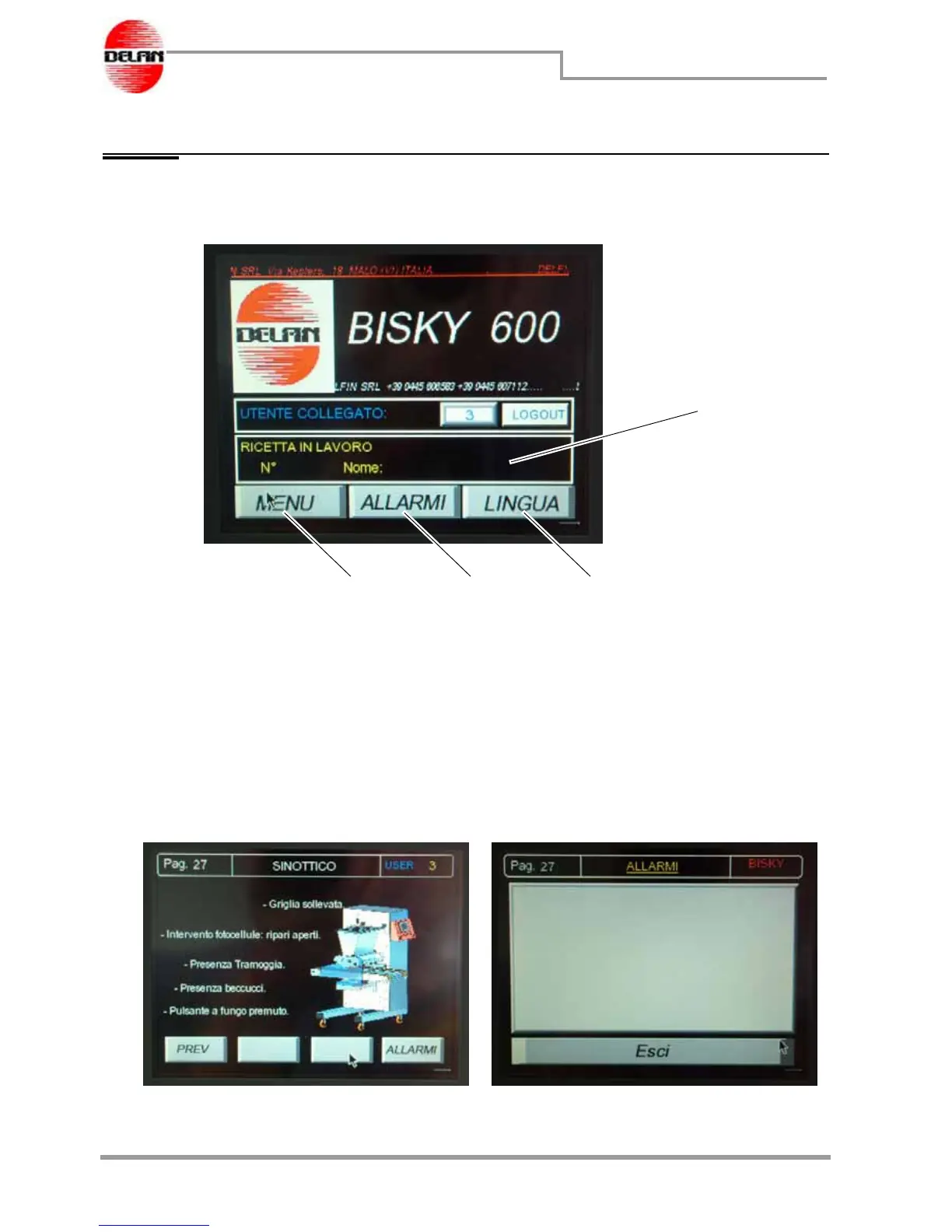
Switching on the machine, the display will show the home page :
Field 1 displays name and number of the recipe being currently in process.
Press button 2 to access the machine menu pages.
Press button 3 to access the alarm display page.
Press button 4 to access the page where the language for the operator panel can be
selected among one of those present.
Alarm pages
Press button 3 to display the machine synoptic image (fig. a) which indicates the alarm
present and then, press the "Alarms" button to display the page with the table with the
specification of the alarms triggered (Fig.b)..
1
234
Fig. a Fig. b



 To Next Page