page 69
06_Uso_en.fm
Use
Bisky
Press on the animation and the desired processing will be displayed on the first page of
parameter insertion.
The parameters which can be set are identified by some icons on several pages and can
be displayed using buttons Next and Previous.
NOTE To check the meaning of the icons consult “
Chapter 5 Machine programming
”.
All data concerning a recipe to be created can be inserted either pressing on the icon of
individual parameters or directly on the numeric field shown at the side; after selecting an
icon, a numeric keyboard will be displayed to insert the desired value.
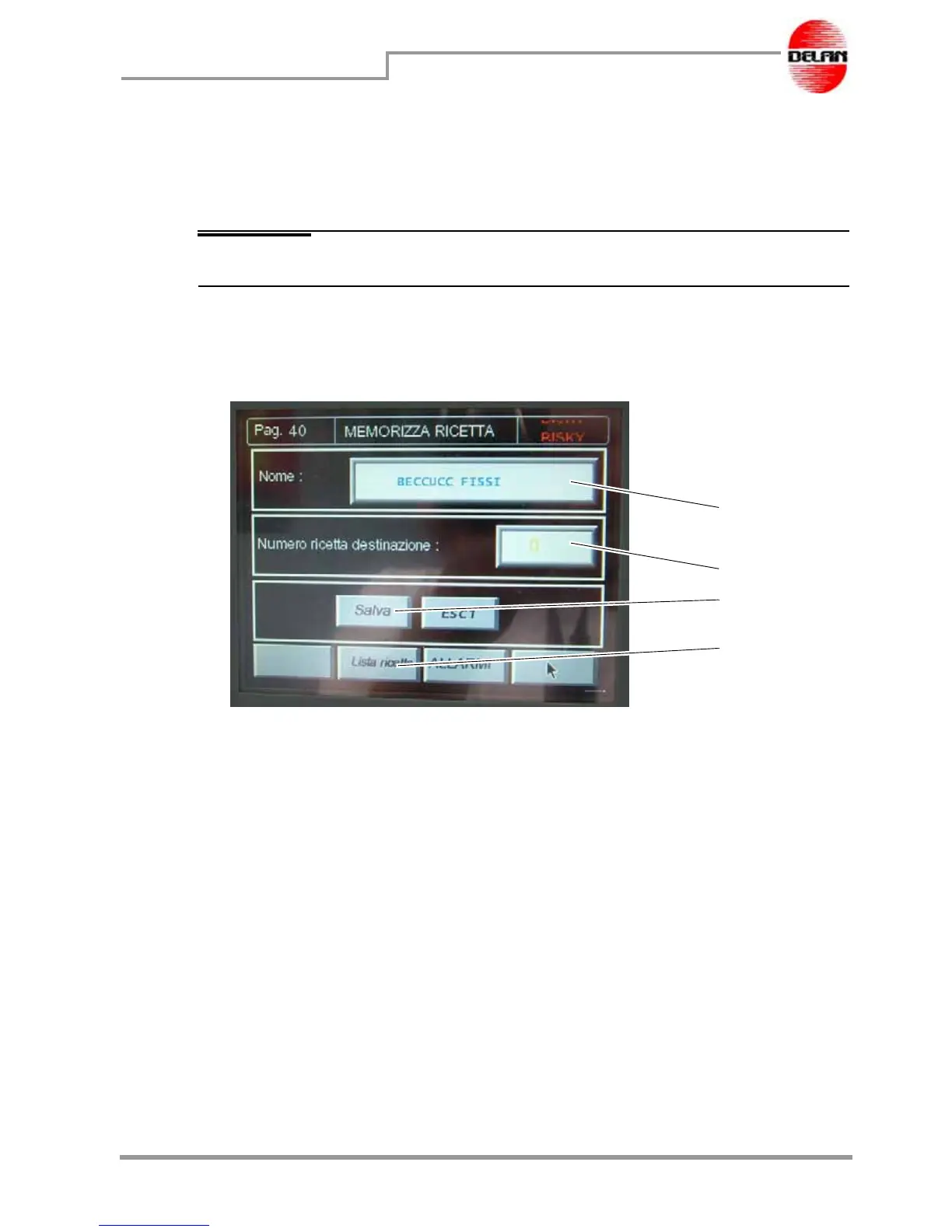
At the end of the insertion, the following page will be displayed:
In field 1 you digit the name of the recipe.
In field 2 you digit the number of the recipe. To discover the first free number you can use,
press button 4 "List of the recipes", then close the list and assign the number to the new
created recipe. Press button 3 "Save" to store the recipe in the database memory.
1
2
3
4



 To Next Page