Alignment and Troubleshooting
4-12
Service Manual
4.1.6 Tech Mode
In service (tech) mode, the technician can check the machine and perform various test to isolate the cause of
a malfunction. While in Tech mode, the machine still performs all normal operations.
To enter the Tech Mode
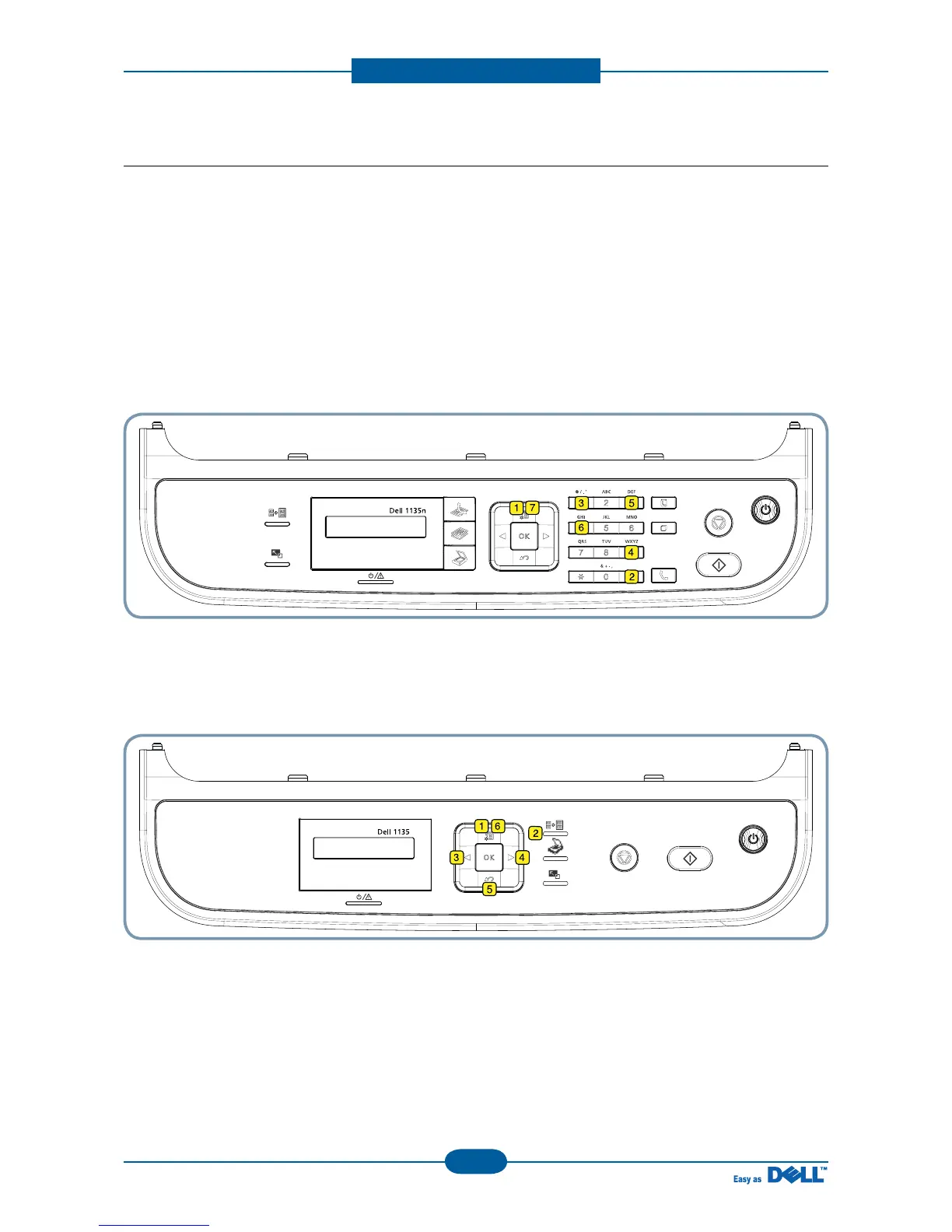
To enter the Tech Mode, press the buttons as following
■ 4 in 1 Model
“ Menu → # → 1 → 9 → 3 → 4 → Menu ”
■ 3 in 1 Model
“Menu → ID Copy → Left → Right → Menu → Back”
And the LCD briefly displays ‘Tech Mode’, the machine has entered service tech mode.
After entering the tech mode, select the item you want by using a button on control panel.



 To Next Page