Alignment and Troubleshooting
4-19
Service Manual
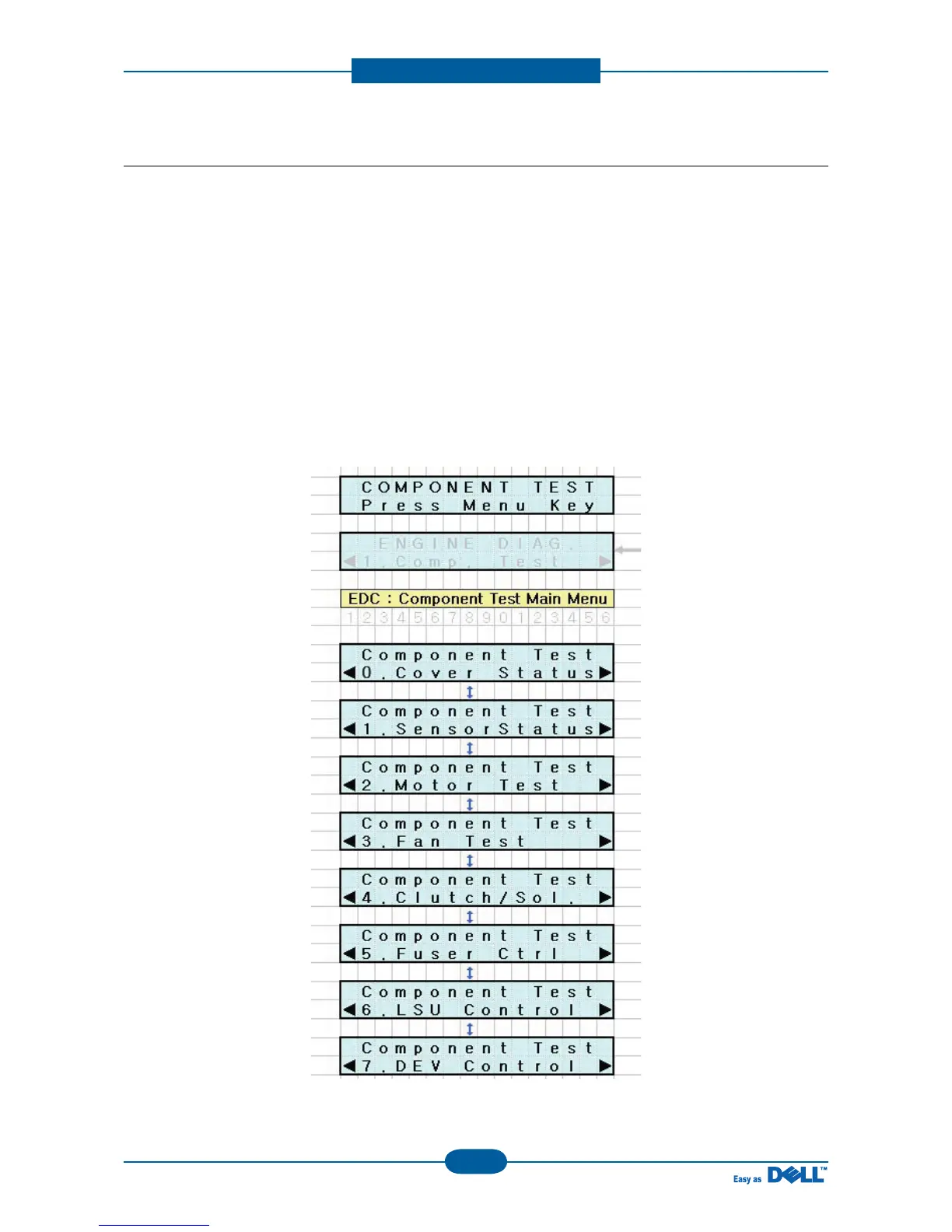
4.1.7 EDC Mode
The EDC Mode is used to independently control and test each sensor and driver component, so as to more
easily service the printer.
■ Method to enter
1. After turn on the system power, check the “Ready” message on the LCD.
2. To enter the EDC Mode, Push the buttons outlined below in the order outlined.
“Menu → Stop → Left arrow → Back → OK → Right arrow”
3. The message “COMPONENT TEST Press Menu Key” display on the LCD.
4. To get out of the EDC Mode, Press the “Stop” key



 To Next Page