15
Disassembly and reassembly
Stand
Removing the stand
Prerequisites
1. Follow the procedure in Before working inside your monitor.
About this task
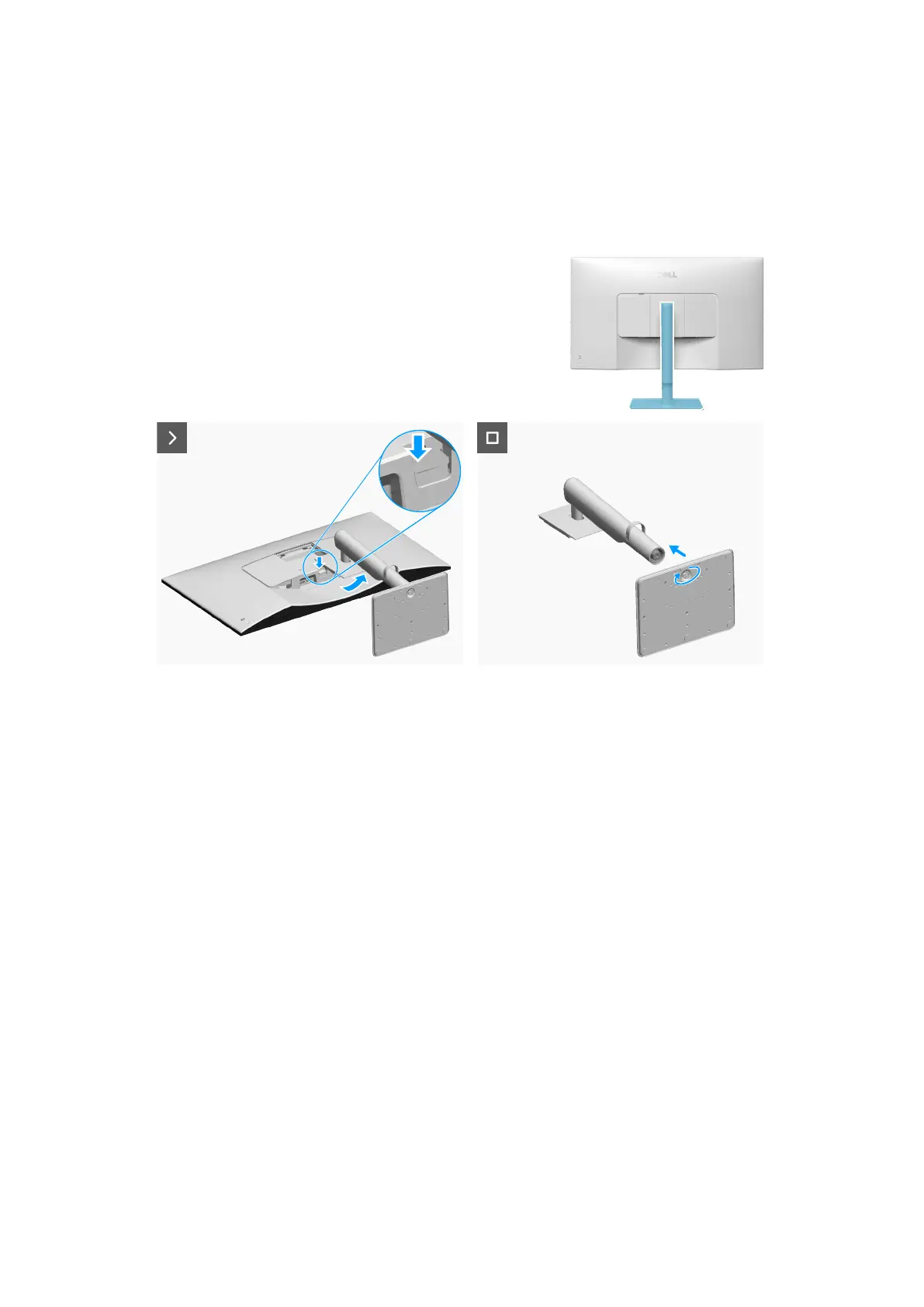
The following image indicates the location of the stand and provides a visual representation of the removal procedure.
Figure 13. Removing the stand
Steps
1. Place the monitor on a clean, flat surface on a soft cloth or cushion.
2. Press the release button and pull the stand assembly away from the monitor.
3. Open the screw handle at the bottom of the stand base and turn it anti-clockwise to unlock the riser from the base.
4. Detach the stand riser from the stand base.
Installing the stand
Prerequisites
If you are replacing a component, remove the existing component before performing the installation procedure.
About the task
The following image indicates the location of the stand and provides a visual representation of the installation procedure.








 To Next Page