24
Disassembly and reassembly
Metal shield
Removing the metal shield
Prerequisites
1. Follow the procedure in Before working inside your monitor.
2. Remove the stand.
3. Remove the back cover.
4. Remove the speaker.
About this task
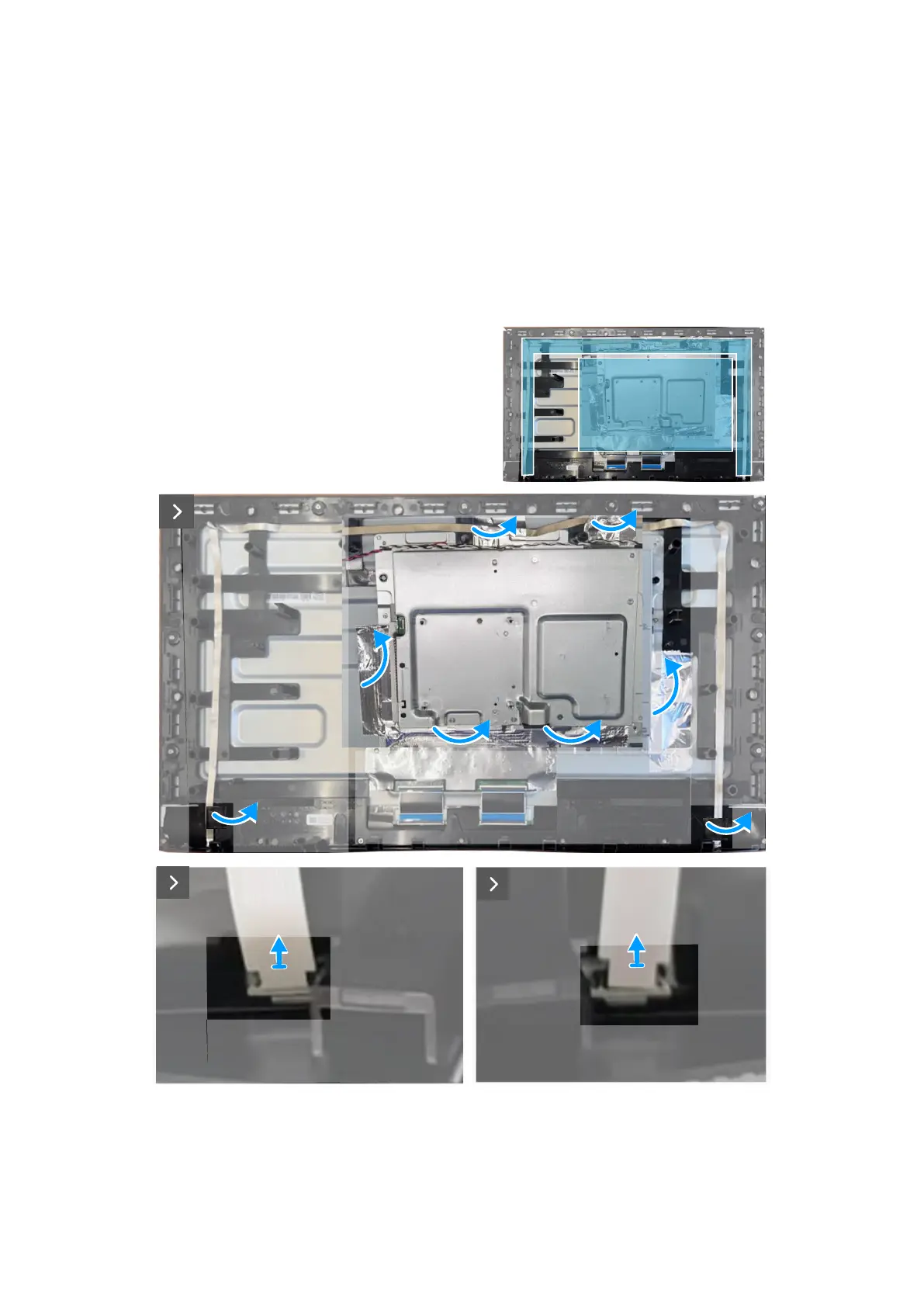
The following image indicates the location of the metal shield and provides a visual representation of the removal procedure.
Figure 23. Disconnecting the lightbar cables








 To Next Page