20
Disassembly and reassembly
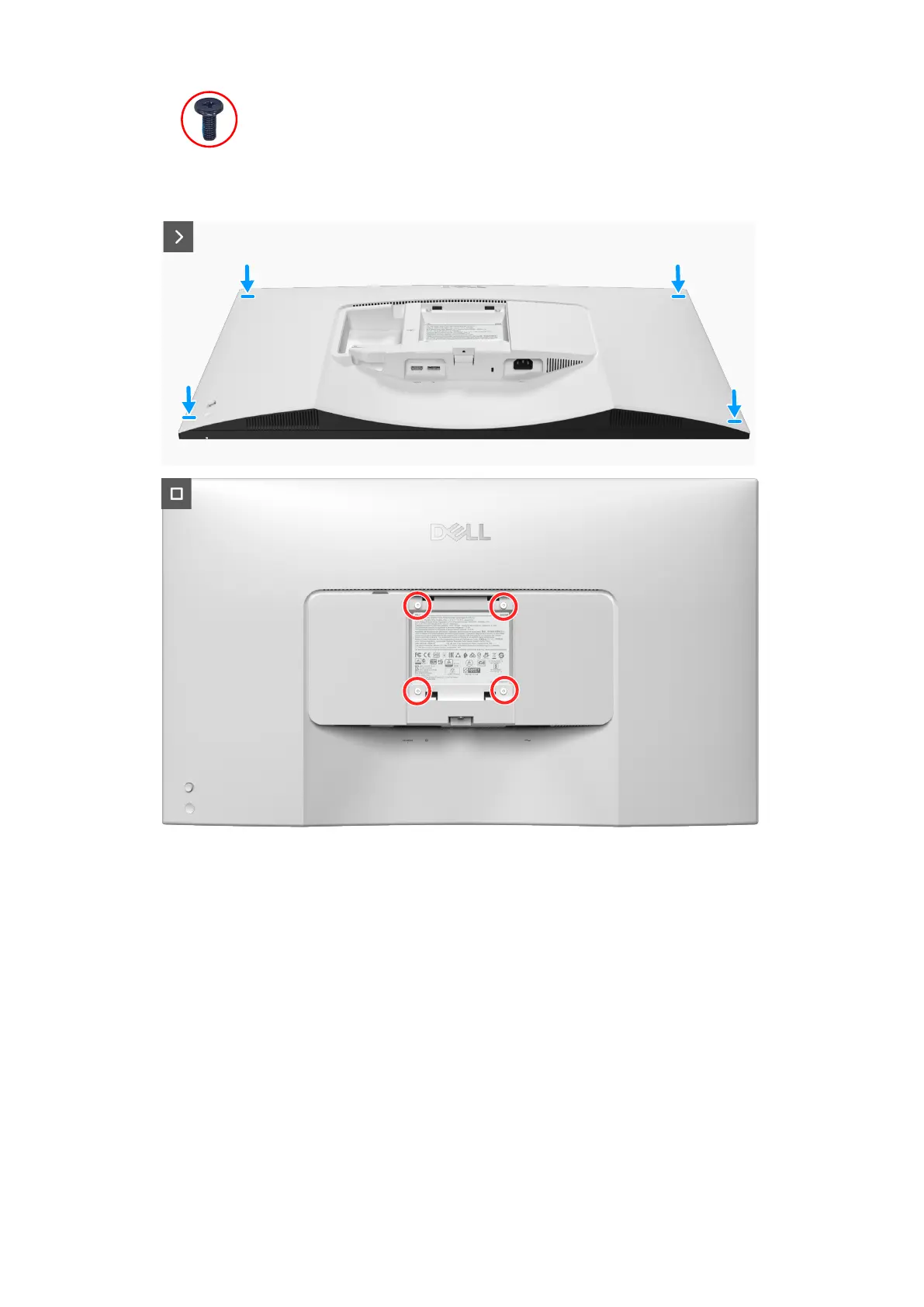
4x
M4x10
Figure 18. Replacing the screws
Steps
1. Connect the keypad board cable to the connector on the system board.
2. Align the screw holes on the back cover with the screw holes on the monitor, and gently press along the sides to snap the back
cover into place.
3. Replace the four screws (M4x10) to secure the back cover to the monitor.
Next steps
1. Install the stand.
2. Follow the procedure in After working inside your monitor.








 To Next Page