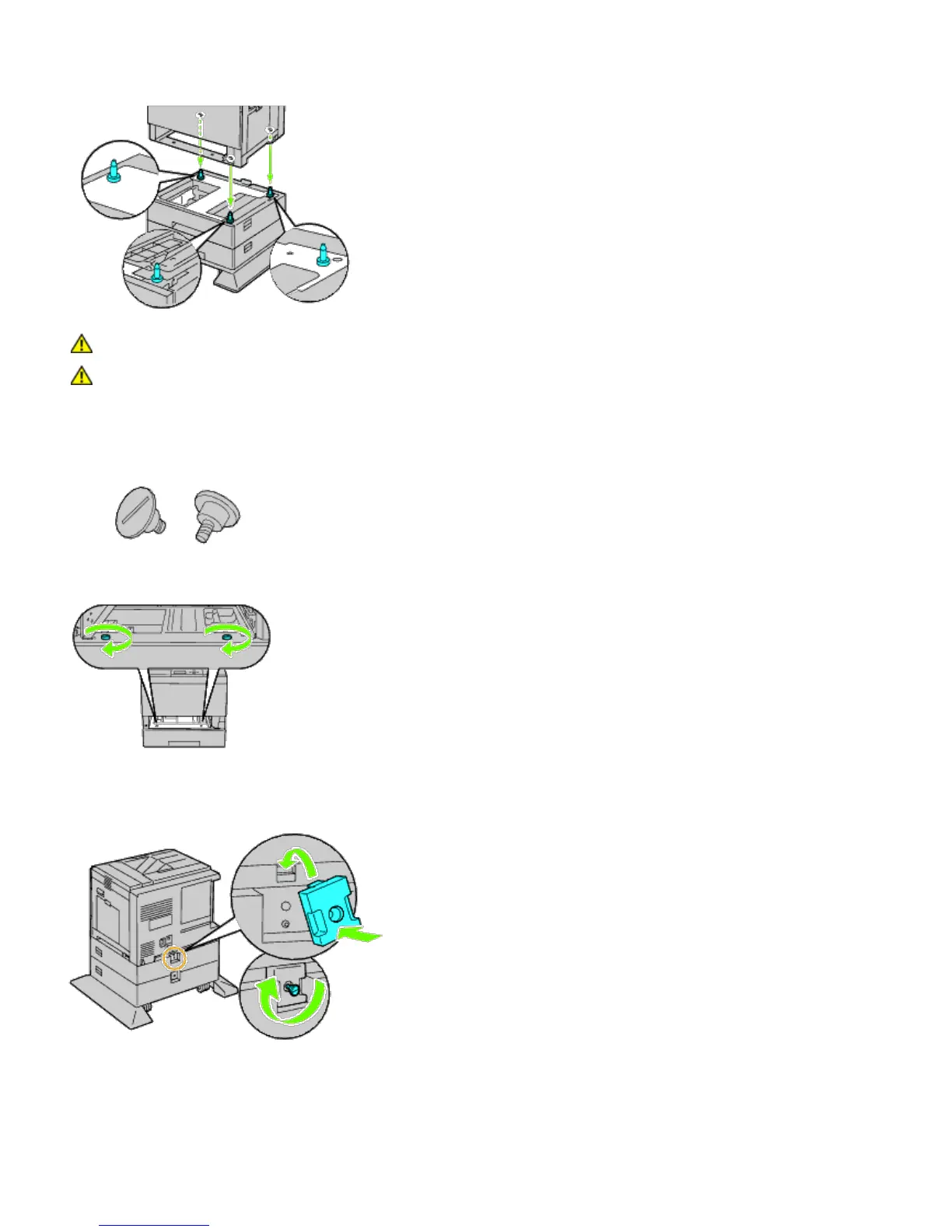
4. Lift the printer and align the three guide pins of the optional 1100-sheet feeder with the holes at the bottom of the
printer. Gently lower the printer onto the 1100-sheet feeder.
CAUTION: You need three people to lift the printer.
CAUTION: Be careful not to catch your fingers between the printer and the sheet feeder.
5. Tighten the two screws provided with the feeder using a coin or screw driver.
6. Secure the printer and the 1100-sheet feeder with a plastic clamp-lock and the long screw provided with the
feeder.
7. Insert the tray into the printer, and push until it stops.













 To Next Page