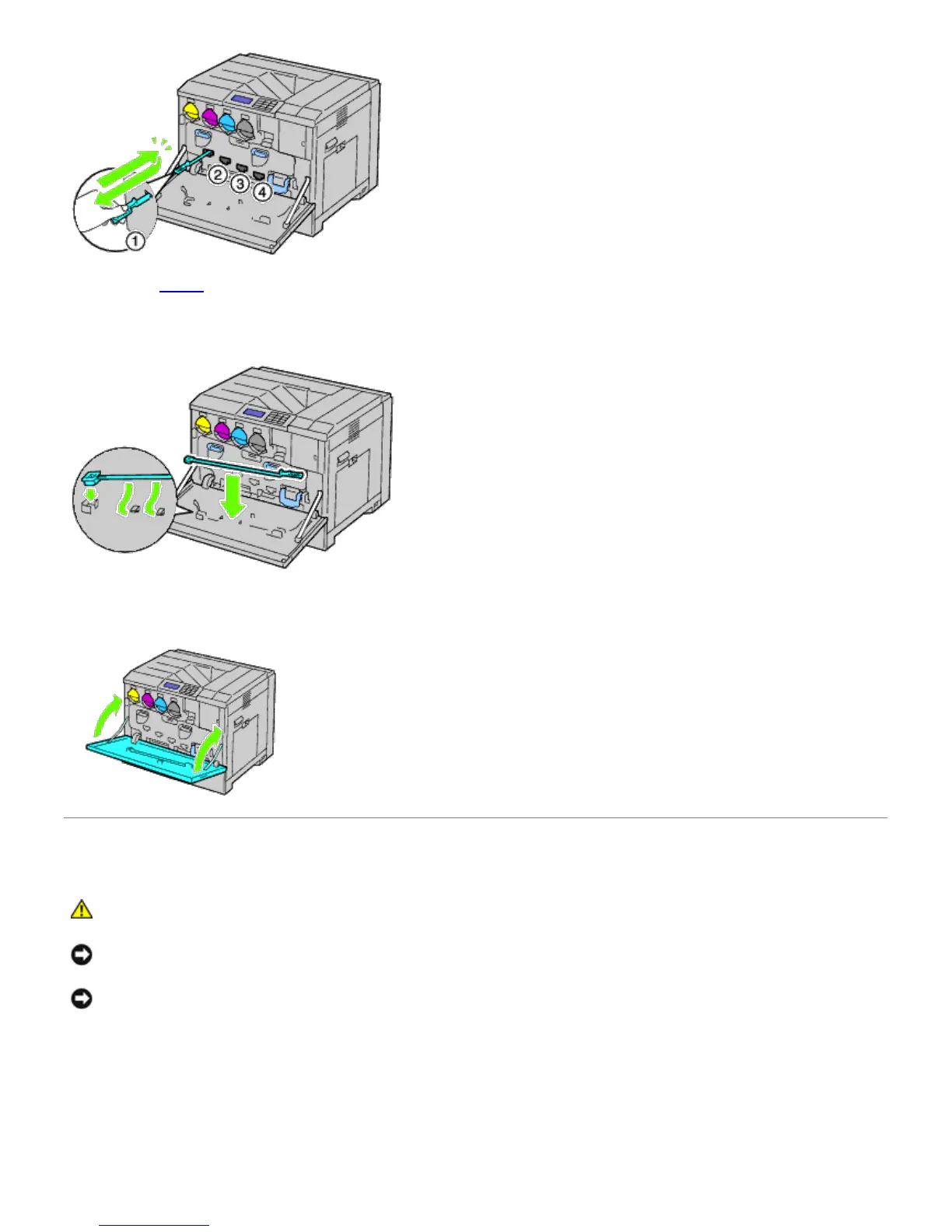
4. Repeat Step 3 also on the other three holes.
5. Return the cleaning rod to its original location.
6. Close the front cover.
Cleaning the Conductivity Temperature Depth (CTD) Sensor
CAUTION: To prevent electric shock, always turn off the printer and disconnect the power cable from
the grounded outlet before performing maintenance.
NOTICE: Ensure nothing touches or scratches the surface (black-colored film) of the belt unit. Scratches, dirt, or oil
from your hands on the film of the belt unit may reduce print quality.
NOTICE: To protect the drum cartridges from overexposure to bright light, close the inner cover within five
minutes. If the front cover remains open for more than five minutes, print quality may degrade.
1. Turn off the printer.
2. Raise the latch of the right hand cover and open the cover.













 To Next Page