Removing the Logo Board | 109
Procedure
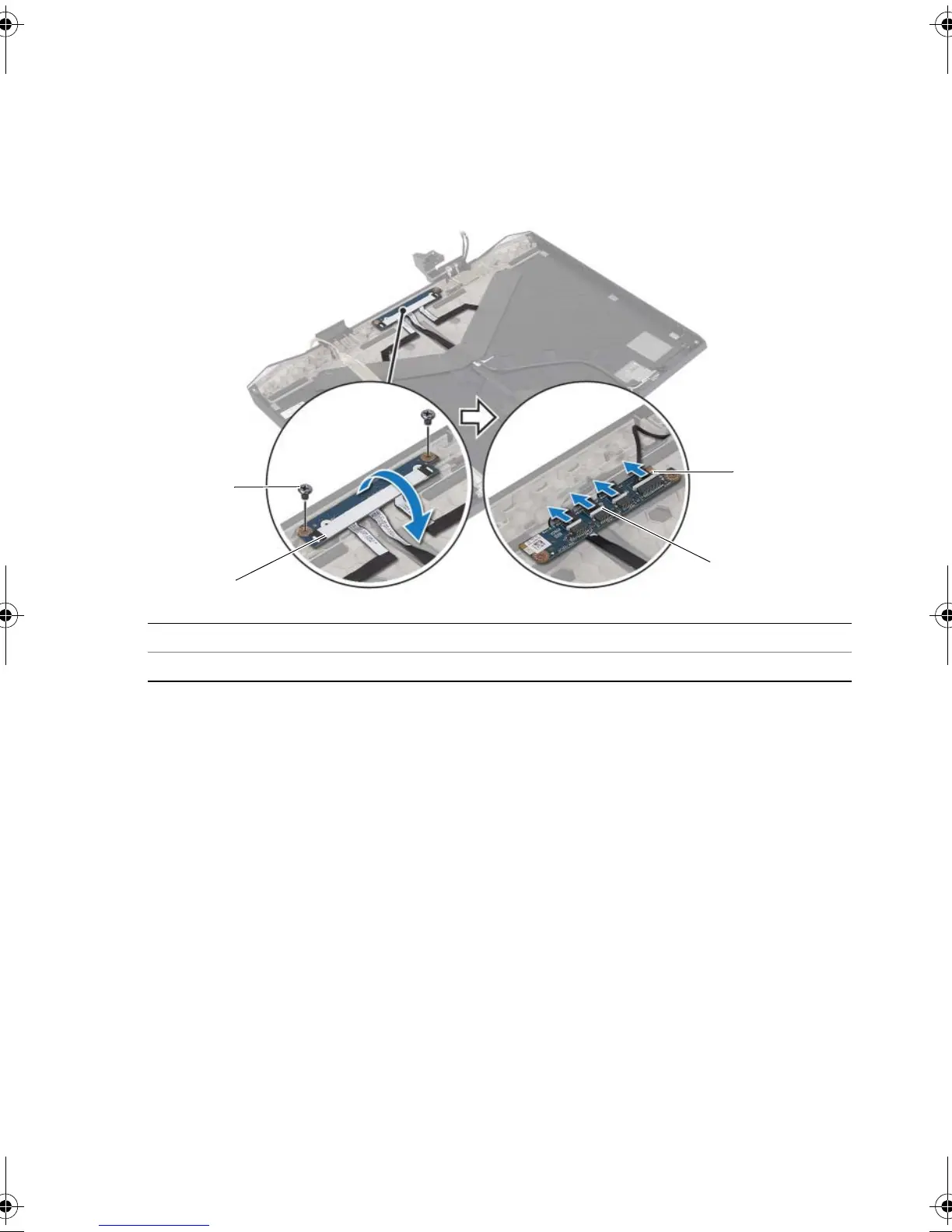
1 Remove the screws that secure the logo board to the display back-cover.
2 Carefully rotate the logo board and disconnect the display light-board cables and
logo-board cable from the logo-board connectors.
3 Lift the logo board off the display back-cover.
1 screws (2) 2 logo board
3 logo-board cable 4 display-light board cables (3)
book.book Page 109 Friday, June 28, 2013 3:27 PM












 To Next Page