Removing the Power-Adapter Port | 79
Procedure
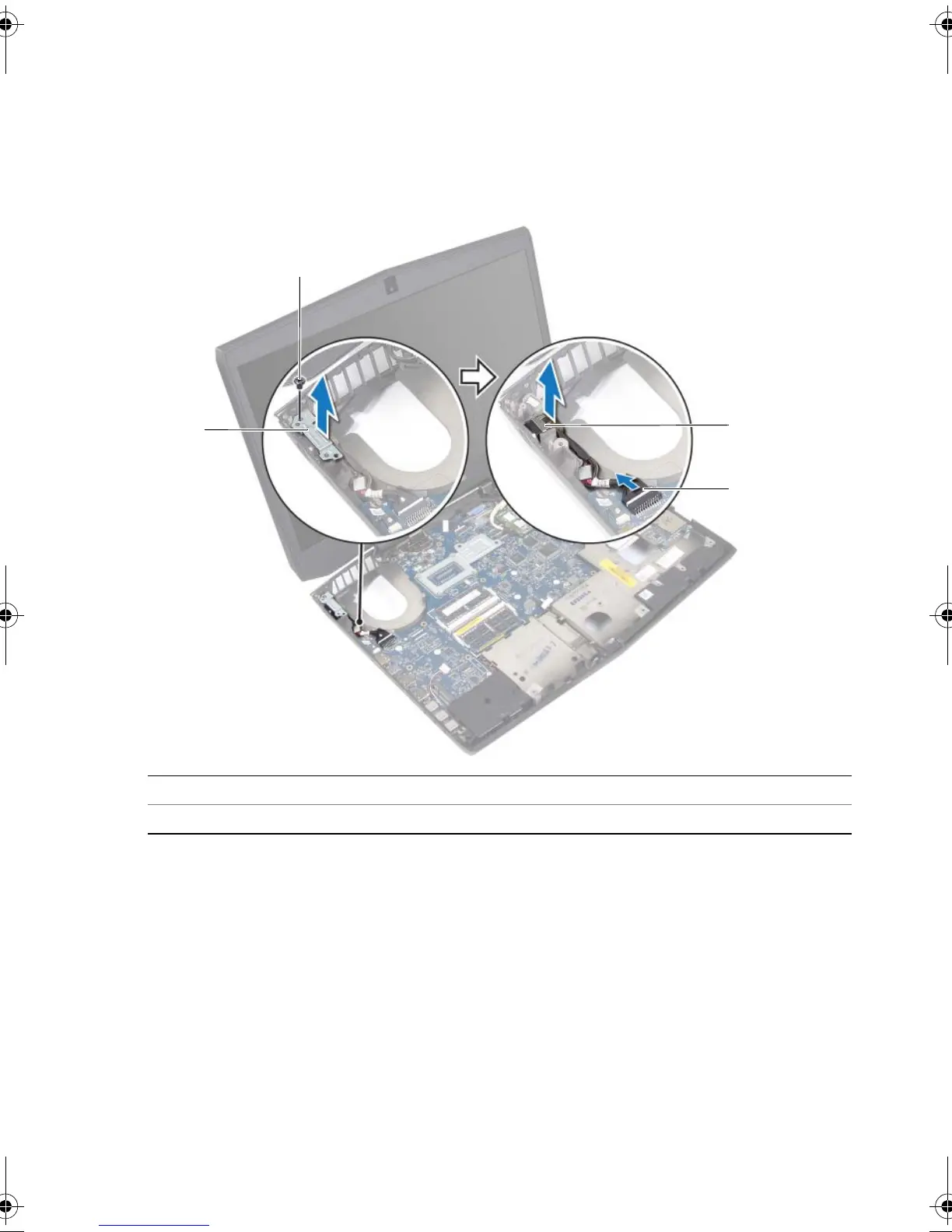
1 Remove the screw that secures the power-adapter port bracket to the
computer base.
2 Disconnect the power-adapter port cable from the system board.
3 Lift the power-adapter port off the computer base.
1 power-adapter port bracket 2 screw
3 power-adapter port 4 power-adapter port cable
book.book Page 79 Friday, June 28, 2013 3:27 PM












 To Next Page