Removing the Third Hard Drive (Optional) | 28
Procedure
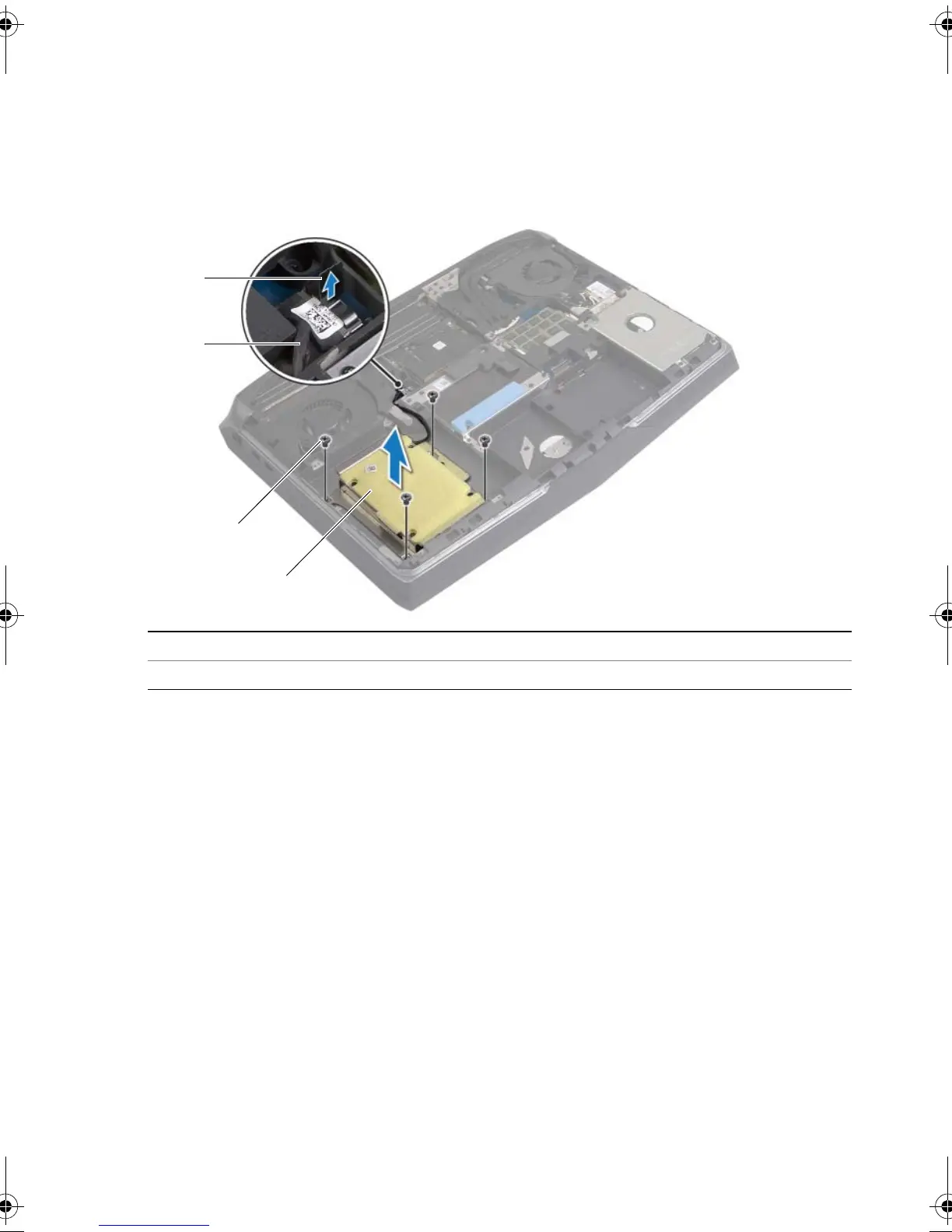
1 Remove the screws that secure the tertiary hard drive assembly to the
computer base.
2 Using the pull-tab, disconnect the hard-drive cable from the system board.
3 Lift the hard-drive assembly off the computer base.
1 pull tab 2 hard-drive cable
3 screws (4) 4 tertiary hard-drive assembly
book.book Page 28 Friday, June 28, 2013 3:27 PM












 To Next Page