Removing the Memory Module(s) 1 and 2 | 51
Procedure
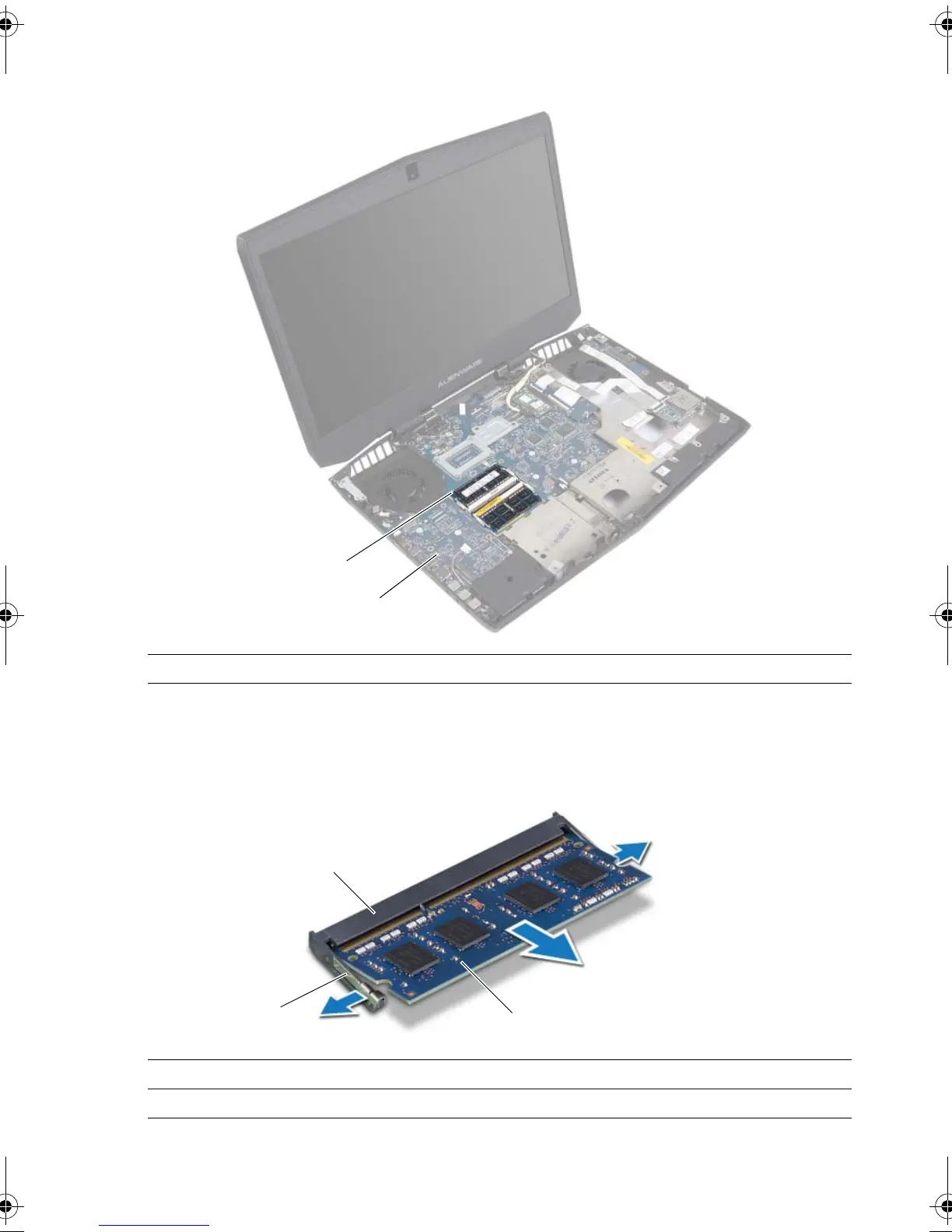
1 Using your fingertips, carefully spread apart the securing clips at the sides of the
memory-module connector until the memory module pops up.
2 Slide and remove the memory module from the memory-module connector.
1 memory-module 2 computer base
1 memory-module connector 2 securing clips (2)
3memory module
book.book Page 51 Friday, June 28, 2013 3:27 PM












 To Next Page