Removing the System Board | 83
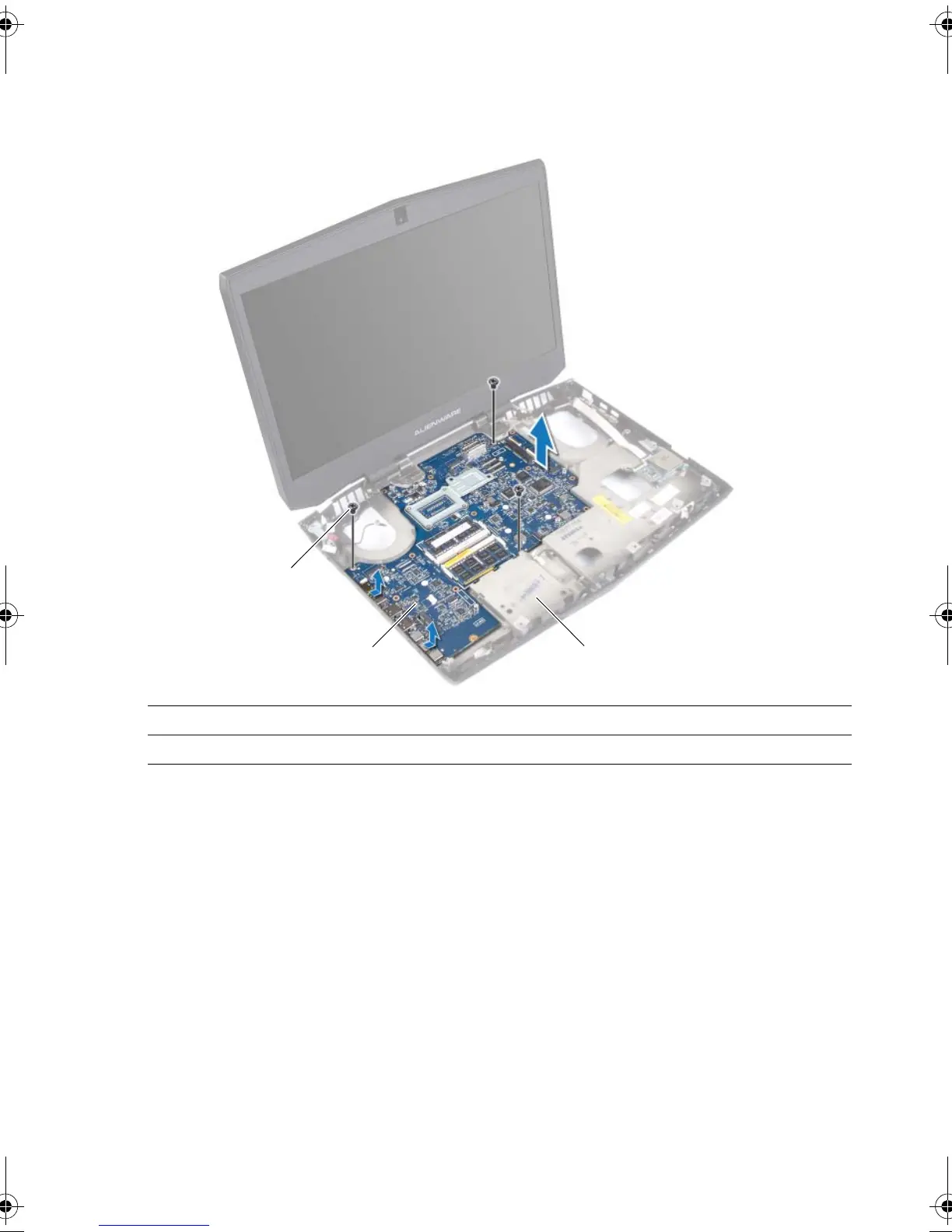
2 Remove the screws that secure the system board to the computer base.
3 Lift the system board at an angle and remove the ports on the system board from the
slots on the computer base.
4 Remove the coin-cell battery. "Removing the Coin-Cell Battery" on page 87.
5 Remove the processor. See "Removing the Processor" on page 90.
1 screws (3) 2 system board
3computer base
book.book Page 83 Friday, June 28, 2013 3:27 PM












 To Next Page