• M.2 2230 solid-state drive
• M.2 2280 solid-state drive
NOTE: Install the solid-state drive to the M.2 slot one before installing the solid-state drive to the M.2 slot two on the
system board.
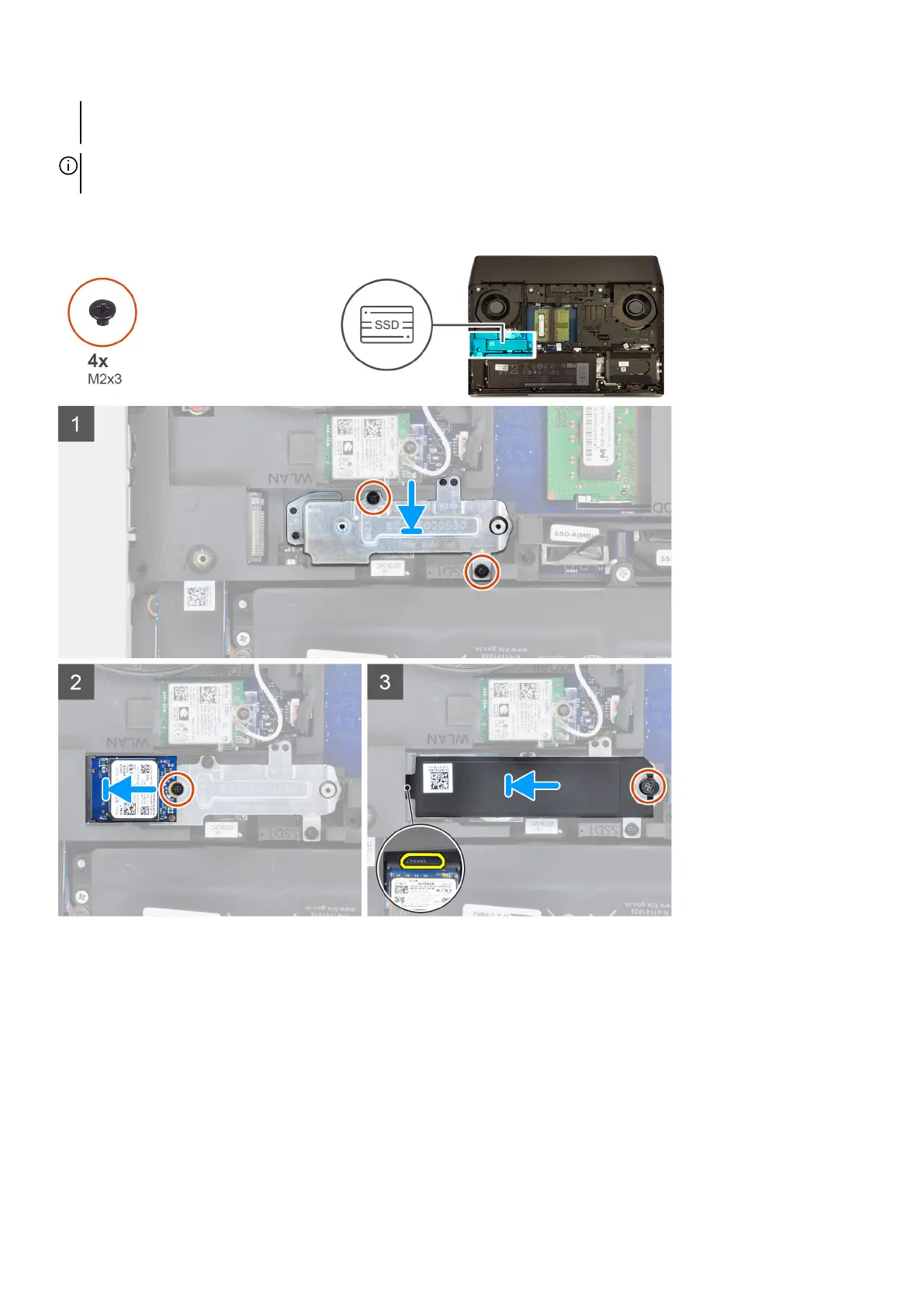
The following image indicates the location of the M.2 2230 solid-state drive in M.2 slot one and provides a visual representation of
the installation procedure.
Steps
1. Using the alignment posts, place the solid-state drive mounting bracket in the slot on the computer base.
2. Align the screw holes on the solid-state drive mounting bracket with the screw holes on the computer base.
3. Replace the two screws (M2x3) that secure the solid-state drive mounting bracket to the computer base.
4. Align the notch on the M.2 2230 solid-state drive with the tab on the M.2 solid-state drive slot on the system board.
5. Slide the M.2 2230 solid-state drive into the M.2 solid-state drive slot on the system board.
6. Replace the screw (M2x3) that secures the M.2 2230 solid-state drive to the palm-rest assembly.
7. Slide the tab on the thermal shield into the slot on the computer base to secure the thermal shield in place.
8. Align the screw holes of the M.2 thermal shield with the screw holes on the palm-rest assembly and system board.
9. Replace the screw (M2x3) that secures the M.2 thermal shield to the palm-rest assembly and system board.
22










 To Next Page